The MFA screens, walked
Three PRs bring back the emailed code and the authenticator app, add a scannable QR, and put every sign-in method on one page. Until now they were proven by tests; this is what they look like in a browser.
21 Sep 2026 · PRs #10648, #10653, #10656 · run against propflow-auth-stage, never production
The one thing
The screens hold up, and the walkthrough found two things the tests could not. One was a duplicated word on a card, fixed. The other is a pre-existing bug on main: after a password sign-in, an enrolled account is told it has no second factor configured.
How it was run
All three branches merged onto main in a scratch worktree, then a dev server against the stage auth table. Driven with Playwright as smoke@propflowai.co, which was read first and had no MFA of any kind — no OTP row, no passkey, no authenticator — and which was reset back to exactly that state as the last step of the script.
The dedicated mfa-e2e@propflowai.co identity the e2e spec names does not exist in this table, which is why smoke@ was used and why the restore is part of the run rather than an afterthought.
Setting up an authenticator
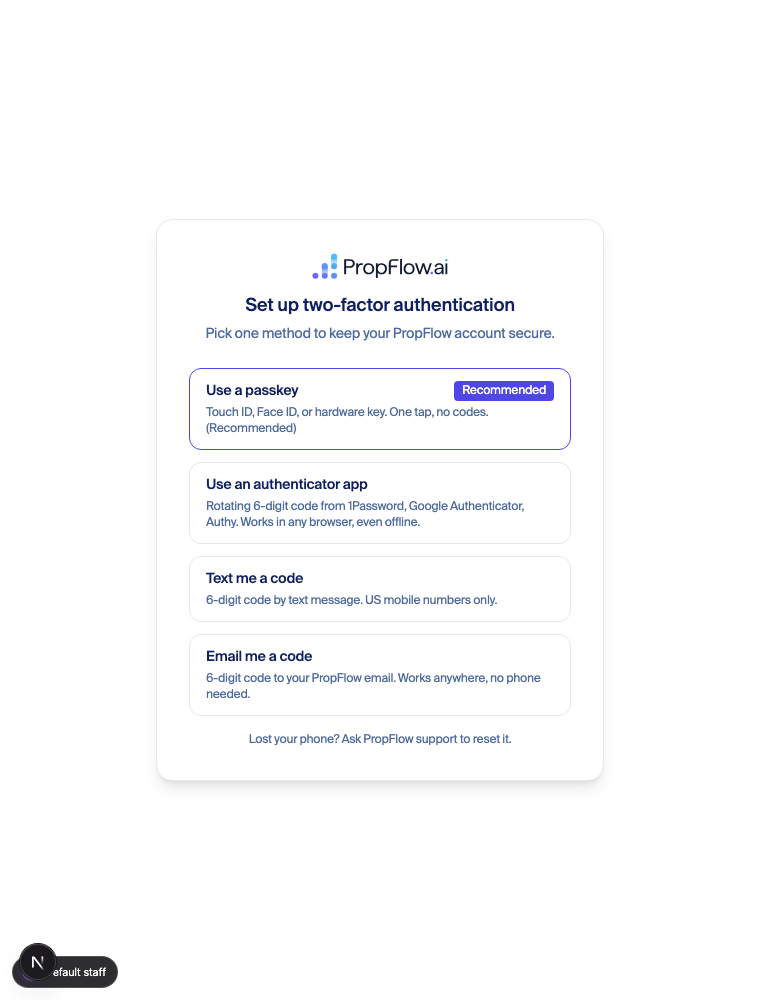
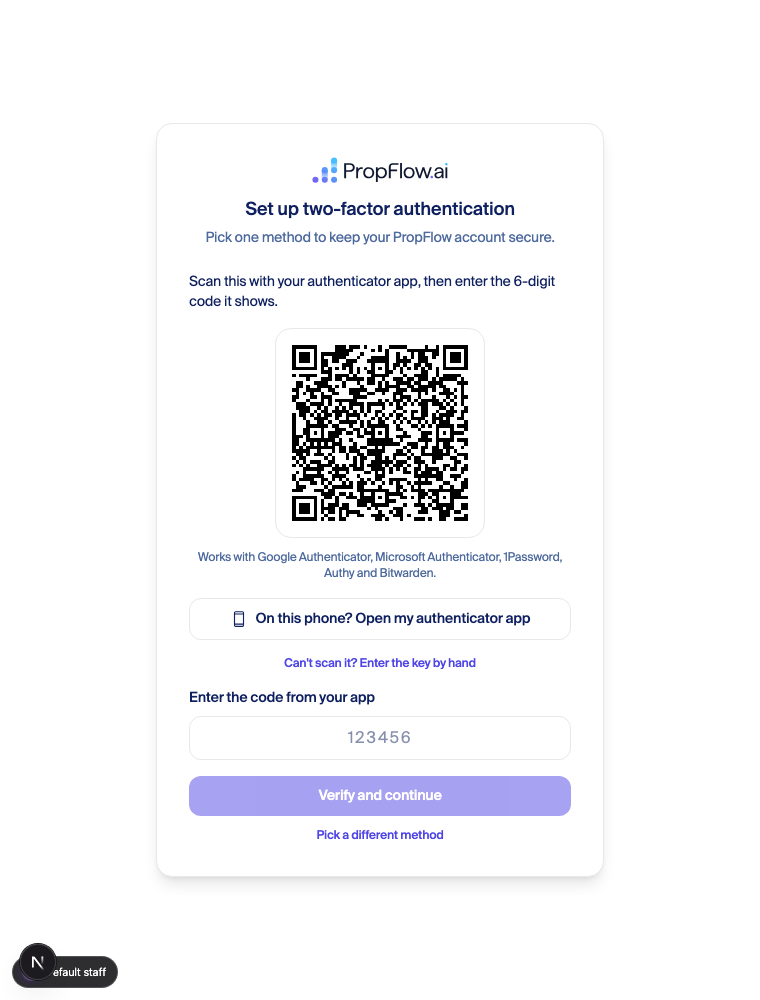
What the walkthrough proved
A code generated the way Google Authenticator generates it actually verifies proven
The script base32-decodes the secret out of the QR’s own URI, HMACs with those bytes, and submits the six digits. The server accepted it and the browser left /setup/mfa for the dashboard.
otpauth://totp/PropFlow:smoke%40propflowai.co?secret=…&issuer=PropFlow&digits=6&period=30
manual key === URI secret         : true
decoded secret is the stored hex  : true
enroll/verify                     : 200
This is the trap the route comments warn about, hit from the client side: passing the base32 text as the HMAC key instead of decoding it first produces codes that never verify — the old desktop-enrollment bug. Decoding is what a real authenticator does, and it works. No algorithm parameter, 6 digits, 30 seconds: the shape every authenticator app handles.
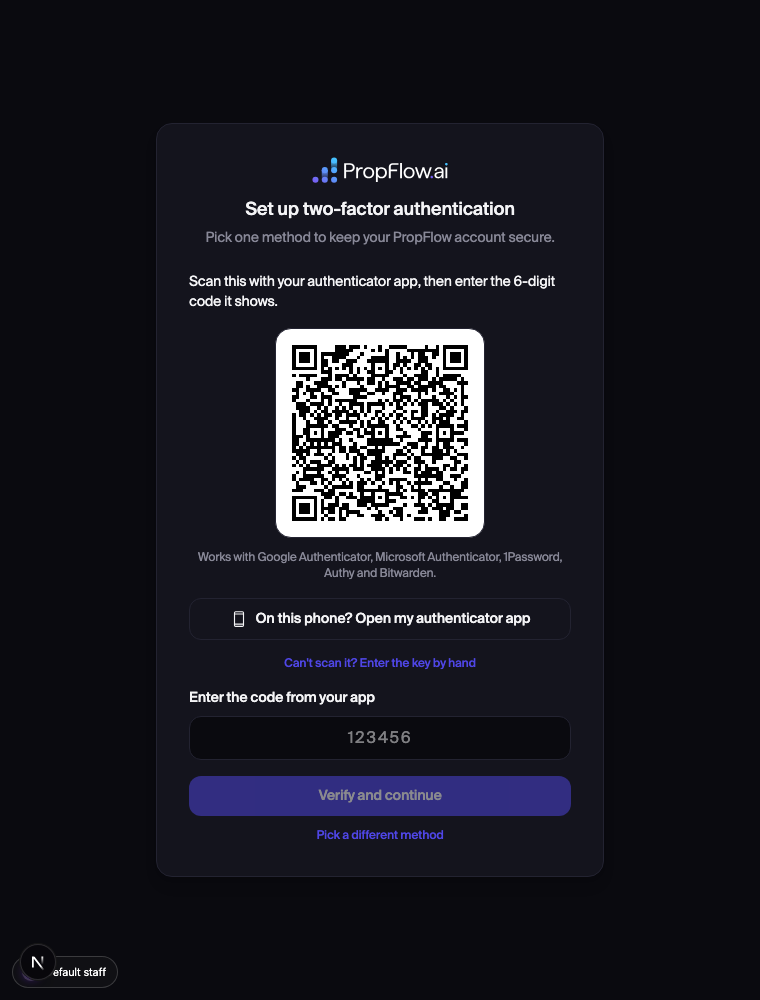
The QR survives dark mode proven
A scanner needs dark modules on a light field. The colours are pinned rather than inherited from the theme, so the white plate holds when the rest of the page goes dark. The failure this prevents would only ever have shown up for dark-mode users, on their own phone, where nobody is watching.
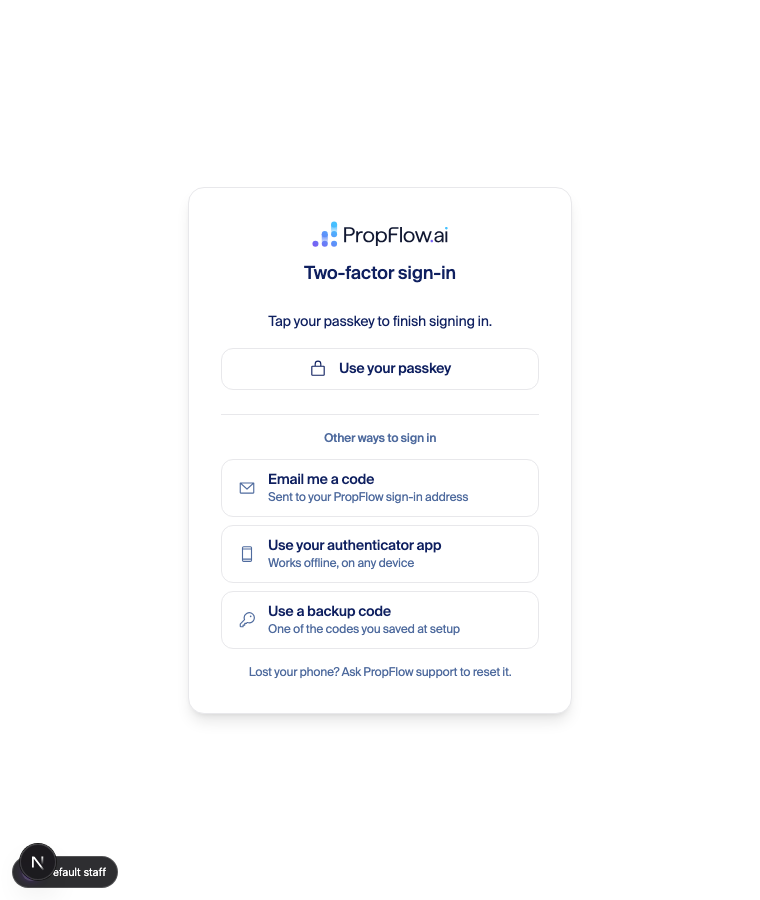
The screen that started this
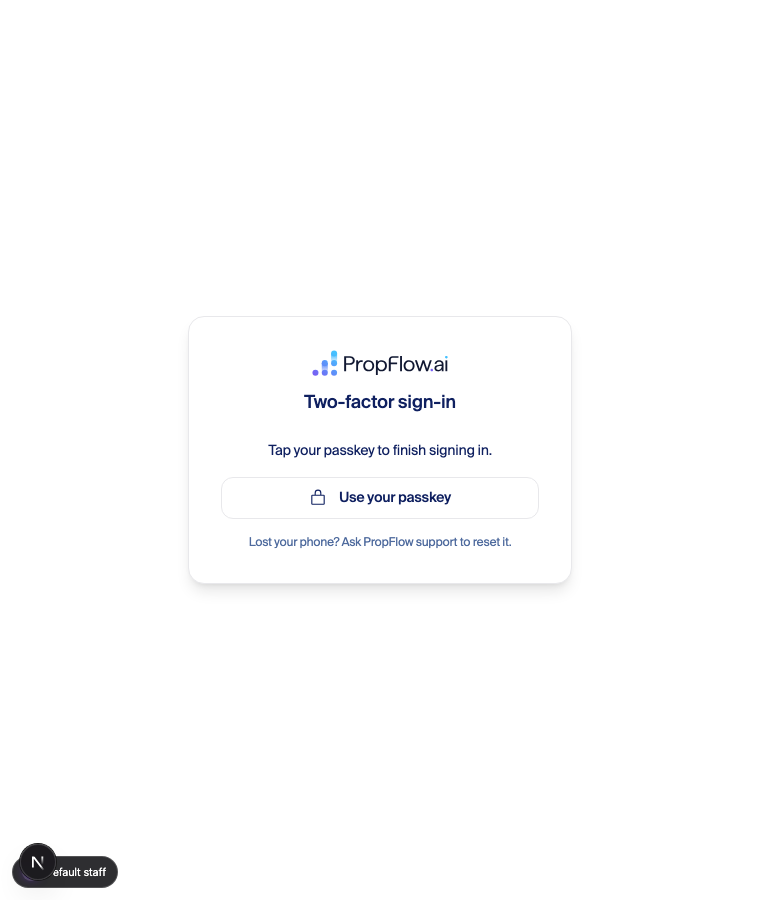
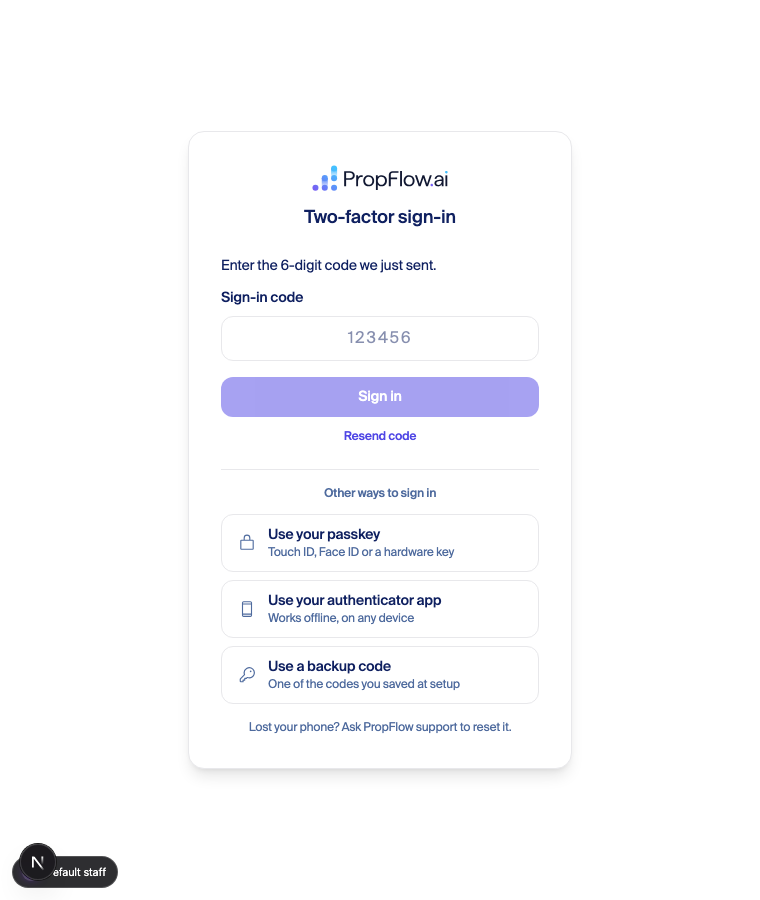
The original report was a two-factor screen offering nothing but “Tap your passkey”, on a machine that did not have the passkey. The alternatives existed — as one button and three 11px text links declared separately under each form. Here is the same screen now.
Two things the screenshots caught that the tests did not
signin (2fa enabled)     : 200  {"twoFactorRedirect":true,"twoFactorMethods":["totp","otp"]}
GET /api/mfa/methods     : 401  {"error":"Not authenticated"}
The user-visible result is a contradiction: an enrolled account gets a code form saying “Sending you a code now…” directly above a red “No second-factor method is configured. Contact support.”
This is the state of main and none of the three PRs cause it — but it is why the challenge screens above had to be captured with the methods response stubbed. Real users sign in with Google or a magic link, which the page’s own header comment names as the paths it was built for, so this may only affect the password path. Worth checking against production before anyone leans on password sign-in.
What is real in each shot
| Shot | Server | Data |
|---|---|---|
| Setup picker, light and dark | real | Real account, real session |
| Authenticator QR, light and dark | real | Real secret, minted by the route |
| Enrollment verify | real | Real code, accepted by the server |
| Challenge screens | real | methods stubbed — see the 401 above |
Everything rendered is the real page, real CSS and the real decideMfaMode. In the challenge shots the stub supplies exactly what the server returns for each account shape, because the server cannot be made to return it on the password path.
The three PRs
- #10648 — email codes as an enrollment method. Approved; a review round caught that adding email would have deleted an existing phone number, now fixed and fenced.
- #10653 — the authenticator app, plus the QR above.
- #10656 — every method on one page. A review round caught the code row promising an email to text-code users, and a half-typed backup code riding into the six-digit form; both fixed, both pinned by tests that fail on the pre-fix code.
Branches mfa-email-code-enrollment, mfa-authenticator-app-enrollment and mfa-challenge-one-page-choices, merged onto main in a scratch worktree for this run. The account used was restored to zero MFA at the end.