Conversation thread standard
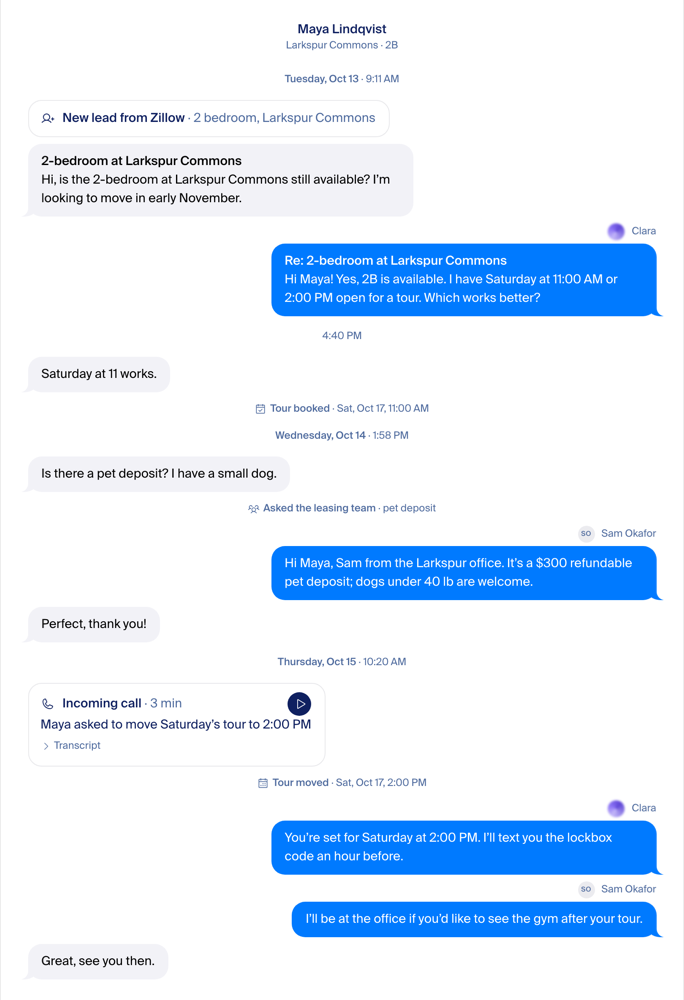
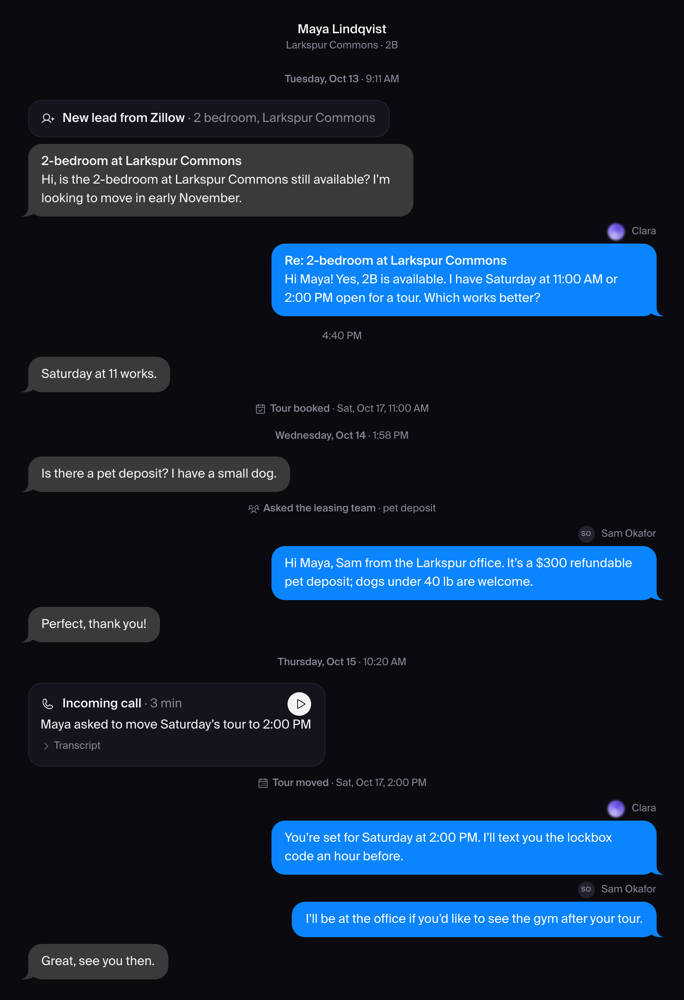
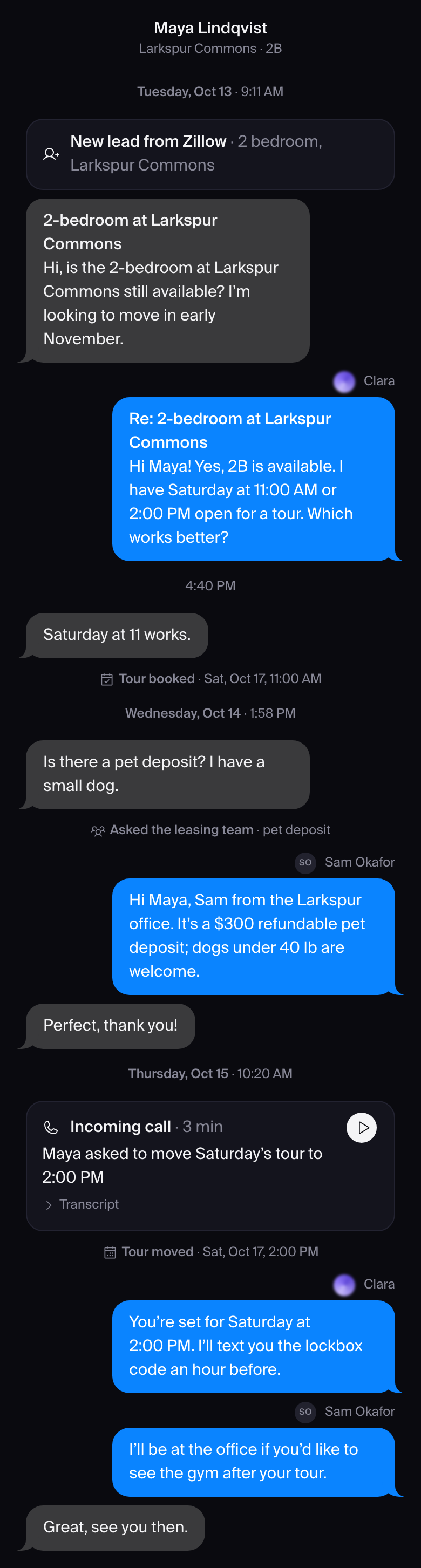
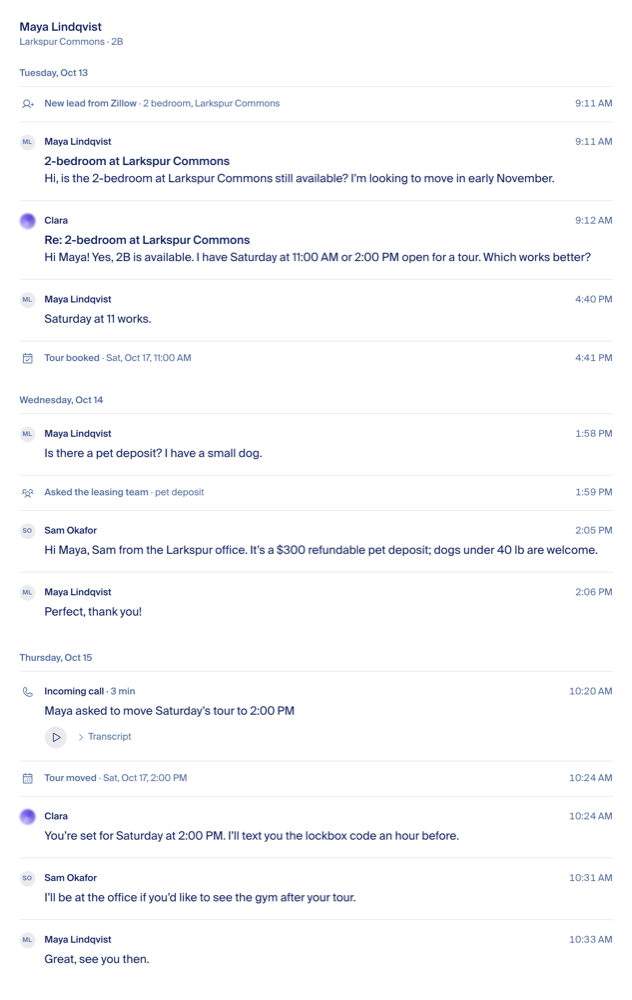
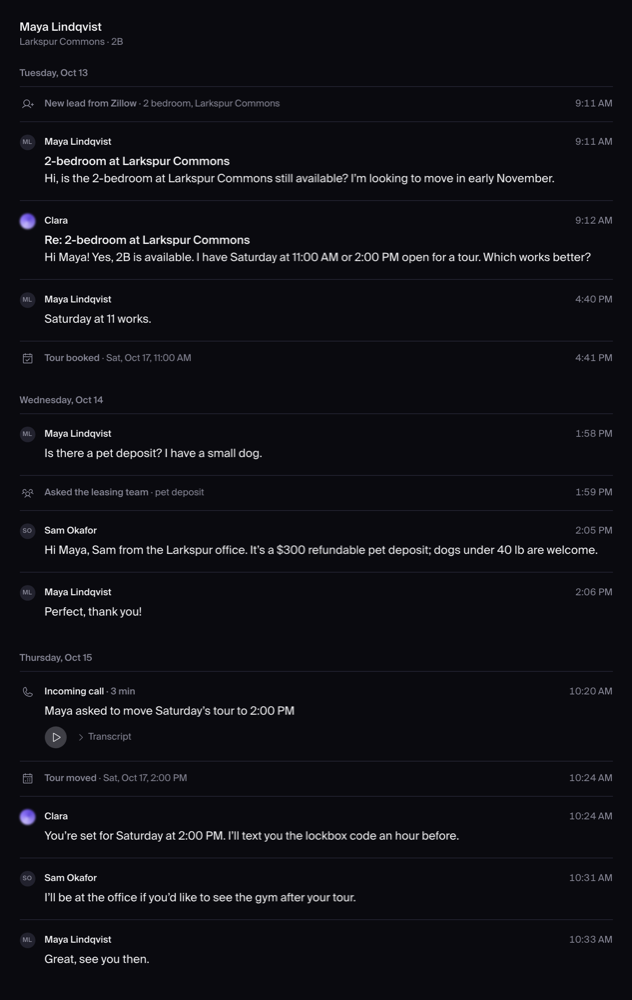
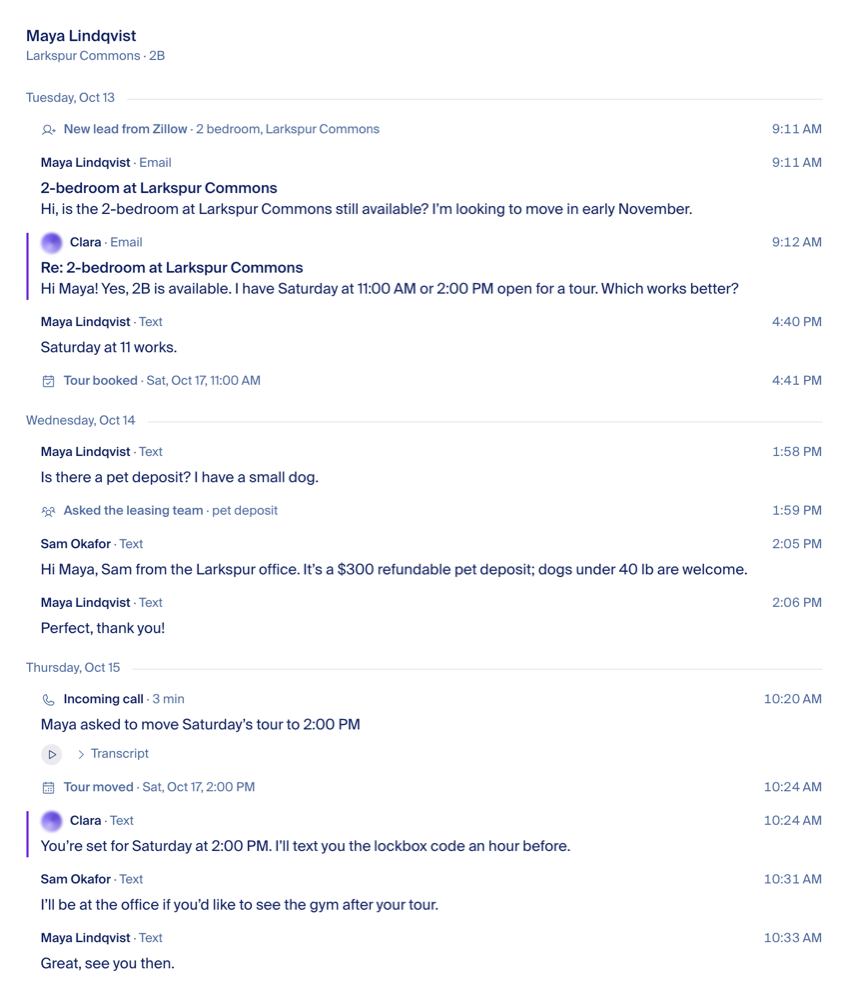
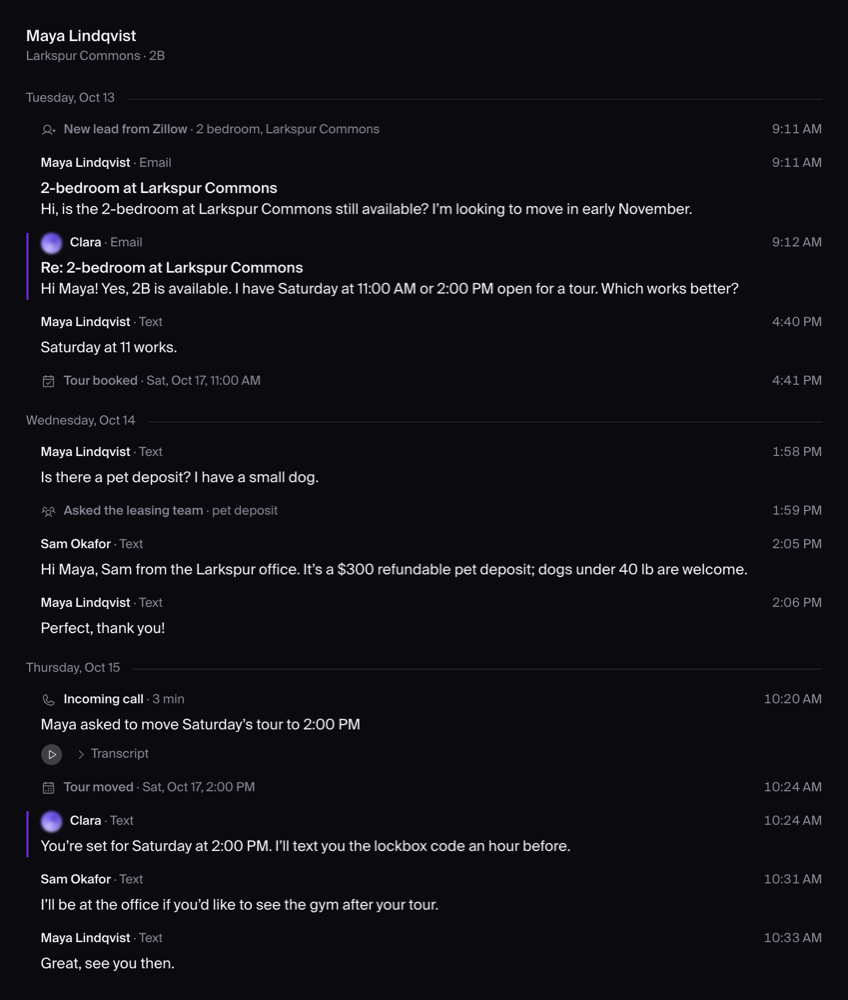
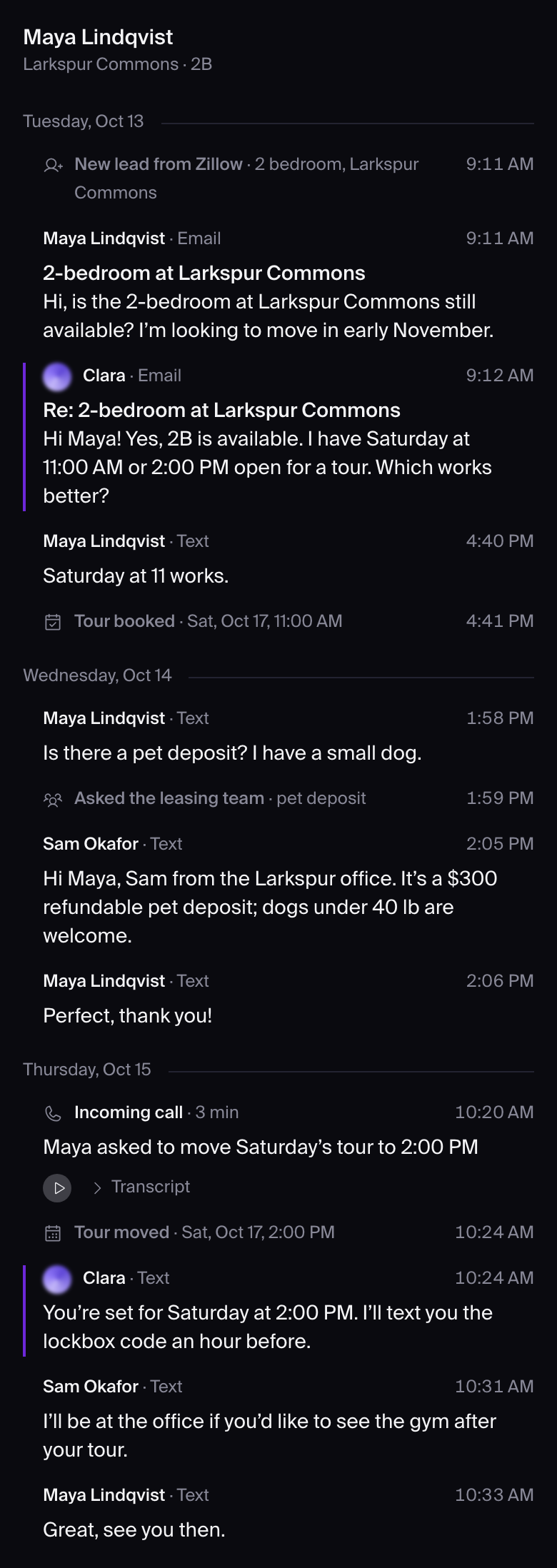
The Messages direction, decided. One thread for every conversation: the renter on the left, Clara and the team on the right, the time under each run.
Building — final tweaks on staging 2026-10-16
Nov 3: retro, why the list keeps getting noisy again, and the one fix
Why we keep playing whack-a-mole on the conversations list
Live in production, Nov 3 evening Measured, prototyped, built as three PRs, backfilled and checked on the real pages the same day.
What the noise actually is
At Situs the team (mostly Courtney) pastes one pest-control notice into tenant threads one at a time, 7 to 25 threads over a few hours, English to some tenants and Spanish to others. AppFolio records each paste exactly like a normal one-to-one staff text. Nothing on the message says "mass". Only the same text showing up across many threads gives it away. In the last 30 days: 43 notice waves, 28 sent as real mass sends, 8 pasted, 7 half and half.
The six attempts, and why the blast was still there the next morning
| When | Who | What it called "noise" | Why the pasted notice still showed |
|---|---|---|---|
| Oct 7 | Gera | Answered threads hidden by the Sent-as hide; rolled back to cold threads only | Not about blasts at all; the paste counts as a live staff send. |
| Oct 18 | Fede | Too many filters and columns | Cleanup of the page, no change to the clock. |
| Oct 22–23 | Fede | Mass texts tagged by AppFolio as bulk | The paste is not tagged. 0 of the 12 offending rows carried the tag. |
| Oct 26 | Fede | Anything we sent; sort on the write-in only (option B) | Worked for blasts, but also buried Clara's real sends. Fede was unhappy with that side effect. |
| Oct 28 | Gera | Only mass sends, follow-ups and confirmations; any "message of substance" counts again | A pasted notice is a staff text, so it is "substance" by definition. The blast came straight back. |
| Nov 2 | Gera | (open) a "Replied" filter on top of the same clock | Same clock underneath; the blast still sets it. |
The pattern. Every attempt defined noise by a label (AppFolio's tag, our message kind, "ours vs theirs"). The paste carries the wrong label at the source, so every label-based rule lets it through. Three different rules went live in six days and this page still says the Oct 26 rule is live; production has run the Oct 28 rule since. Nobody measured the untagged paste until today, and the QA for each change looked at tagged blasts only.
Five kinds of noise the measurement found
| Noise | Where, how much | In the proposal |
|---|---|---|
| Pasted staff notices, untagged | Situs: up to 26 of top 50 on notice day | Yes: clustered as mass at sync time |
| AppFolio automatic notices ("request submitted", maintenance reminders) | Western Slope: 10 of top 50 | Yes: already tagged "notice" by us, drop from the clock |
| AppFolio's "thank you for your interest" auto-reply, stored as a staff text | Situs: 26 rows | Yes: a one-line mapping fix at sync; not a blast |
| Call transcripts: one caller makes three rows in 72 seconds | Situs, top 15 | No: separate, small; group a caller's calls |
| Clara's own first-reply template (one-to-many by text) | Both orgs | Excluded on purpose: Clara's sends are never "mass" |
The decision (Fede, Nov 3)
Decided 2026-11-03 (Fede) "This is just a constant flow of things that are happening in real time."
What the page is for: a live feed of everything the company says and hears (calls, texts, emails), newest first, one person per row. Fede uses it to spot-check Clara; owners use it to watch their team. It is not a to-do list: no "needs attention", no "waiting on them", no sinking of answered threads. That is why rules borrowed from inbox tools kept misfiring here.
- The sort stays as it is today (Gera, Oct 28): the row's clock is the last thing a person said in the thread, Clara and staff included; automated reminders and confirmations do not count. The Oct 26 "write-in only" rule was a to-do-list rule and is retired for good.
- The only problem is one action showing as twenty rows. Fix: recognize a pasted notice as mass when the messages are copied in, so it joins the existing "Mass texts & notices" group, which the feed already keeps out of recency. Nothing visible changes on the page; notice day stops flooding the top.
- Rejected: one row per blast ("Courtney · pest notice · 18 tenants"). It breaks one person, one conversation: a row that is an action, not a person. A "what did my team send everyone" list is a different question for another surface. Also rejected: stacking look-alike rows visually, which hides the flood instead of removing it.
- Same treatment: AppFolio's automatic notices (10 of Western Slope's top 50) do not move a row. Small follow-ups: one caller's calls within minutes become one row, and AppFolio's "thank you for your interest" auto-reply stops being stored as a staff text.
How a paste is recognized: see the harness results below. Usage (30 days): 614 views by PropFlow staff, 23 by five customer people, so today this is a PropFlow QA tool and this fix is the whole job.
How a paste is recognized: three ways, tried on real rows (Nov 3 evening)
A local harness ran all three on a read-only copy of 30 days of Situs and Western Slope texts. The honest test set is 37 pasted copies that are proven pastes because a tagged AppFolio mass copy of the same notice exists. Staff texts only; Clara's templates, AppFolio notices and call transcripts are excluded by kind.
| Rank | Approach | Simplicity | Proven pastes caught | Real one-to-one texts wrongly flagged | Situs top 50, pasted rows left (today → after) | Western Slope |
|---|---|---|---|---|---|---|
| 1, recommended | Near-match: same text with small edits, same company, 3+ threads in 24 h | 46 lines, no model, decides as each text arrives | 29 of 37 | 0 | notice day 27 → 3; complaint instant 12 → 0; now 7 → 0 | no change |
| 2 | Model check on the candidates | 123 lines plus a model call per candidate; offline only | 36 of 37 | 2 | 27 → 0; 12 → 0; 7 → 0 | 2 rows move |
| 3 | Exact match, word for word | 33 lines, no model | 21 of 37 | 0 | 27 → 11; 12 → 7; 7 → 5 | no change |
- Why near-match. Almost the model's result with no model. Exact match misses any paste with a small edit and caught 0 of 6 planted copies that differ only by the tenant's name; near-match caught 6 of 6. The model was the only one to flag a genuine one-to-one text.
- Earlier copies must be re-marked when the third copy arrives, or the first two keep their place on the list. With that, 1 paste in 37 is missed at arrival time.
- Setting: 2 threads flags too much (up to 99 extra texts), 5 threads misses half. 3 threads in 24 hours: every extra hit was hand-read, 0 real replies among them.
- Also flagged, on purpose: short batch outreach to several people within minutes ("closing your guest card", renewal check-ins). Also flagged, Fede's call: 7 canned texts answering one person's own action ("we received your application", account invites). They would stop moving a row up. Recommendation: fine, they are not conversation.
Caveat: arrival order was taken from message timestamps; the real sync brings texts in batches, so the arrival-time test is approximate. Nothing was written, sent or committed; the harness stays local.
Prototype on real rows (Nov 3 night, local, nothing written)
The near-match detector wired into the real list code and replayed over 30 days of Situs and Western Slope rows in memory. Top 50 before and after, side by side.
| Situs | Western Slope (control) | |
|---|---|---|
| Staff texts re-marked as mass (= backfill dry-run count) | 119 | 8 |
| Threads whose list time changes | 52 | 6 |
| Rows leaving the top 50, now / at the complaint instant | 6 / 17 | 0 / 0 |
| Threads leaving the default list | 35 | 6 |
| Top 10 | unchanged | unchanged |
- Checks passed: 28 of 37 proven pastes caught; planted blast of 6 caught, planted single untouched; no Clara, notice or already-tagged mass row changed; second run changes nothing; batch arrival (the real watcher cadence) gives the same result, decisions land up to 44 s later.
- Also caught: 7 canned "we received your application" texts, and at Western Slope two hand-sent prospect batches by Kat ("did you find a place in Ridgway", "we're closing your guest card"); none of those prospects replied.
- Open for Fede: (1) canned application texts stop moving a row (recommended yes); (2) threads whose only recent activity was a caught text leave the default list, the same as tagged mass today (recommended yes; 11 of the 41 had ever heard from the person, one within the week).
Live in production (Nov 3, 5:30 PM MT)
Live — backfilled — checked on the real pages Three PRs merged (#24982 detector, #24989 re-mark verbs, #25020 live wiring + backfill + standing check). Fix to live behavior, no switch. Backfill run on Fede's yes, Situs then Western Slope.
| Situs | Western Slope (control) | |
|---|---|---|
| Staff texts re-marked as mass by the backfill | 119 (78 threads) | 8 (8 threads) |
| Rows whose list time changed | 45 (16 moved earlier, 29 left the default list) | 6 (all moved earlier, none left) |
| Default list, last 30 days | 95 rows → 89 | 91 → 91 |
| Top 15 on the page | unchanged (the pasted rows sat at ranks 36–40 tonight; 17 of the top 50 this morning) | unchanged |
| Standing check, "top-50 rows placed by a pasted notice" | 5 → 0 | 0 → 0 |
| Second backfill run | plans nothing | plans nothing |


QA pass on production (smoke login, headless): Situs list loads, 89 of 95+ rows, top 15 identical to before; Western Slope list identical before and after; a re-marked tenant's thread opens and still shows the pasted notice; stored rows read back as mass texts with our "inferred" marker and the PMS's own label kept; a second backfill run plans nothing. From now on the third copy of a notice pasted within 24 h files as a mass text on arrival and the first two are re-marked; the standing check (scripts/ops/measure-untagged-blasts.ts) reports "top-50 rows placed by a pasted notice" per company, healthy = 0.
Follow-ups filed, not blocking: #25032 (the tick's lookback can replay a company's whole mirror history when old rows never file), #25033 (a re-mark can be missed when copies land seconds apart in one tick; plus carried-over nits). Not done: grouping one caller's calls within minutes into one row, and AppFolio's "thank you for your interest" auto-reply still stored as a staff text.
What the fix looks like, built once
- Detection is structural: near-identical bodies across threads of one org, same sender, short window. No word lists, no regex. Clara's seat, our notices and automatic replies are left out by their kind, not by their words.
- AppFolio's own label is kept as the raw fact; the mass mark is ours and says it was inferred. The next PMS gets the same treatment through its adapter.
- Backfill is mandatory and allows the clock to move back for the re-marked rows (today's clock only ever moves forward, which is why re-labelling alone would leave the rows on top). Run org by org, dry-run counts first, on Fede's go. Expected at Situs: 7 rows leave the top 50, 27 leave the list.
- The measurement becomes a standing check: "rows in the top 50 driven by a mass send" per org, run against production, so the next regression shows up as a number and not as a complaint.
- This page becomes the single record of the rule, and the Oct 26 block below now says it was superseded.
Scope: 2 to 4 PRs, no switch (it is a fix to live behavior), proof is the production screenshot before and after with the counts above. Western Slope should not move at all; that is the control.
Oct 26: Conversations list, what makes a row (decided: option B)
Conversations list: what makes a row
Decided 2026-10-26 (Fede): option B "Only show people who wrote in." Added here because this page already holds the list's design decisions (Oct 16 ruling below).
Superseded Oct 28 Live Oct 26 evening (built, merged, backfilled, checked on the real pages). Since Oct 28 production runs Gera's rule instead: the clock is the later of the write-in and the last "message of substance"; mass sends, follow-ups and confirmations do not count. See the Nov 3 retro above.
| Default list, last 30 days | Before | After |
|---|---|---|
| Situs | 69 of 100+ rows, mostly staff texts nobody answered | 96 rows, every one a person who wrote in, sorted on their last message |
| Western Slope | rows lifted by our own sends | 91 rows sorted on the write-in; 87 threads moved to their real spot |
| "Show people we messaged with no reply" (extra filters menu) | did not exist | brings the texted-only people back (Situs: 100+) |
| A STOP on the thread | a plain bubble or nothing | white "Opted out of texts" card (proof: Keith Pitchford, Situs, Sep 30 3:30 PM) |
What shipped: the list sorts on the write-in, not on our sends (#22520); per-kind send hides replaced by the one reveal (#22528); the opt-out card (#22501). Backfill run on Situs (494 threads) and Western Slope (452) on Fede's go. Open follow-ups: an automatic AppFolio "Do Not Reply" email still counts as a write-in at Western Slope; a START with no company attached shows "Opted back in" while texting stays blocked (#22577).
Fede's ruling (Oct 26): a row appears or moves up only when a resident or prospect writes to us: a text, an email, a call, or a listing inquiry. Our texts, staff texts and notices stay in the thread but never make or move a row. Edge cases decided the same day:
- A resident replying STOP is a white event card on the thread ("Opted out of texts", like the other event cards), not a conversation row.
- A tenant who only called counts as writing in.
- The Oct 7 ruling stands: answered threads are never hidden. They sit where the person's last write-in puts them.
The pictureOther productsOur numbersDecisionEdge casesHistory
The short version. Every product we checked, AppFolio included, keeps a message we sent off the top of the "needs attention" list. PropFlow does not: any staff or Clara send, including a staff text copied in from AppFolio, jumps the row to the top. That is why 145 of Situs's 185 visible rows are staff texts nobody answered. Fede's rule ("show it when someone external writes in") matches the campaign tools exactly, and in effect matches the AppFolio screen Situs staff use today.
Today's row lifecycle vs "someone external wrote in"
Automated follow-ups no longer move a row (since mid-October). Staff and Clara sends still do. Each hide was added after a complaint.
What other products do
| Product | What creates a row | What sorts it | Where bulk sends live | "Waiting on them" |
|---|---|---|---|---|
| AppFolio (our read-only look at Situs, Oct 26) | Every text, either direction. One row per recipient, even for bulk. No bulk label. | "Unread First" (Situs's setting): resident-wrote-last on top. Our sends are marked read and sink. | Same list, one row each. Bulk starts from the AI assistant (a customer's own help article: Treaty Oak KB). | Grey "replied" arrow, read, below all unread. |
| Buildium | Two-way texts in Text Messages (help) | Not stated | Bulk of up to 10 goes out as individual texts (help). Property-wide sends go to a separate Announcements screen, "guard your inbox from sudden spikes" (help). | Follow / unfollow only |
| Textline | An Announcement opens one conversation per recipient by default (help) | Not stated | Announcements screen; option to auto-resolve the conversations it creates (feature page) | Open / Resolved |
| Podium | Not stated | Not stated | Bulk Messages list (knowledge base). By default skips anyone already in an active conversation (release 25.7) | Not stated |
| Intercom | Inbound, or a teammate composing. Outbound-section message: "no conversation present until the contact responds" (API docs) | "Last activity" or "Waiting since"; after a teammate replies the thread moves "to the bottom" (sorting) | Outbound section, "assign replies to" | Bottom of Waiting-since |
| HubSpot | Inbound. An inbox email we send "will not appear in the All open view until the contact replies" (guide) | Oldest/newest (which timestamp: not documented) | Marketing tool; a reply to a marketing text "will appear as a new conversation" (SMS help) | Separate Sent view |
| Front | Assigned, mentioned, or new activity (sections) | "Newest" (any activity) or "Oldest unreplied" (sorting) | Sequences (email), which stop when the person replies (sequences) | "Later" section |
| Help Scout | Inbound arrives as Active (help) | "Waiting", Active above Pending (waiting sort) | No bulk email feature found | Pending; flips to Active on reply |
| Zendesk | Ticket from requester | Not confirmed | Not covered | Pending: "waiting on information from the requester" (help) |
Heymarket, SimpleTexting and Salesmsg keep broadcasts in their own tab and send replies to the shared inbox (search snippets, unverified: Heymarket, SimpleTexting). Outside property tools the line is the same: Gmail keeps Primary for "people you know" (Gmail Help); the texting industry's CTIA rules call a text conversational only when the "first message is only sent by a Consumer" (CTIA, May 2023). Counter-example: Help Scout's "Waiting" sort does move when staff or an automated workflow emails the customer; Active-above-Pending is what keeps it down (Help Scout).
The pattern: campaign tools create no row; a person composing does. No product puts our send on top of its "needs attention" view. AppFolio never labels bulk; its sort sinks it.
| Question | Most precedents | AppFolio | PropFlow today |
|---|---|---|---|
| Does our send create a row? | Campaign: no. Composed by a person: yes. | Yes, one per recipient | Yes, for every copied or sent message |
| Does our send move the row to the top? | No | No (sinks under Unread First) | Yes for staff and Clara sends; automated follow-ups no longer do |
| How is bulk kept out? | A separate screen, plus sorting | Sorting alone | Hides by kind, after the fact |
| "Waiting on them" | A status or bottom of list | Read, below unread | No state. A hide of answered threads was tried and withdrawn Oct 7 (below). |
Our numbers
Default list, last 30 days. PropFlow production, read-only, Oct 26.
| Situs Group | Western Slope | |
|---|---|---|
| Rows shown | 185 | 207 |
| Newest message is a staff text from AppFolio, person never replied | 145 | 5 |
| Newest is Clara (person replied at some point / never) | 1 / 0 | 95 / 14 |
| Newest is the person | 17 | 17 |
| Rows already removed by the mass-text hide | 295 | — |
| Today alone | 34 rows, 29 of them staff sends | — |
| Under Fede's rule (row only when someone external writes in) | ~30 | ~170 |
The Western Slope estimate counts a listing-site inquiry (Zillow and similar) as "the person wrote in", so lead conversations stay; the 14 "never replied" Clara rows rest on the same assumption.
Spotting bulk can't be made reliable. AppFolio's message record has no recipient count, template or batch id, only a send-route label ("bulk" or "one at a time"). Courtney's Oct 26 pest notice went to 26 residents: 20 one at a time, 6 as bulk, so 20 rows got past the hide. A "same text to 3+ people" rule would also have caught Kat's three genuine one-to-one prospect texts at Western Slope.
The options, for the record (B chosen)
All three keep every message on the person's thread. They differ only in whether our own sends can make a row exist or put it on top.
- A. "Something happened to this person" (as built). Precedent: only the "last activity" sorts in Intercom and Front, each offered next to a "waiting" or "unreplied" sort. Every new send route needs a new hide.
- B. "Someone external wrote in." Chosen Oct 26 Our sends are recorded on the thread but never create or move a row. Precedent: Intercom's outbound section, HubSpot's All open view, Textline's auto-resolved announcements, and in effect AppFolio as Situs has it set.
- C. Rows for everyone, "waiting on us" first. Threads where we sent last sort lower or sit in a "Sent / waiting on them" view. Precedent: AppFolio's Unread First, Intercom's Waiting since, Help Scout's Active over Pending, HubSpot's Sent view.
What Fede already said that bears on this. Oct 7, withdrawing a hide of answered threads: "let's say I scroll down and I see an older session, even though we followed up today, I still want that session down there. If I click it, the follow-up is there in that thread… it's more like skipped." He objected to hiding an answered thread, not to keeping our sends from moving it; since then automated follow-ups no longer move a row. Oct 16, on this list: no pinned "Needs you" group (section below). That rules out C as a pinned group; it says nothing about C as a sort order or a separate view.
Precedents split evenly: B (campaign tools) and C (person-to-person tools, AppFolio included). No public source covers how phone calls count; Fede decided they count as writing in.
Edge cases
| Case | A (as built) | B (chosen) | C (waiting on us first) | What precedents do |
|---|---|---|---|---|
| Staff one-to-one AppFolio text, no reply (Situs: 145 rows, incl. notices sent one at a time) | Row at top | No row until they reply | Row, low or in Sent | AppFolio: row, sunk. HubSpot: Sent view only. Intercom: row, bottom. |
| Automated follow-up, no reply | Recorded; row does not move | Recorded; row does not move | Row sorts low | Front sequences stop on reply. Help Scout's Waiting sort does move. |
| Clara's first reply to a new listing-site lead | Row; top when Clara sends | Row (the inquiry is the write-in), at the inquiry time | Row; drops once Clara answered | All: the inquiry creates the row. Intercom and Help Scout treat "we answered" as waiting on them. |
| Resident replies "STOP" to a notice | Row at top | Decided: no row; a white "Opted out of texts" event card on the thread | Row on top | Intercom: only "non-keyword messages" open a conversation (Intercom). |
| Resident replies "ok" to a notice | Row at top | Row at top | Row on top | All surface it. SimpleTexting tags it with the campaign (unverified); Textline links it to the notice within a time window (help). |
| Tenant who only called | Row if the call is logged as activity | Decided: row (a call counts as writing in) | Row; position depends on whether Clara closed it out | Not covered. Only Podium and Knock marketing copy mention calls in the thread (Knock). |
History: #17340 (Oct 7, the answered-thread hide withdrawn) · #20915 (Oct 18, list cleanup from the Oct 16 ruling) · #21877 (open: hide copied mass texts by default) · #21962 and #21994 (Oct 23, mass-text hide and the Hide-section options).
Where it stands: walk 5 on real data (2026-10-18)
Every thread of the three live customers (271, production table, read-only) rendered on the chain head and judged screenshot by screenshot. Folds 1–14 are merged and live; fold 15 (work-order card wording) is the last one in the chain.
| Walk | Head | Clean threads of 271 |
|---|---|---|
| Production, Oct 15 | before the chain | 0 |
| Walk 2 | folds 1–5 | 21 |
| Walk 3 | folds 1–7 | 72 |
| Walk 4 | folds 1–10 | 115 |
| Walk 5 (stricter brief) | folds 1–14 | 107 clean + 18 clean by design = 125 |
What is left on walk 5, by cause:
- 98 threads: only Clara content or call-transcript defects. Not rendering: the page shows what was sent or transcribed. Filed as issues #20934–#20941 (reasoning shown to renters, bot-to-bot loops, email signatures, PMS notice bodies as bubbles, duplicates, bare-domain application links, one-off content slips, PMS placeholder titles in texts). Transcript cut-offs and glued speakers after a transfer are the voice provider's segmentation.
- 43 threads: one one-off layout finding each, none repeating more than twice. Listed in issue #20942 for triage by frequency.
- Counted as intended: the two-card staff exchange ("Kat to Clara", "Clara to Kat"), the grey "Automated message" line standing in for a phone menu, a day-only record showing no clock, "Team" for a shared login.
The rest of walk 5, and what remains by cause
Fixed on the chain since walk 4: the day on stored-date cards no longer lands a day early (#20932, root cause #20933), a caller's cut-off always joins its continuation (#20925), a shared-login writer reads "Team" on both card paths (#20929), the header lists channels from the person's own rows (#20931), and a work-order card never reads "Work order ()" or names its unit twice (fold 15).
Decided
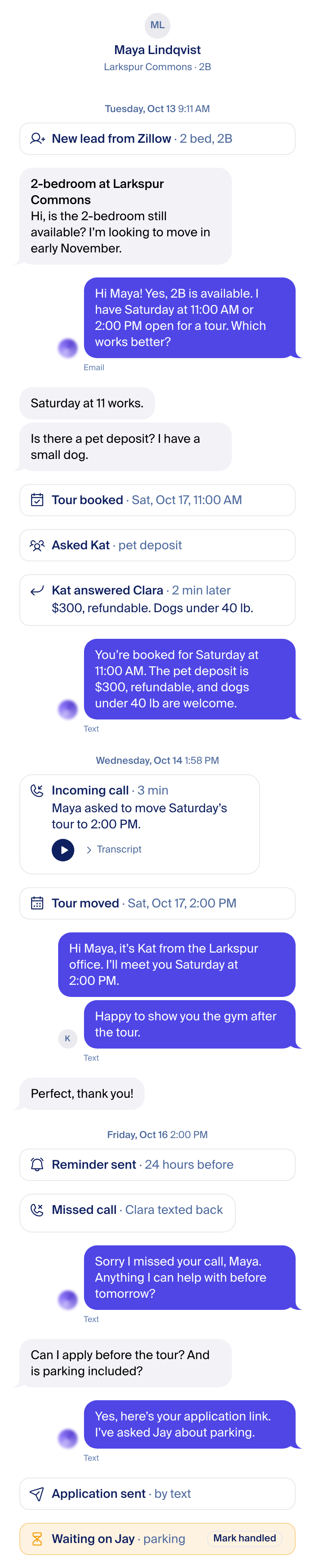
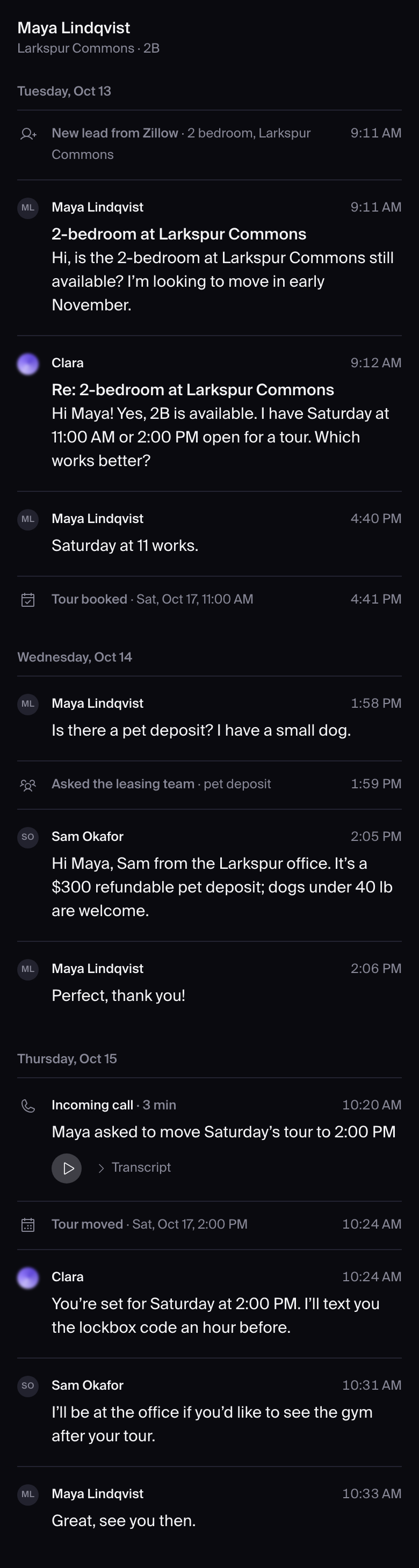
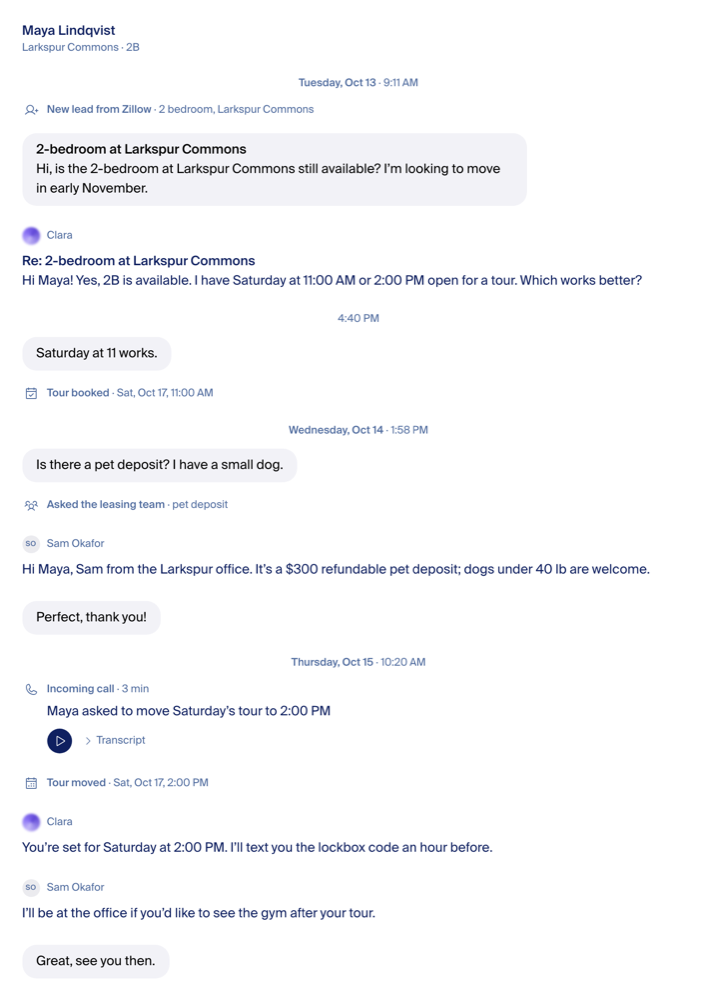
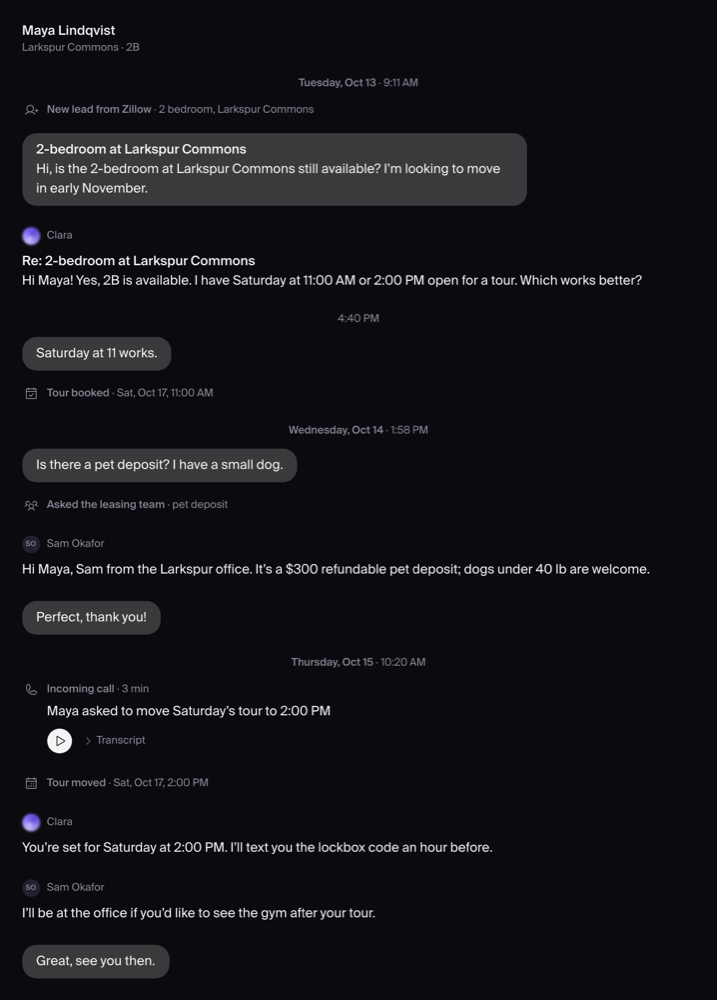
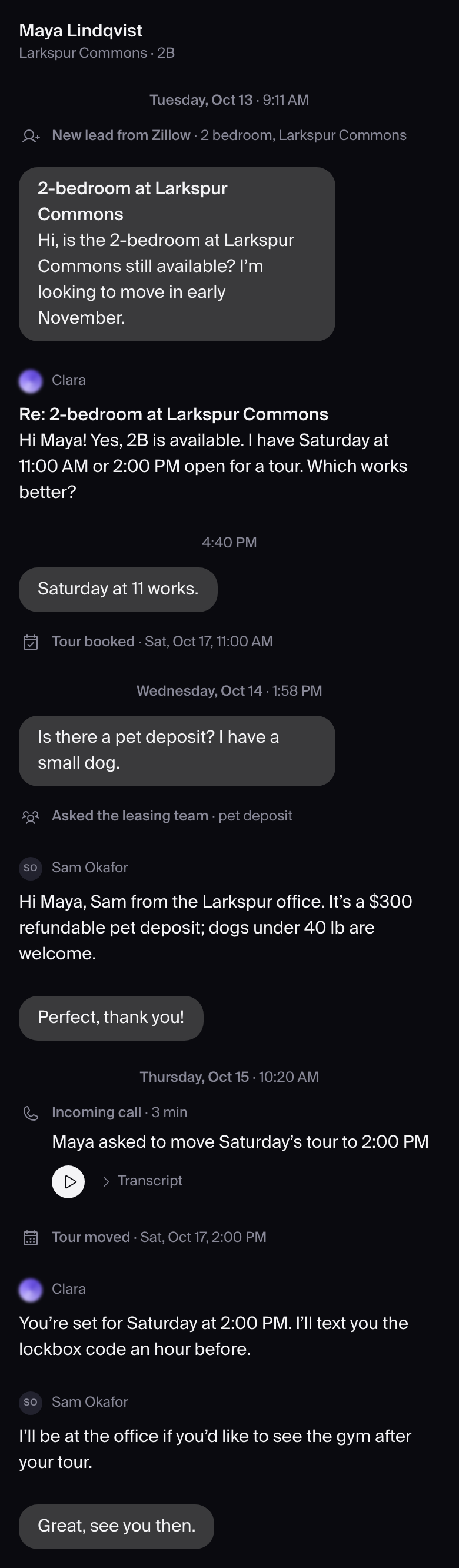
- Messages is the direction.
- Our side is on the right: Clara and teammates. The renter is on the left.
- Who wrote it sits under the run, right-aligned, with the time: "Clara · Text · 10:46 AM" (A2).
- Clara's orb is 16px.
- Fede on the first real-data build (Oct 16 evening): no info icons; Clara's orb and name are not clickable; the message-details panel and the thumbs up/down are internal and leave the thread; the green "Delivered" tag and the "what Clara did" modal are removed (decided, no longer separate); the orb sits at the right end of the sender line, flush with the bubble edge; no kind words and no Text/Email word under a run (name and time only; renter: time only); event cards show everything inline, never a "Show details".
- Bubbles round (18px); the LAST bubble of a run gets the WhatsApp/iMessage tail corner: bottom-left for the renter, bottom-right for our side. (Fede, 2026-10-16 ~18:30 Denver, from his WhatsApp screenshot; replaces the earlier "no tail".)
The thread


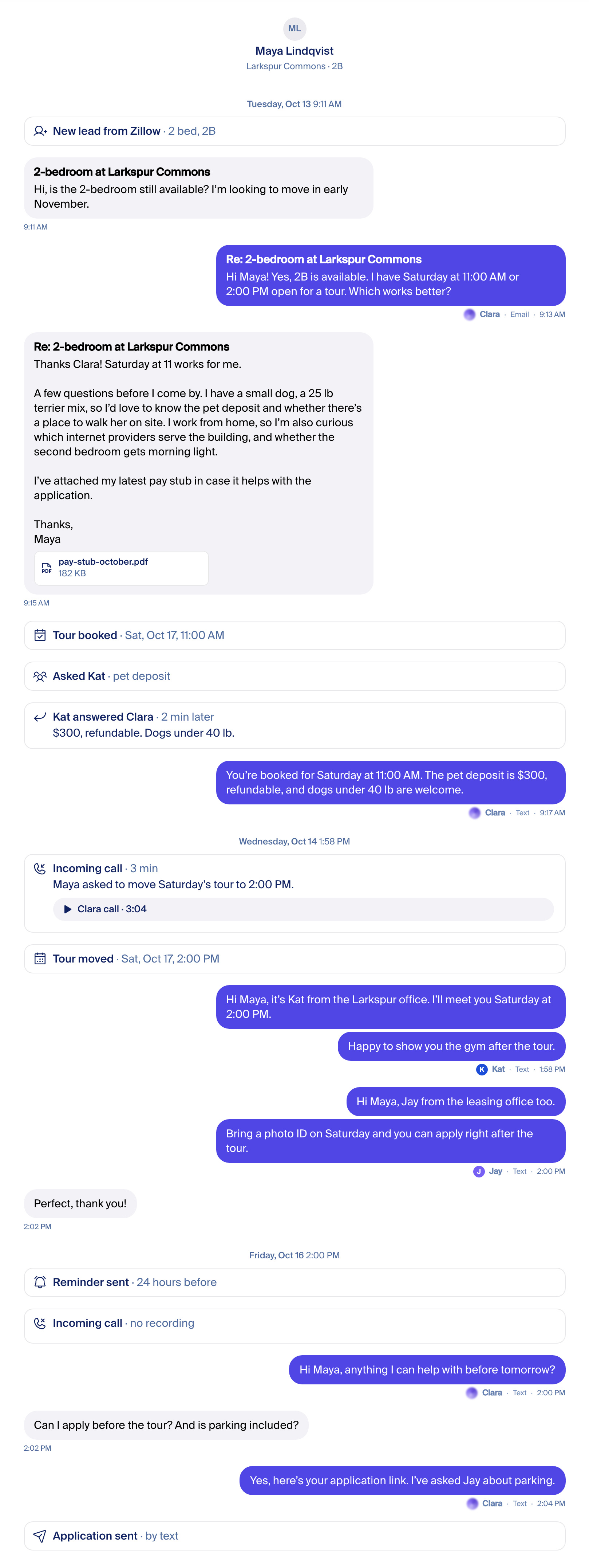
Emails in the thread
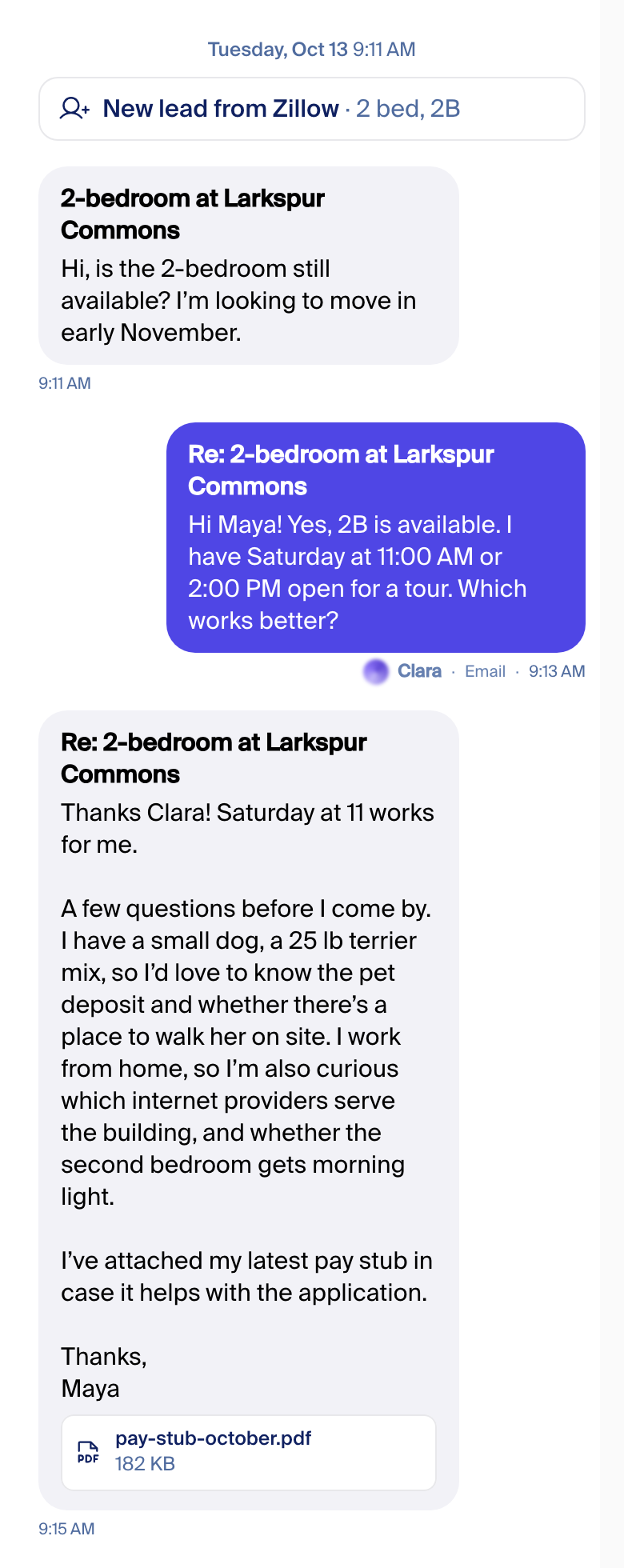
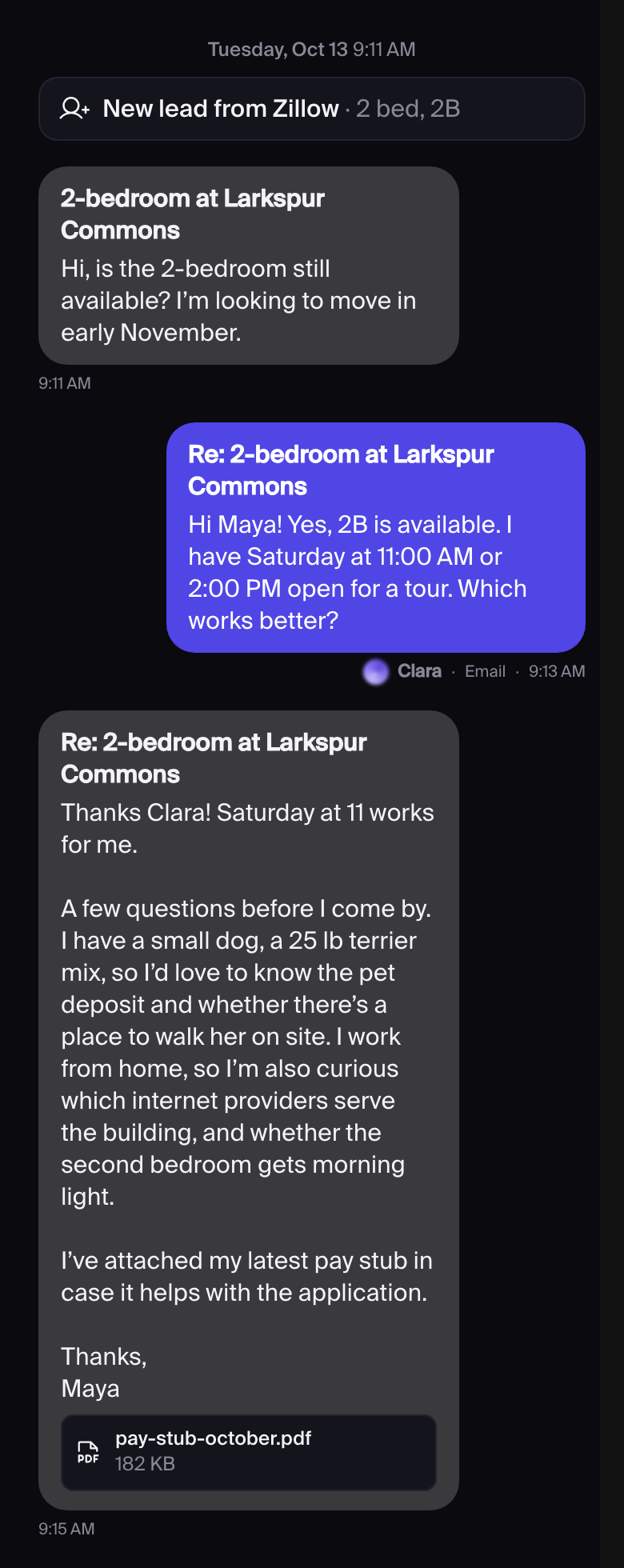
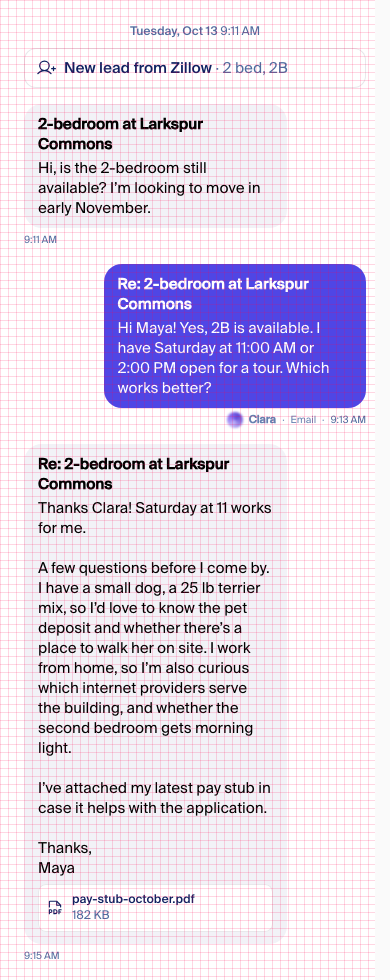
An email is a bubble like any other: the subject in bold, then the body with its line breaks, as the app shows it today. A PDF shows as a chip, the way the app shows attachments today. Our emails carry the small "Email" word; the renter's carry the time only. Desktop.
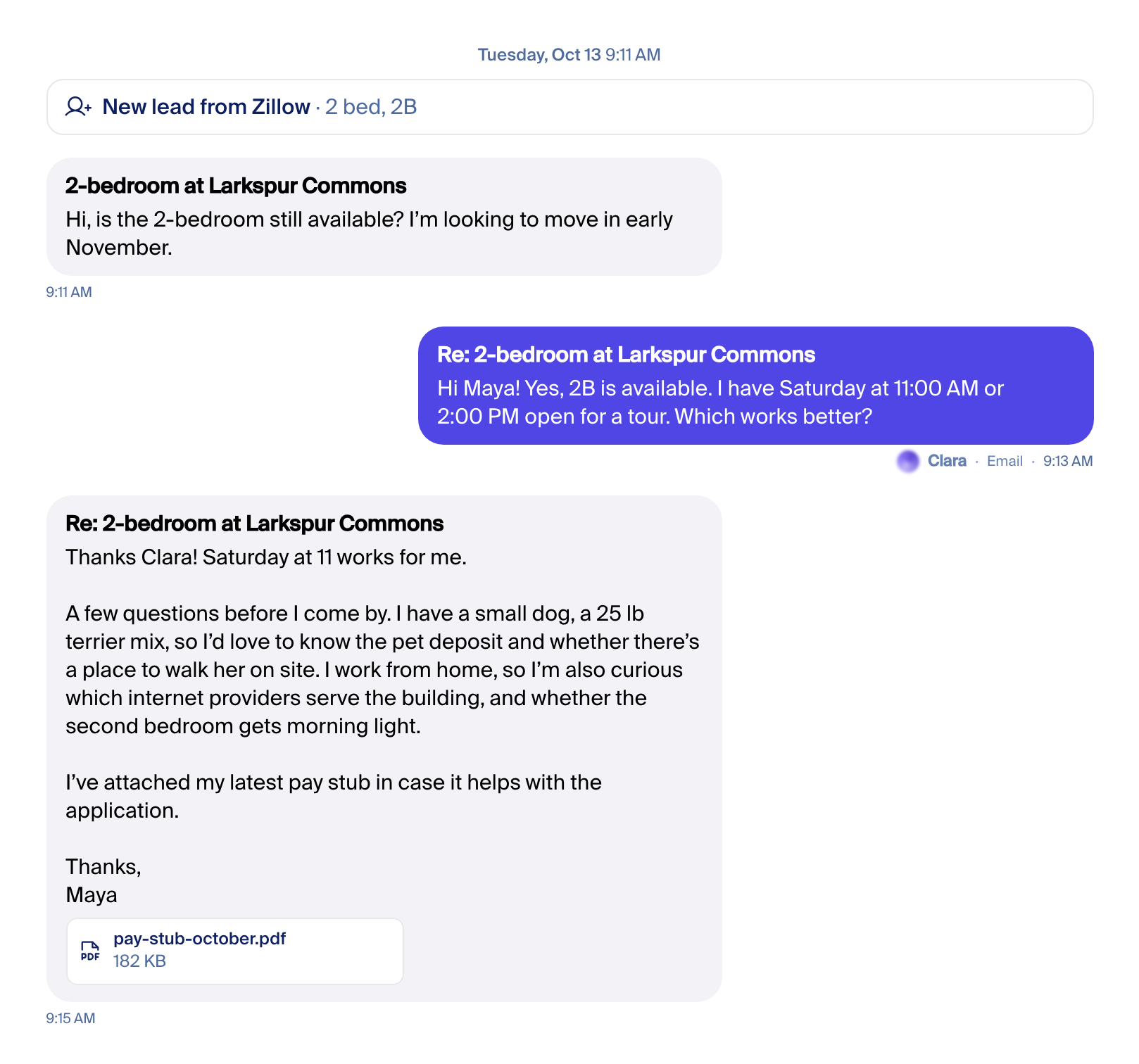
The app never shortens a long email or folds quoted history today, so the mockup shows the whole body. A "Show more" after six lines would be new: how it would look. It is off in the playground unless switched on.
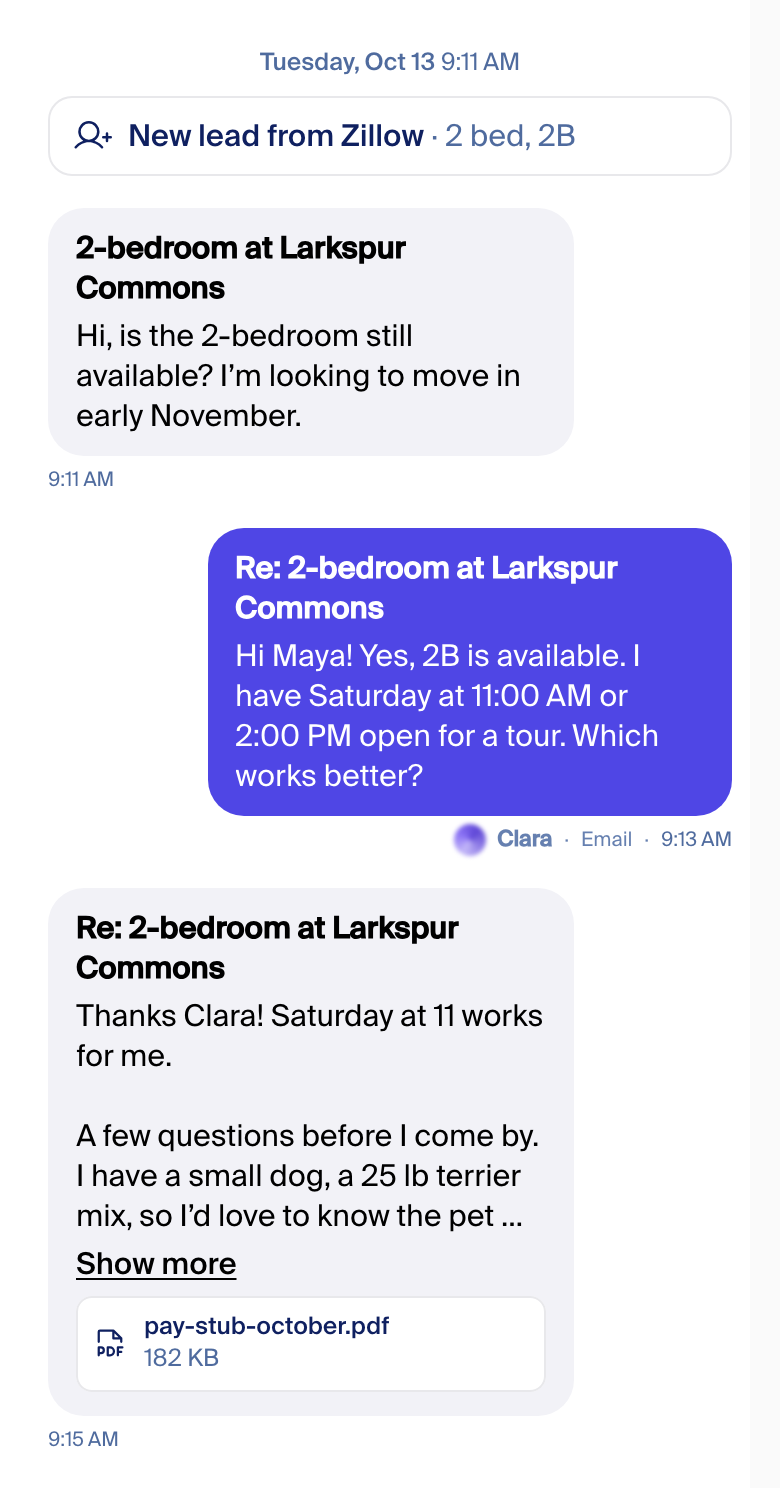
Defaults, tweak on staging
Fede: "we have enough, start building; I'll do final tweaks on staging." The build ships the left image of each pair as the default.
Staff bubble colour: same as Clara
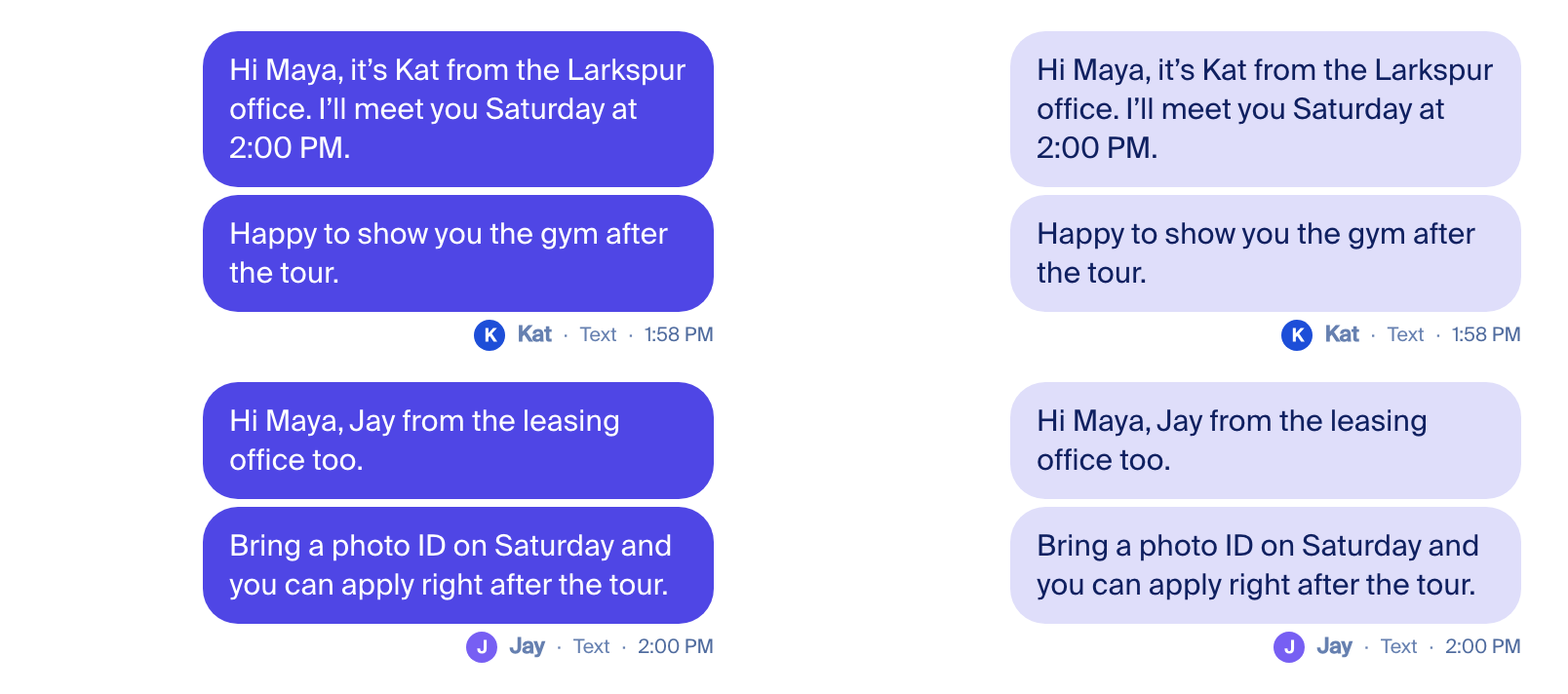
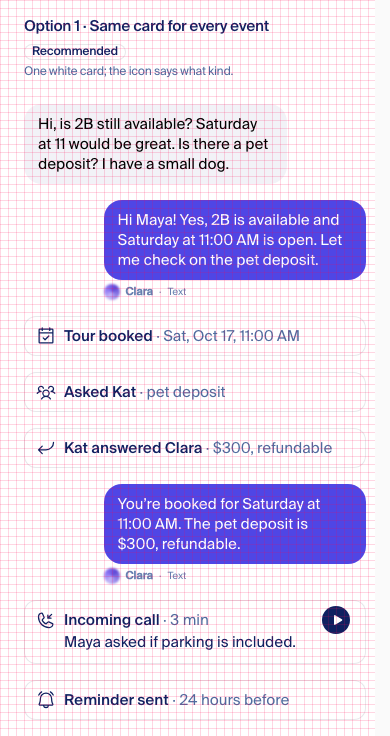
Default: the same colour as Clara (left). In Messages your side is one colour, and so is the staff side in AppFolio. The line under the run says who wrote it. Right: a lighter tint for staff.
Teammate avatar: tinted initial, photo when one exists
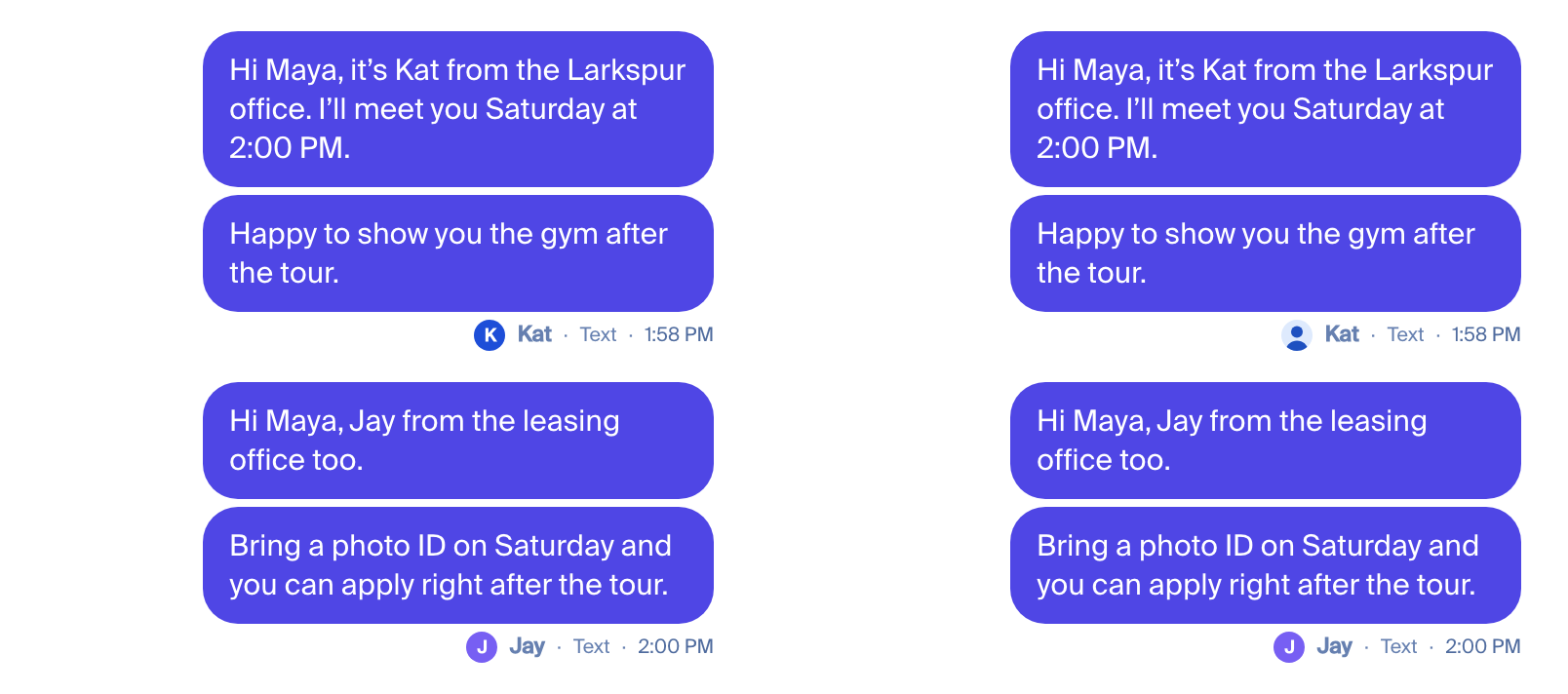
Default: a coloured initial (left), a photo when one exists. Each teammate gets the same colour every time, from the brand colours, with a white letter. The app already does this for property avatars. Right: a profile photo where one exists, falling back to the initial (Kat shows a placeholder silhouette; Jay has none). I found no staff-photo field in the app's data today, so until one exists every teammate gets the initial.
Action cards: one white card with a Phosphor icon
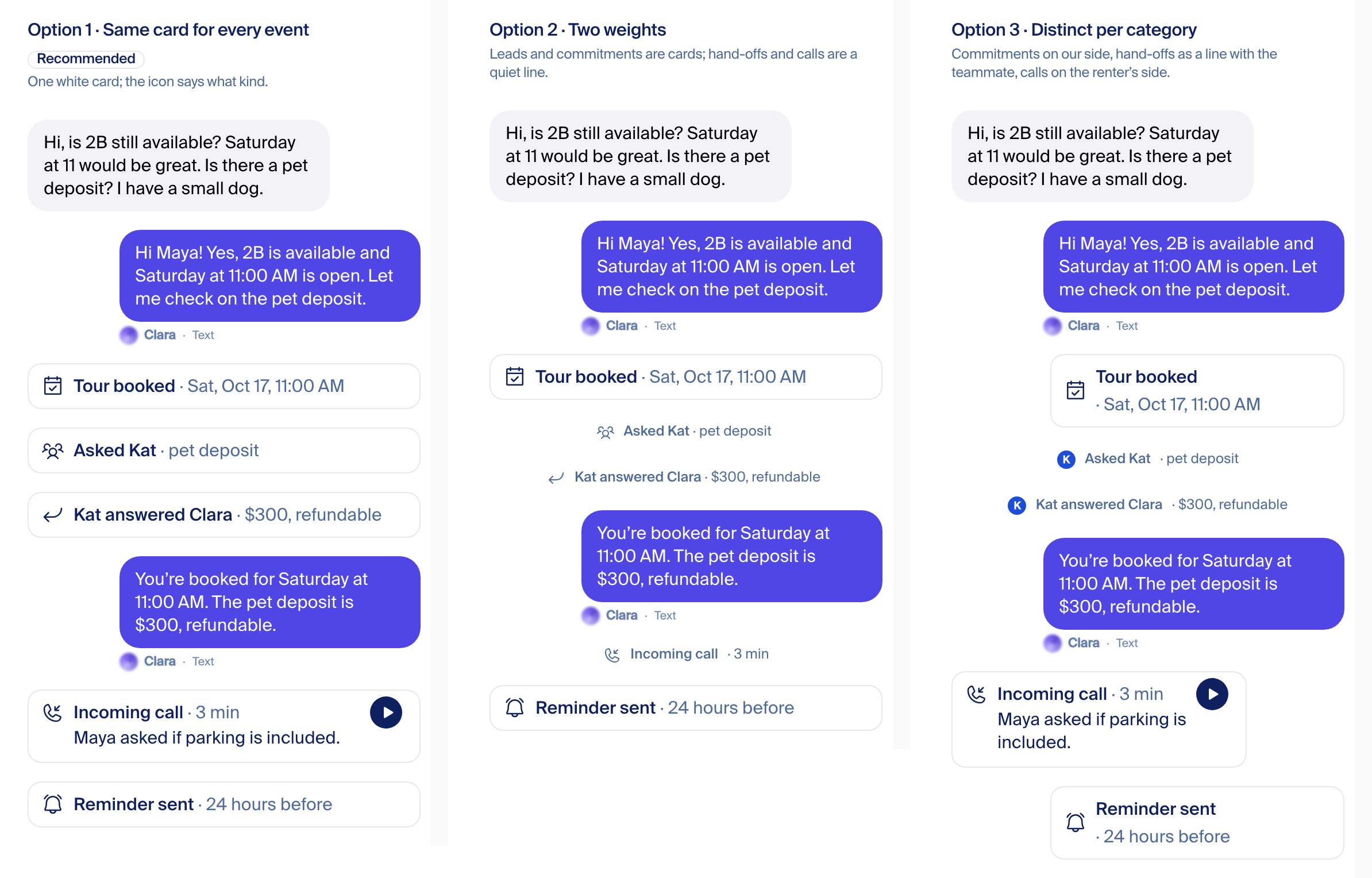
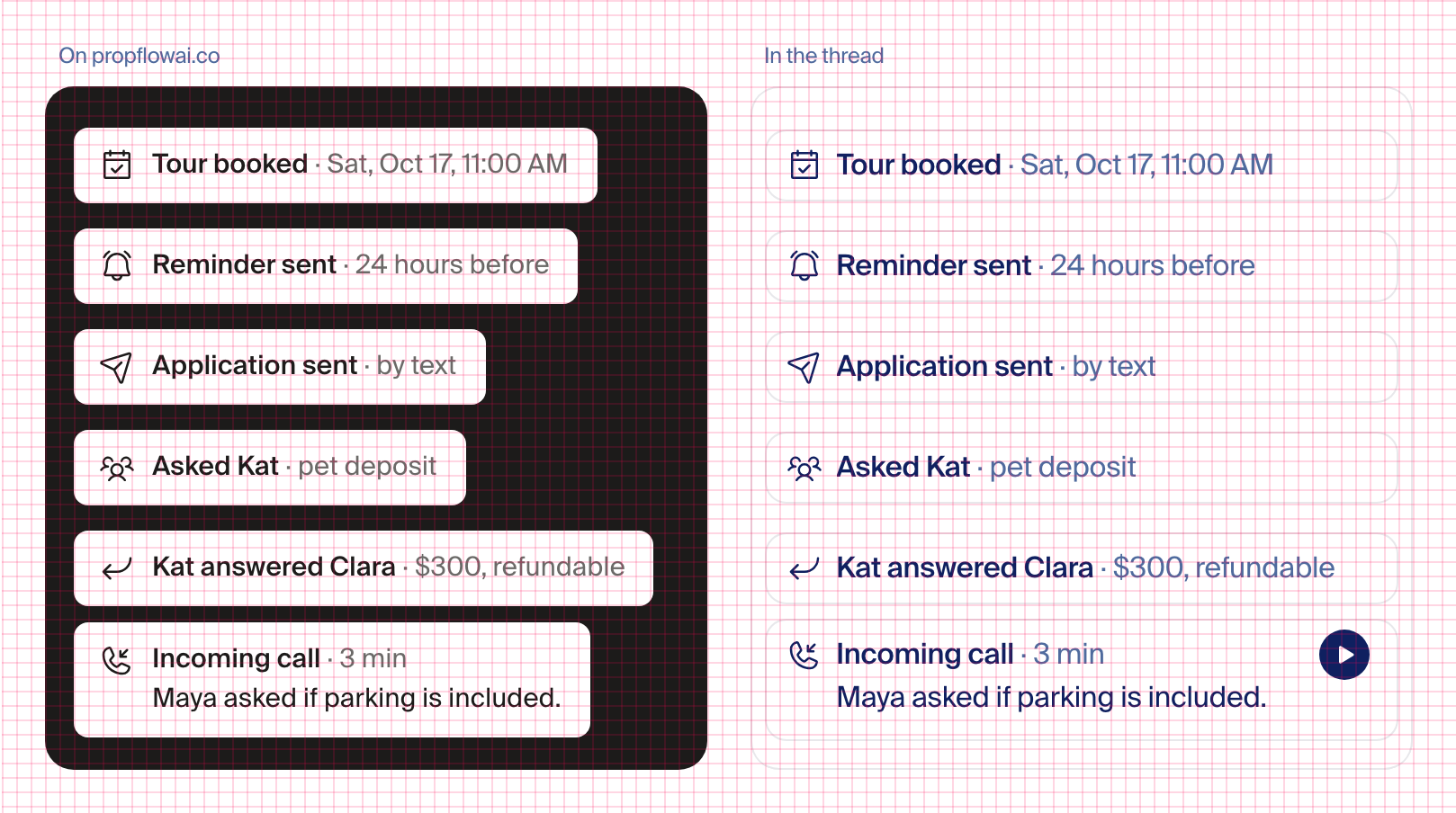
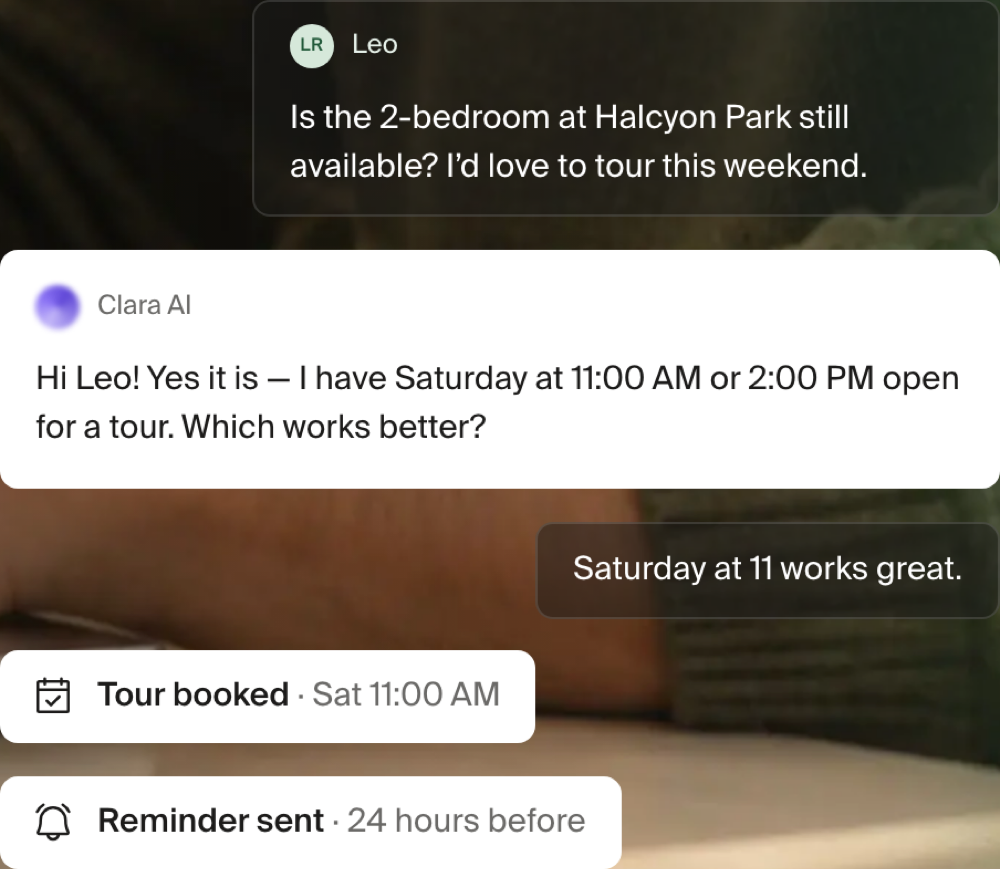
Default: one white card for every event (left). The icon says what happened. Amber only when someone must act. No card in the table below carries that state today, so nothing is amber yet. Middle and right are the alternatives.
Green "Delivered" tag: separate decision, unchanged for now

Not a default. The tag and its "what Clara did" panel stay as they are in the build. Options for later: drop the tag and open "what Clara did" from the orb panel (recommended), or drop both. Left: today's tag; right: without it. Today the tag only shows on some of Clara's replies, which is why some texts look different from others.
Every card is something the app already records (build against this)
| Card in the mockup | What the app records today | How it shows today |
|---|---|---|
| New lead from Zillow | The lead email / original inquiry | Lead card |
| Tour booked | pm_tour_confirmation_email | Purple bell notice, "PM Tour Notification" |
| Tour moved | pm_tour_update_email | Purple bell notice, "Leasing Team Alerted" |
| Reminder sent | tour_reminder_sms | A Clara bubble labelled "Tour Reminder (Day Before)" |
| Application sent | The application-sent event | Application card |
| Asked Kat | pm_escalation_email | Purple bell notice, "Forwarded to Property Team" |
| Kat answered Clara | The staff-answered event | Staff-answered card |
| Incoming call, with audio | The call event | Call card with the audio player |
| Incoming call, no recording | The same call event without audio | Nothing: the card hides itself |
Removed from the mockups: "Waiting on Jay" (no such record exists) and "Mark handled". "Mark handled" does exist today, on the forwarded-question notice. It stays there unchanged; the thread redesign doesn't add or move it. "Held, awaiting approval" and "Not sent" stay what they are today: small notes on the message itself, not cards.
Play with it
A scrollable copy on localhost: /thread-lab/play. It opens on the decided design, with a switch for each of the four picks and for light/dark, phone/desktop, group/one-on-one and the long-email "Show more". Example: /thread-lab/play?bubble=tint&staff=photo&actions=two&green=on.
The earlier variants (A, B beside the bubble, C names only), the orb-size and tail comparisons, the grid overlays and the pass-3 directions are in Reference: earlier passes at the bottom.
300 real threads through the new look (Oct 16 night)
Fede: "go very, very deep, a few hundred examples, multiple customers." A local harness rendered 300 production threads (JP&Co 185, Western Slope 73, Willows 38, Situs 4) at phone and desktop, checked every row by code (29 planted defects, all caught) and had a judge read 290 of them row by row. Clean: order, sides, day dividers, emails, no console errors.
| Fix | Threads touched | Where it lands |
|---|---|---|
| Orb first on our sender line (Fede, Oct 18: "Orb / avatar first"; superseded the Oct 16 right-end pick) | 271 | PR 2 (in flight) |
| Drop the Text / Email / Call word | 262 | PR 2 |
| Header: last activity, flag, filter, thumbs | 247 | PR 5 |
| Renter time aligned to the bubble text | 230 | PR 2 |
| Cards not yet on this page (staff wrote to Clara, holds, work orders, transfers, paged) | 162 | PR 6 |
| Kind words under runs | 150 | PR 2 |
| Chevron / Show details on cards | 131 | PR 3 |
| Generic "Human Agent" teammate after transfers | 93 | PR 6 |
| Delivered / Sent chip | 84 | PR 2 |
| Same recording played twice on transferred calls | 69 | PR 6 |
| Property-system name in thread copy | 59 | PR 7 |
| Real inquiry card first, never a renter text dressed as the inquiry | 5 (one is the thread Fede opened) | PR 4 |
Not the screen's fault, filed as product bugs: call transcripts stored out of order or with machine audio as a teammate, Clara texting her own number, bot-to-bot emoji loops, a merged prospect + coworker thread, hundreds of duplicate work-order rows after one call.
Every message UI in the app (Gera's ask: one standard, all modules)
Inventory 2026-10-16. Gera: "make sure it's to all message UIs… I made a standard component so it should update all, I'd rec to change that original one." He is right: one bubble component draws every real sent message, and one thread reader wraps it. Rebuilding those two covers eight screens at once.
| Screen | Draws messages with | What the chain does |
|---|---|---|
| Conversation page, person page, tenant / prospect / work order / turnover conversation tabs, conversations drawer, mass-send recipient threads (8 screens) | the standard thread reader → the standard bubble | PR 2 rewires the reader; all eight change together |
| Review queue: vendor call, collections draft, new-lease and PM confirmation threads (3) | the standard bubble, but without the thread reader (no email, call or event cards) | bubbles update with PR 2; one PR moves them onto the reader |
| Ask Clara popup and docked panel | its own bubble | one PR onto the standard bubble |
| Mass-send preview, collections history, work-order dispatch texts, held emails, held messages, agent transcript, calendar snippet (7) | plain text or bordered boxes, each its own | one small PR each, in that order of how often staff see them |
| Loading placeholders (4 copies) | copied grey bubbles | one PR replaces all four with one |
Counts: 20 screens, 3 bubble implementations (one used only by the marketing site), 4 loading-placeholder copies, 7 one-off text renderers. Open from Gera: pin the sender's avatar to the top while scrolling (not decided, not in the build). Tracking issue #20486.
The Conversations list
Fede's ruling (Oct 16, after seeing the options): keep the same page and the same table, no pinned 'Needs you' group, no new layout. Options A, B and C below are rejected; they stay as the record of what was considered. What ships instead: filters cut to search, time range, Channel and Topic; the Handled-by column, Person type, Sent as, the overflow menu, the person-type dots, the 'Clara →' prefix, the grey 'Clara thinks' property chip and every dash are removed; relay addresses read 'via <source>'; the thread standard's tokens and type scale apply. Built as one small PR in the thread chain (#20486), proven on the Vercel preview with real data.
Decided — Oct 16 evening
The bar: a property manager opens this page to see what is happening. Today the list mostly explains how Clara works: which path handled a message, what she guessed, how a message was made. Proposal (A): a Messages-style list. What needs you on top, everything else newest first, one search box, no filters.
Before
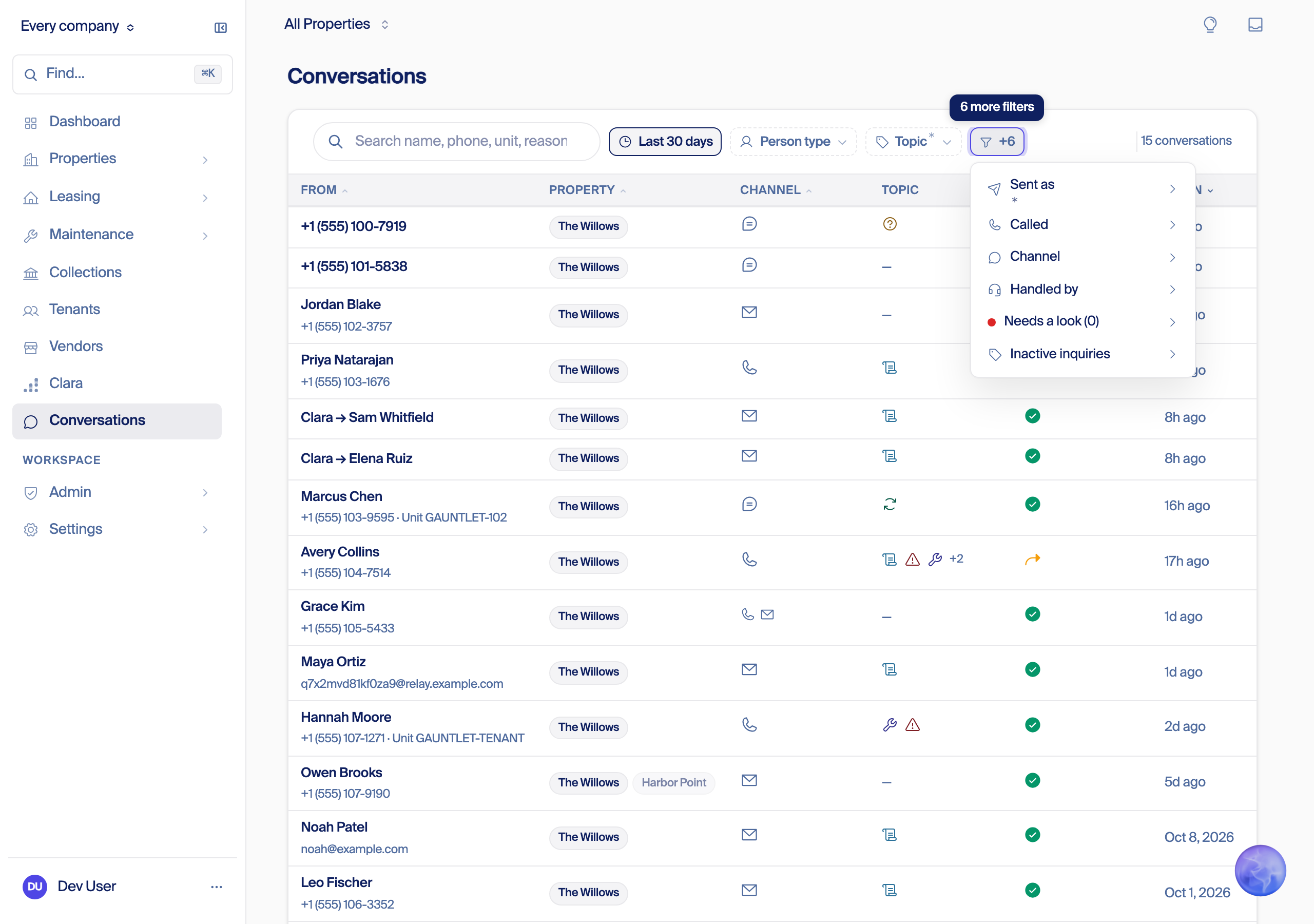
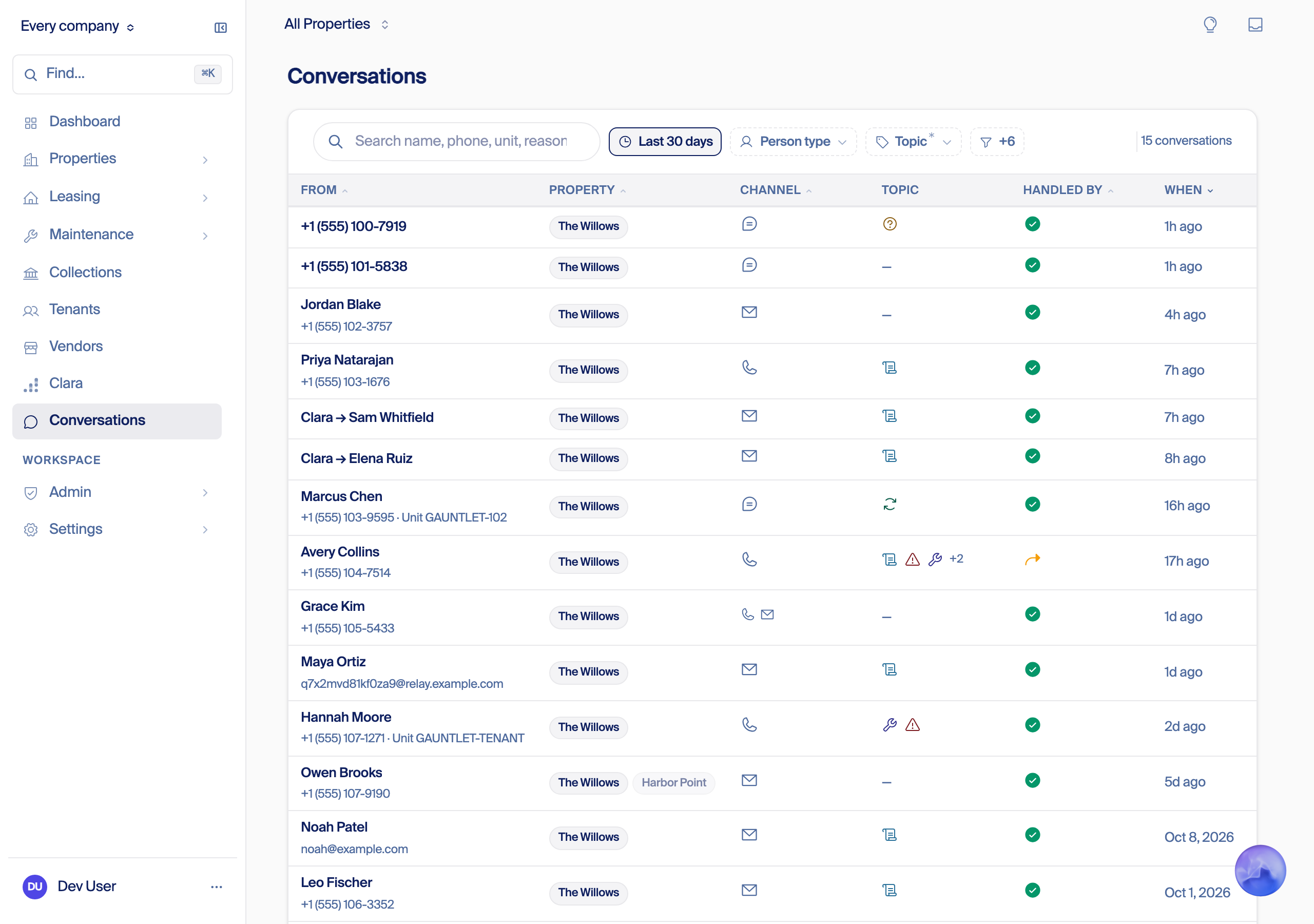
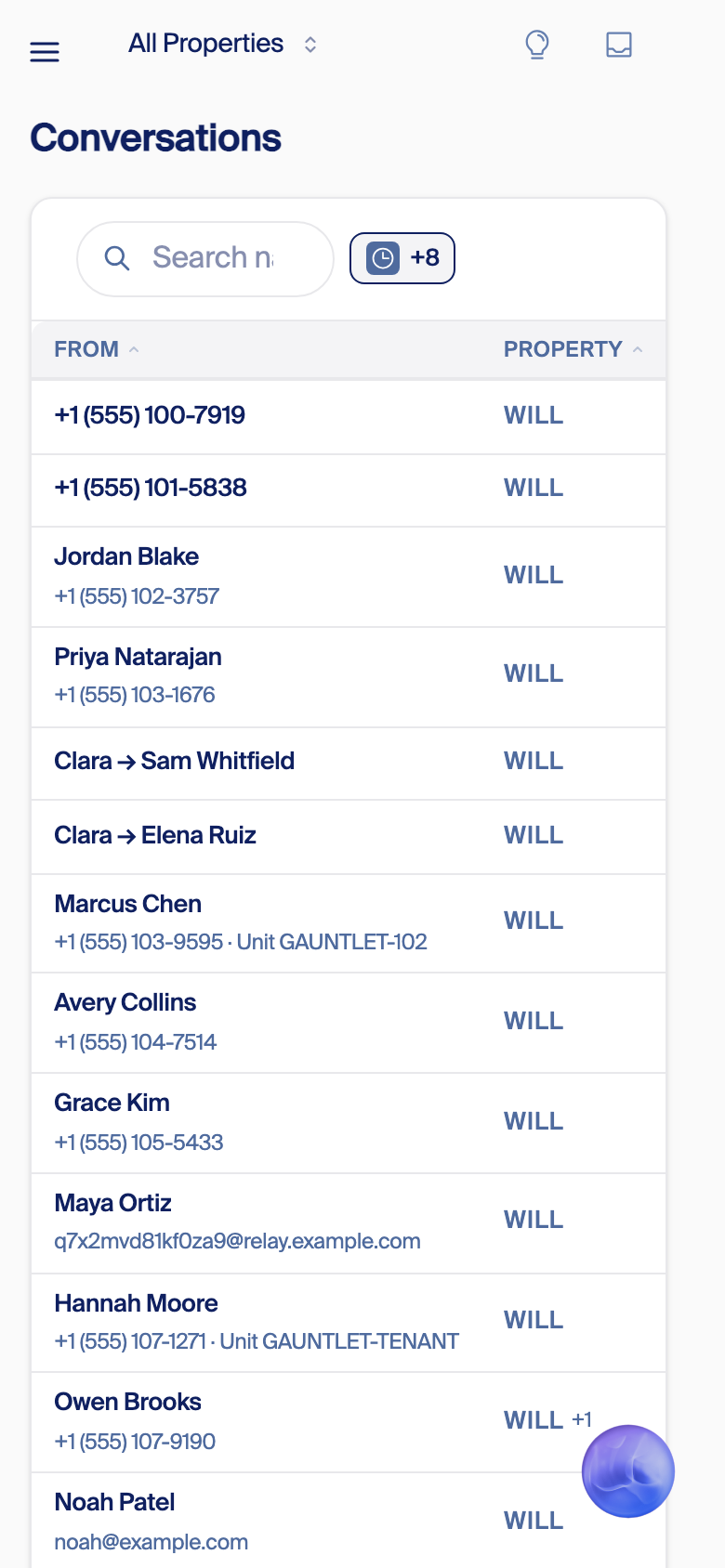
What is on the page, and what gets used
Last 30 days, the three live customers together: 302 people. Counted read-only from production.
| On the page | Values | Last 30 days | Keep? | Why |
|---|---|---|---|---|
| Person type filter | All people, Residents, Unmatched, New message, Reviewed, Resolved | Unmatched 294 (97%) · Residents 8 · New message 40 · Reviewed 0 · Resolved 0 | Remove | Almost all one value; two values never used. "New message" becomes Needs you. |
| Handled by: filter, column, icons | Clara handled, Transferred to humans, Office replied in AppFolio, Answered by your team, Stopped by safety guard | Clara 231 (76%) · Transferred 64 · Office replied 7 · Your team 0 · Safety guard 0 | Remove | Where and by which path is plumbing. Who spoke last shows on the row instead ("Clara: …"). |
| Sent as filter and column | 7 groups (follow-ups, outreach, confirmations, team, hand-offs, replies, work orders), a Hide section, follow-ups hidden by default | The default hide removes 4 rows; "replies" is on 283 | Remove | How a message was made is an engine detail. |
| Called filter | The line that was called | One line per customer | Remove | Filters nothing. |
| Needs a look | Grading flags | Staff only; not counted | Remove here | Our quality review, not the manager's. |
| Inactive inquiries | Show, hide | Any inactive property 2 · all inactive 0 | Remove | Near zero. |
| Recency | 2 weeks, 30 days, 90 days, all time | 30 days by default | Remove | Newest first already answers "lately"; search covers all time. |
| Topic: filter, chips, icons | Leasing, Maintenance, Resident inquiry, Vendor, Billing, Renewal; "+2"; "No topic"; dash | Leasing 153 · Maintenance 35 · Resident 33 · Vendor 23 · Billing 20 · Renewal 13 · "No topic" 67 · dash 10 | A: remove. B, C: a menu | The last line says what it is about. Fede: Topic "might be fine". |
| Channel: filter, icons, ×N | Call, Email, Text, Video | Call 183 · Email 95 · Text 21 · Video 3 · ×N on 73 | Keep, as a word | A product fact. A word, not an icon. |
| From | Name, number, "Clara → name", relay email, role dot | Name 192 · number 61 · "Clara → name" 49 (29 of them called in themselves) · relay email 12 | Keep, new rules | Who is a fact; arrows and relay addresses are plumbing. |
| Property | Chip, grey "Clara thinks" chip, "+N", dash | One customer: dash on 90 of 199, grey chip first on 33, "+N" on 19. Another: 98 of 100 known. The third: dash on 3 of 3 | Keep, known only | A guess never shows (rule below). |
| Unit | Under the name | Shown on 38 | Keep when real | Never a placeholder like "Unit GAUNTLET-102" (in the shot above). |
| When | "8h ago", "Oct 8, 2026" | Every row | Keep, Messages style | |
| Notes, banner, paging | Three notes, "Older conversations exist…", Show 15, "15 conversations" | Every visit | Remove | Search covers all time; the list scrolls. |
| Top bar and corner | Insights bulb, Inbox, floating Ask Clara orb | Every page | Bulb: remove here. Inbox, orb: keep | The bulb opens nothing here (build chain item 20). Inbox is what PropFlow asks of the customer; the orb is how you ask Clara. Neither is part of the list. |
Three jobs, most frequent first
| Job | What the list shows | Today |
|---|---|---|
| 1. What needs me right now? | A short group on top, each row with the reason in words: "Left a message", "Call didn't reach your team", "Clara handed this to your team". | Spread over Person type, Handled by and Needs a look. 54 people (18%) were waiting on the team; 40 of them for more than a week, because nothing ever clears a taken message. |
| 2. Find this person or unit | One search box: name, number, email or unit, every conversation, all time. | Search covers only the rows loaded: 15 a page, 30 days. |
| 3. What has Clara been doing? | The last thing said, with "Clara:" or the teammate's name in front. | A green check and topic icons. No words. |
Grounding: the vision ("You see only the decisions that need you"; "Clara shows you what's happening now"); Fede tonight ("do I really need all this?"); a client's leasing team on their old phone system ("I never got a notification that I got a response").
A. Needs you on top Recommended
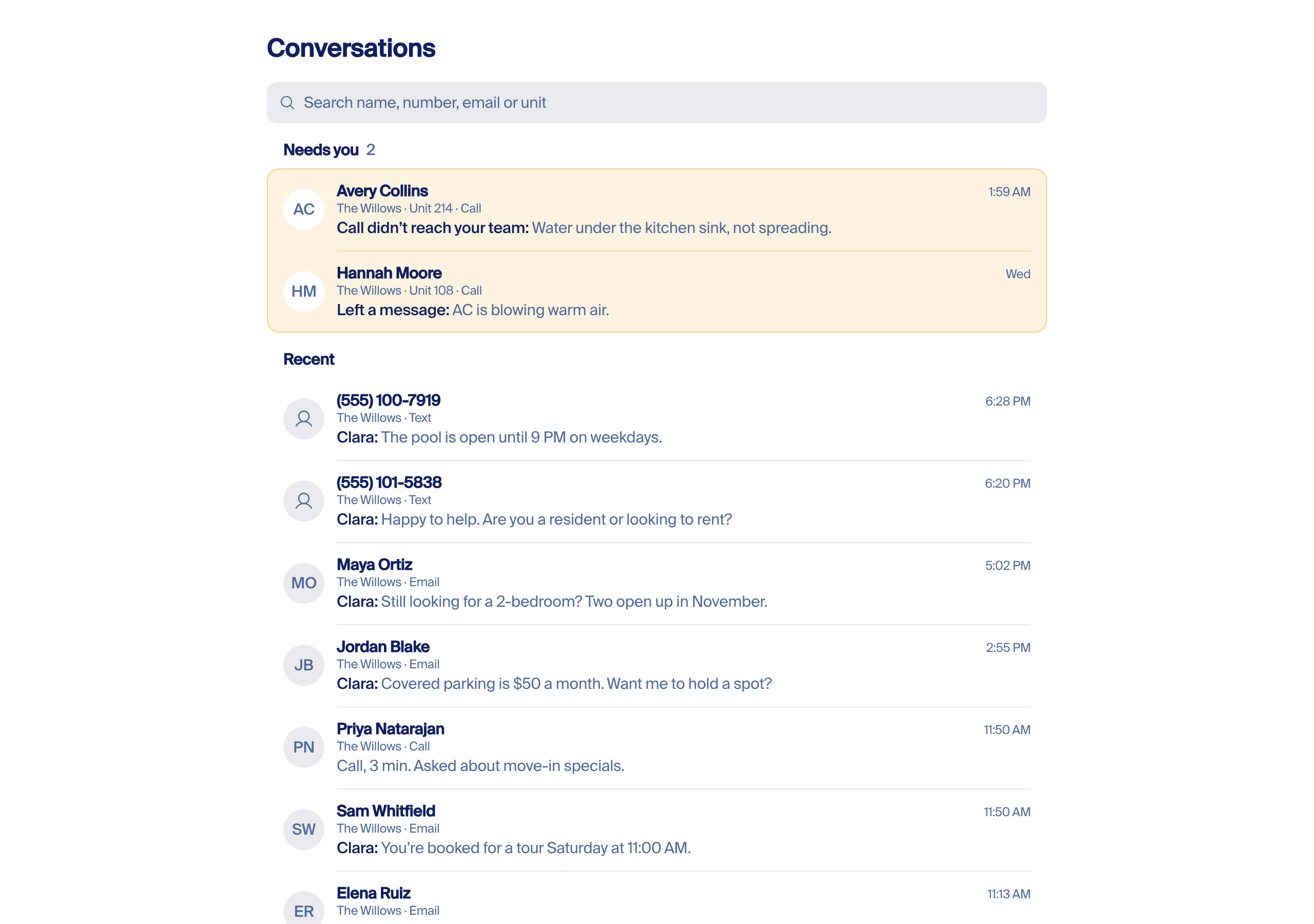
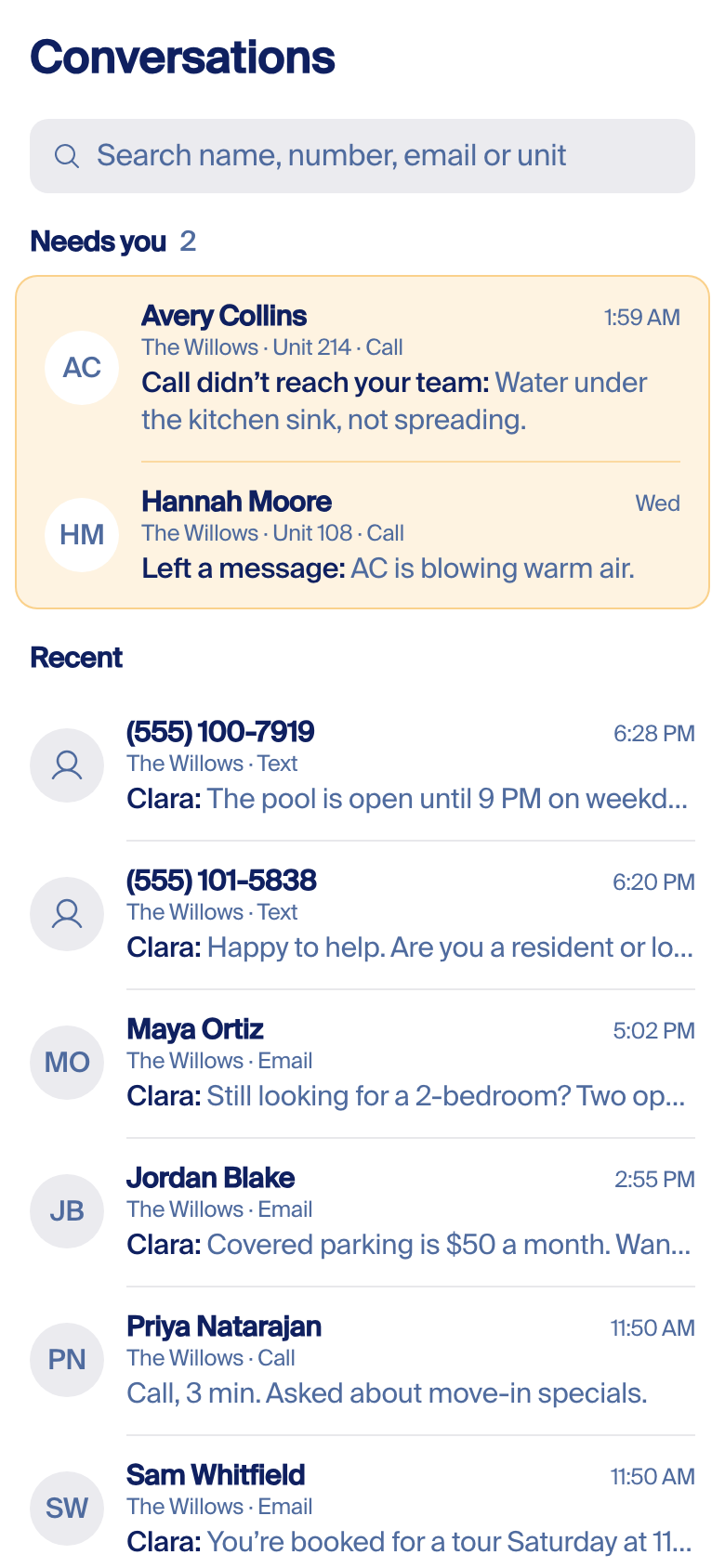
Messages with one pinned group. Rows waiting on your team sit on top in an amber box, the reason in words, until the engine sees them answered. Everything else follows, newest first. Each row: who, where, the last thing said, when. One search box, no filters.
B. One list, a word on the row
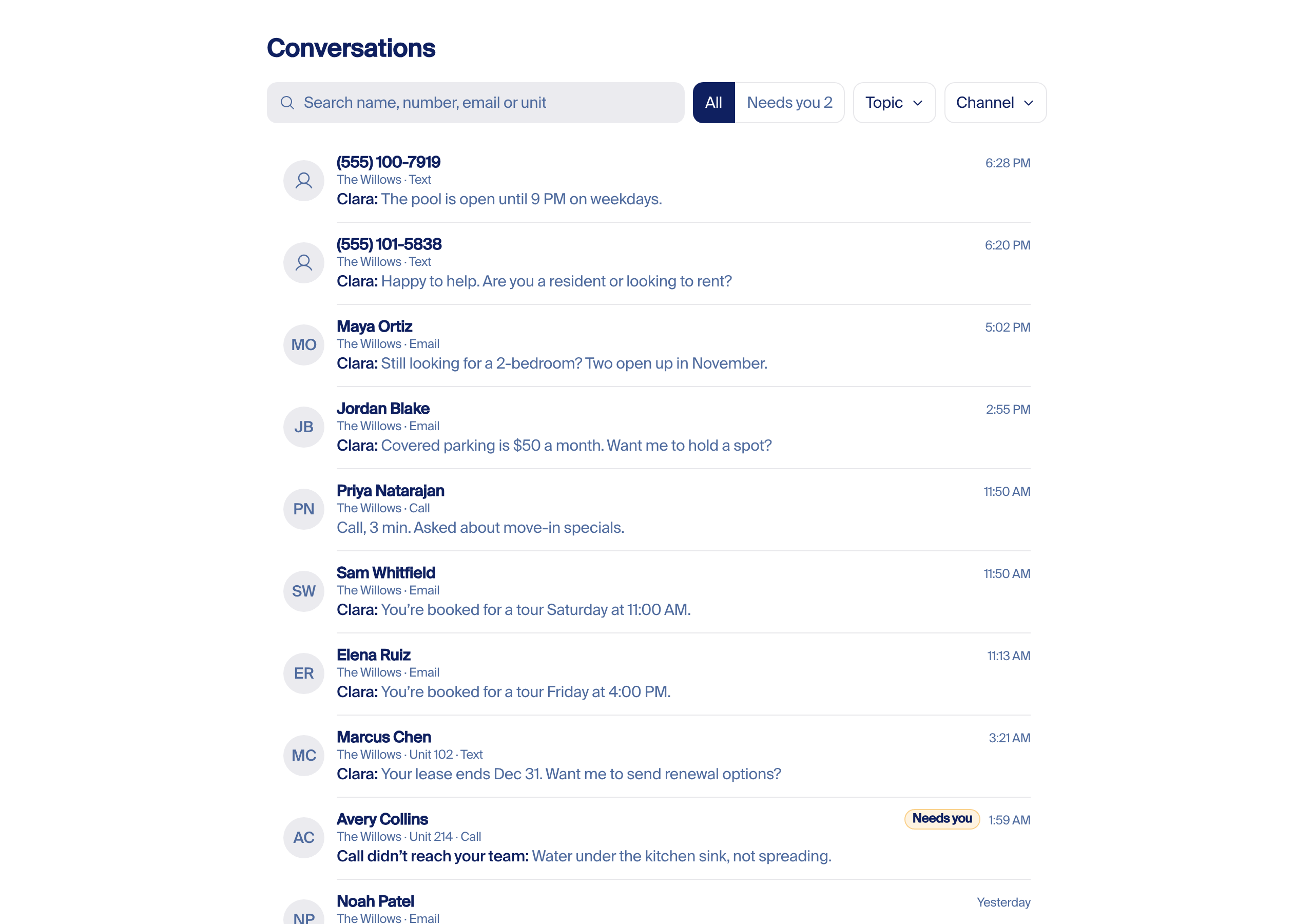
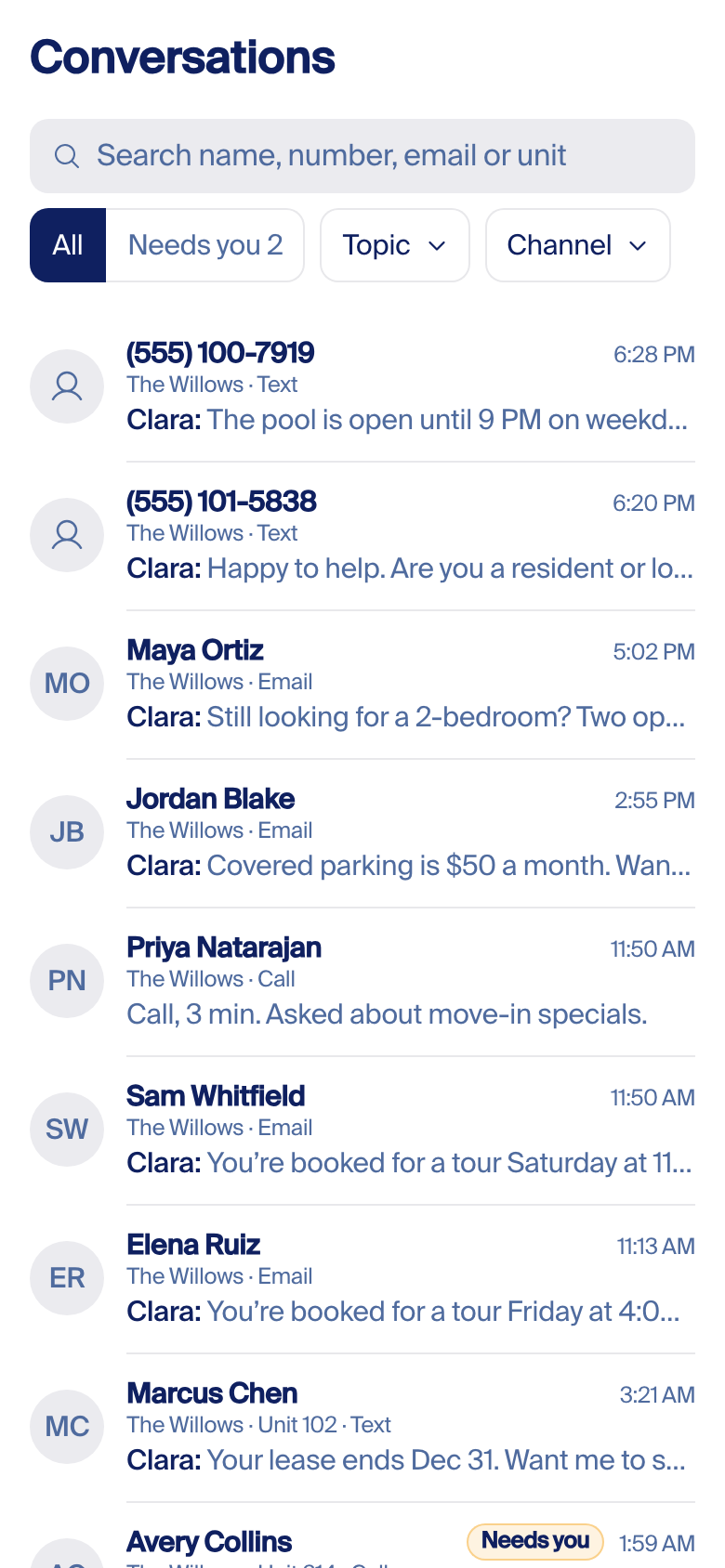
The same rows, one list, newest first. A row that needs you carries a "Needs you" word; a switch shows only those; Topic and Channel stay as menus. Simpler than A, but the two rows that need you sit 9th and 13th of 15, off the first phone screen.
C. Slim table, two tabs
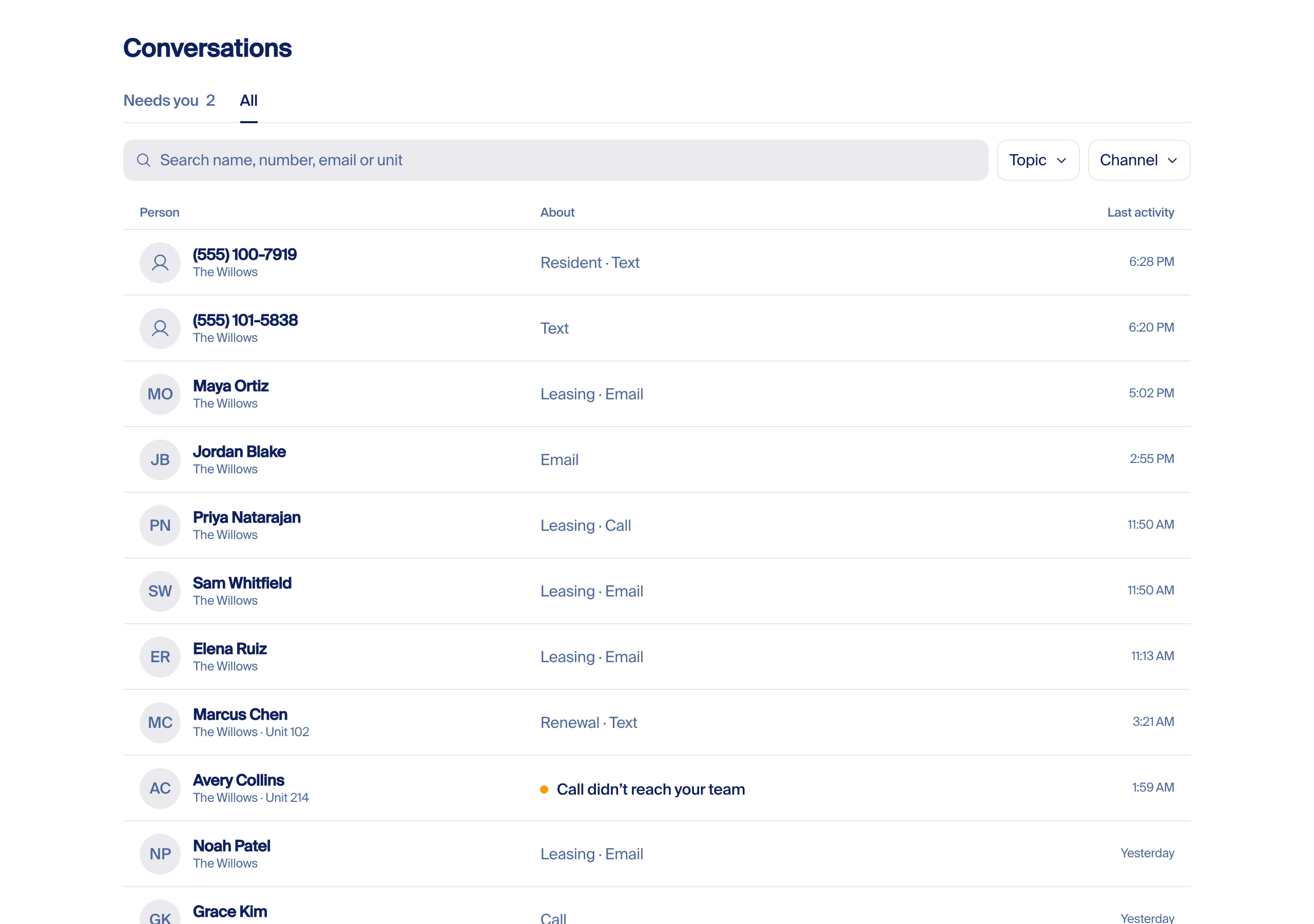
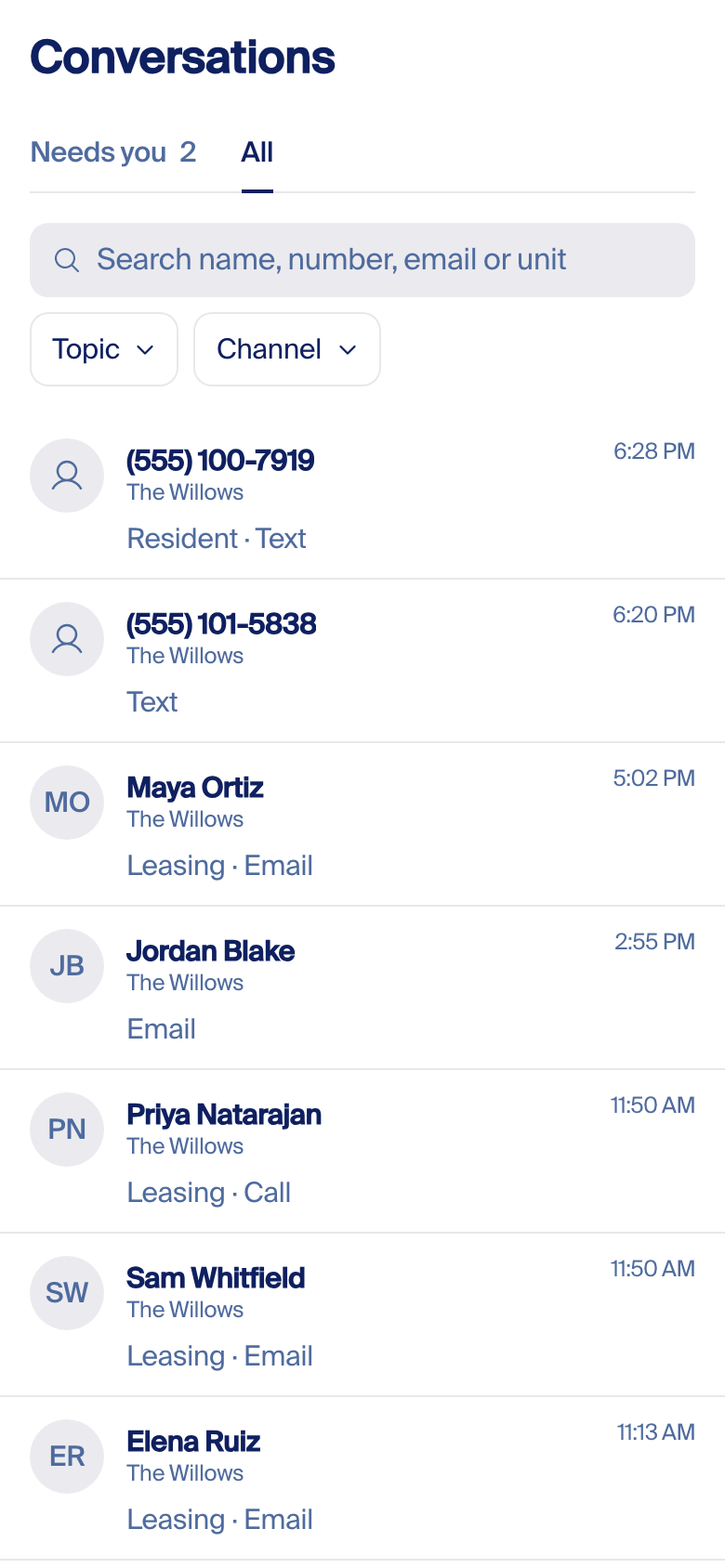
Today's table cut to three columns: Person, About (topic and channel, or why it needs you), Last activity. Tabs for Needs you and All; Topic and Channel menus. It works on today's data, but it is still a database with no words from the conversation, so job 3 means opening rows one by one.
Recommend A. It answers all three jobs on the first screen: what needs you is on top, search finds anyone ever, and the last line says what Clara did. B buries what needs you; C has no words. A needs one new field and one rule, both below. (rejected by Fede; see ruling above)
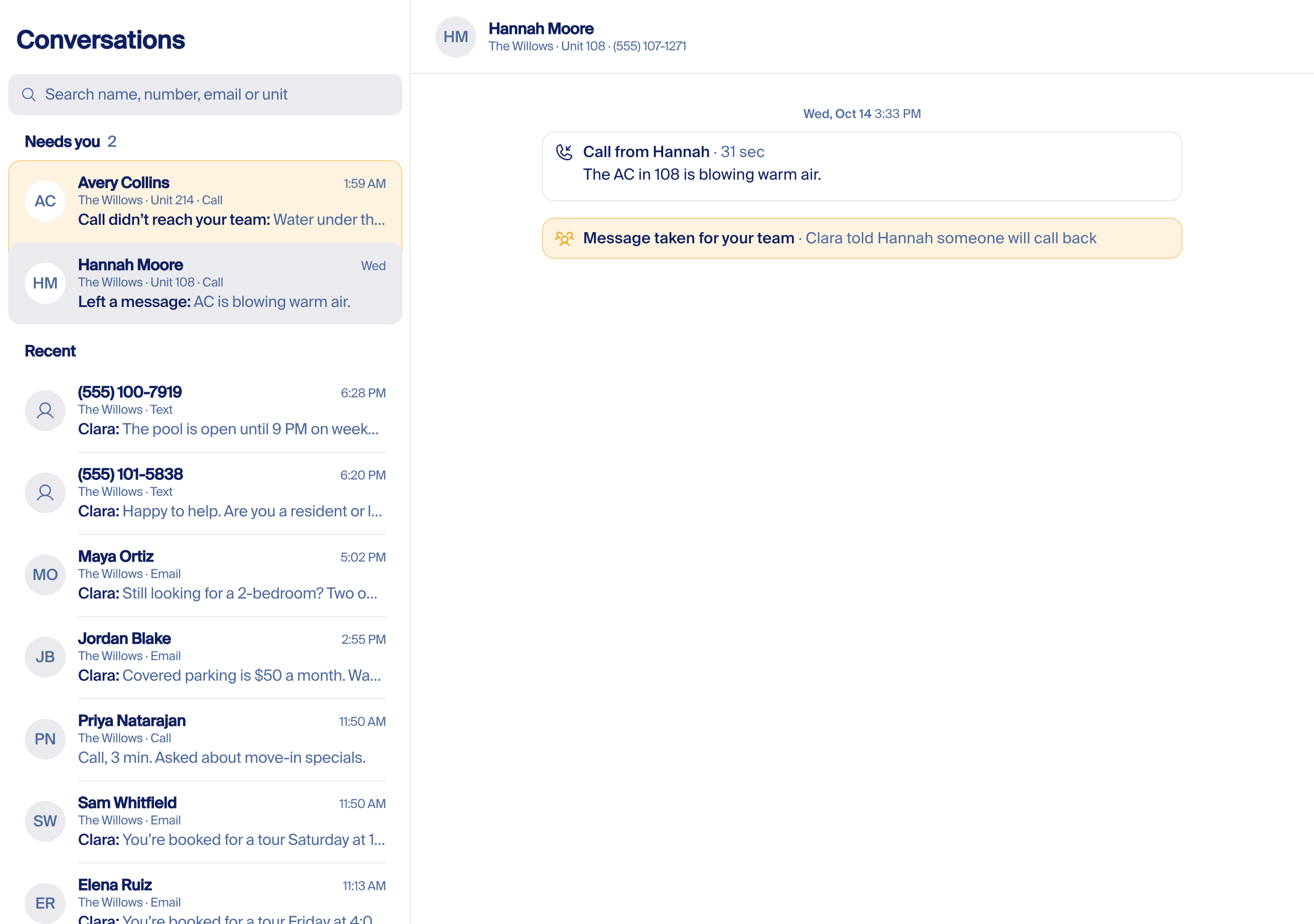
Rules for every row
| Who | The name; else the phone number; else a real email. Never "Clara → name", never a listing relay address. No number under a name: it is one tap away in the thread. |
| Where | Property and unit only when known: the line or address they contacted belongs to that property, the listing or the PMS record names it, they live there, or they named it and the engine matched it. Several known: the latest conversation's. A guess never shows; the engine settles it from those signals or the cell stays empty. A company with one property doesn't see the property at all. |
| Last line | The last message, one line. "Clara:" or the teammate's first name in front when we said it; the person's own words have no prefix; a call shows its length and what it was about. That prefix is the only Clara-or-team mark. |
| State | Needs you, with the reason in words, or nothing. No colour without words; no "handled" state. |
| Time | When the last message was sent or received: 6:28 PM today, Yesterday, Wed, then Oct 8. |
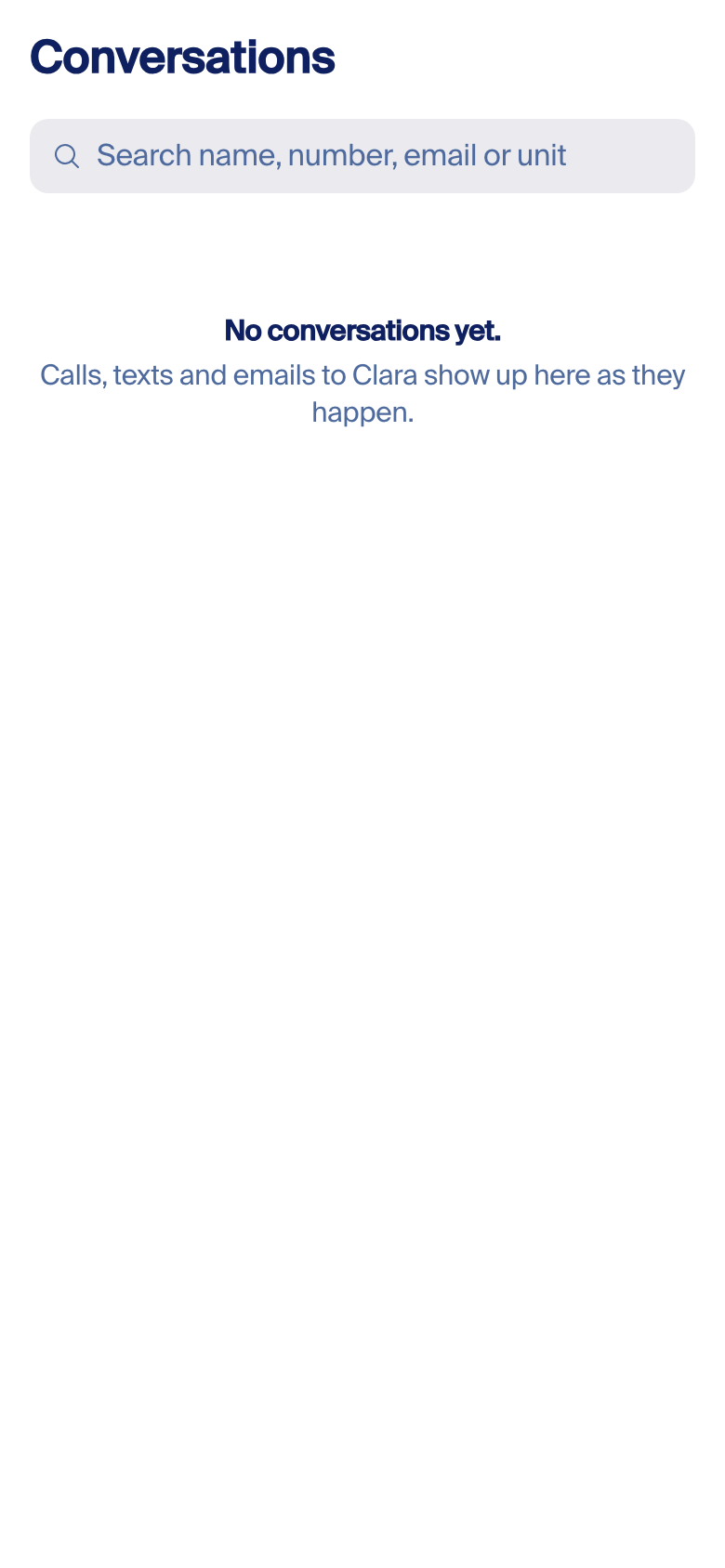
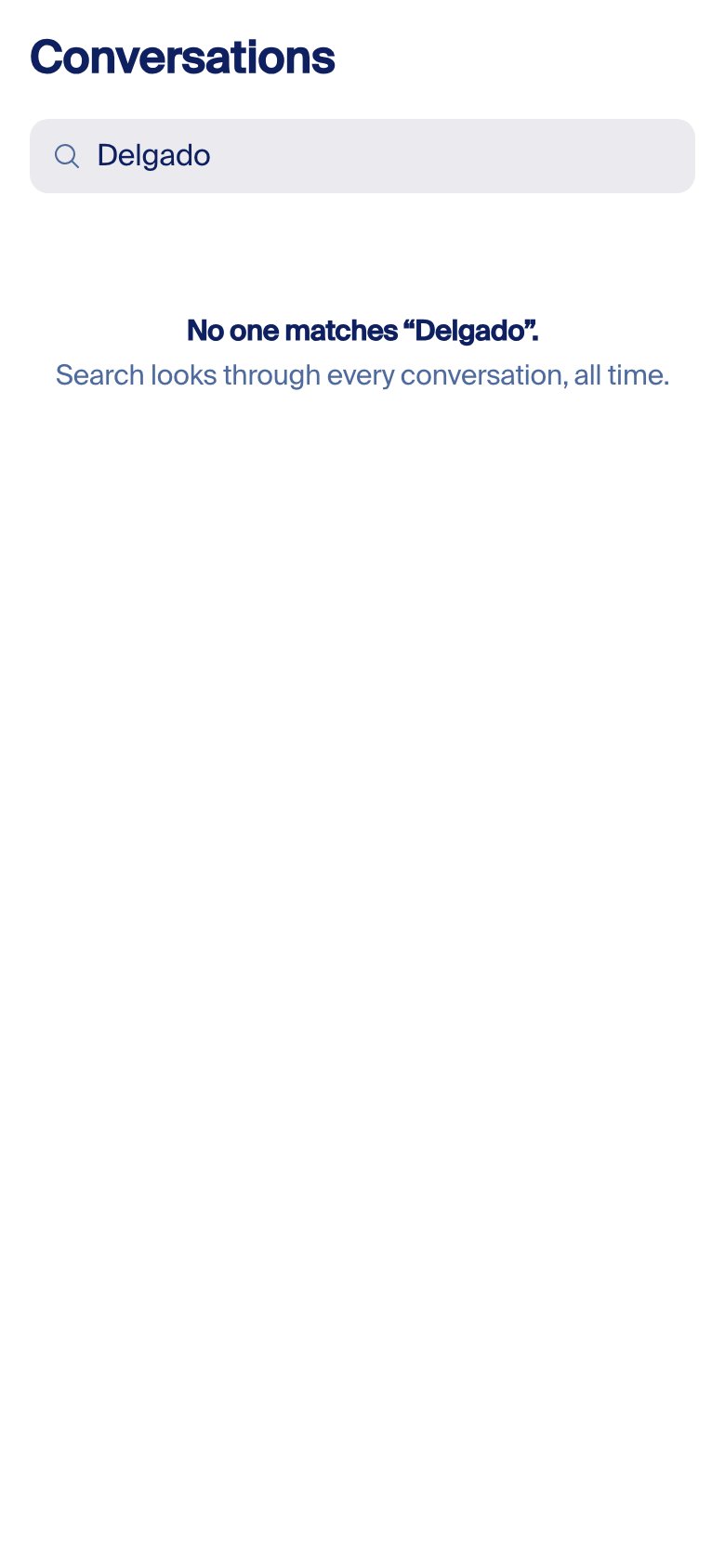
| Empty | "No conversations yet. Calls, texts and emails to Clara show up here as they happen." Nothing needs you: the group is gone, no zero. No match: "No one matches “Delgado”." Loading: grey placeholder rows. |
When a row stops needing you. The engine clears it, never a button: a teammate replies or calls back on a channel we see, a work order is logged for it, or the person comes back and Clara closes it. Today nothing clears a taken message (Reviewed 0, Resolved 0), and teams often answer from their own phones, which we cannot see. So after 7 days a row drops back into the list, reason words still on it.
Delete list
- Filters: Person type, Sent as (with its Hide section and default hide), Called, Handled by, Needs a look, Inactive inquiries, Recency, the "+6" button. A also drops Topic (subtopics, Hide section, asterisk) and Channel.
- Cells: role dots, "Clara → name", relay-email subtitle, the "for" chip, property tickers, grey maybe-chips, "+N", every dash, "Unknown property", channel icons and ×N, topic chips and icons, "No topic", Handled-by icons and the AppFolio badge, the Sent as column, system-notice rows.
- Page: the three notes, the "Older conversations exist" banner, Show 15 and page numbers, the "15 conversations" count.
- API: request params
calledLineand the user-facingrecency; response fieldsstats,threadCountsComplete,calledLineLabels, and guessed or likelypropertyTags; the inbound-email fetchingestion-log?sender=appfolio. - Grade flags:
useConversationGradeFlagsand the grading read on this page; grading stays on the review page. - PMS names in core code: the
appfoliohandled outcome andlastReplyFromAppFolio. A teammate's reply is a teammate's reply, wherever it was typed. - Top bar: the Insights bulb on this page (item 20 of the build chain).
New data the build needs
- A last-message preview on the list row (who, first line, time), written with the message. Today the row has no message text. A and B need it.
- A needs-you state with its reason, set and cleared by the engine as above.
- Search on the server, over every conversation.
Where each item lives (branch fede/thread-chrome)
src/components/feature/dashboard/conversations/ConversationsLog.tsx: filters 2741–2913 (Person type 2743, Topic 2754, Sent as 2816, Called 2849, Channel 2856, Handled by 2865, Needs a look 2870–2892, Inactive inquiries 2894–2903); Recency 1042; columns 2428–2665 (From 2431, Property 2506, Channel 2568, Topic 2613, Handled by 2631, When 2660); Sent as column 2693; notes 2993–3007; search 3034; banner 3093; grade flags 1584; inbound-email fetch 1446.src/lib/domain/dashboard/caller-log.ts: Person type values 49; "Clara → name" 148–155.src/lib/domain/conversations/handled-by.ts:lastReplyFromAppFolio33.sent-as.ts: groups 329, default hide 679.src/components/domain/conversations/ConversationPropertyTags.tsx: grey chip 42, "Clara thinks" tooltip 66.src/app/api/conversations/route.ts:recency194,calledLine489,calledLineLabels1490,stats1494,threadCountsComplete1499.src/components/primitives/TopBar.tsx: Insights 93–115, Inbox 122.
Measured with the list's own read functions on the production table, Query and GetItem only (a guard blocked Scan and writes; checked with a planted Scan). The list API could not be called read-only (its company picker writes an audit row), so residents (8) is a lower bound, and role dots, Needs a look and system notices were not counted. The before shot is the real page on the dev table fed 15 Willows test rows (Willows had 2 real people in 30 days). Prototype on localhost: /thread-lab/list?v=A (B, C), ?open=1, ?state=empty or nomatch.
For engineers
Written for pass 2; redone after the pick. Nothing below moves until Fede picks a design. What holds under any of the four: the preconditions (steps 1–4 and 12), the chrome removals (15–21), and the rule that no step gets a switch. The element map and the event steps (7–11) are redrawn to the chosen design's shapes once it is picked.
Every element, mapped (pass 2, to be redrawn)
Current element → the shape it becomes. "Keep" means no visible change.
| Today | Becomes | What changes |
|---|---|---|
| Person bubble (blue, right) | Bubble | Side and fill follow the chosen design. The channel word under every bubble, both sides, always (today inbound has none). |
| Clara bubble (gray, left) + the February mark | Bubble | Clara's face becomes the landing orb (the same component the site uses, 20px). Under the bubble: the time and the channel word; nothing else. |
| Teammate bubble (gray, initial or photo) | Bubble | Same bubble as every other sender. First name above when the sender changes; initials on the gray well, no orange. |
| Label chip: Clara Reply, Follow-up Sent, Checking Back In, Text After Email, From mailbox | Details panel | Gone from the bubble. "Sent as follow-up" lives in details; the list filter keeps its vocabulary. Two facts survive as facts: a bounced email prints "Email bounced, texted instead" in red under that email; a reply from a shared mailbox names the mailbox as the sender, never "Human Agent". |
| Segment pill (date · topic · channel, colored dot) + sticky band (the topic tint stopped painting at #3196; the code is dead) | Time line | A centered gray time line at gaps, printed when the day changes or after a long silence (one dedupe pass over the final rows). Topic stays in the list; in whole-history view the first row of each conversation keeps its topic and its "open on its own" arrow, which moves into details. |
| In-flow day chip | Time line | Same line; one style. |
| "Team hand-off" bell card, purple, "Show details" | Event line or card | A line when it is a fact: "Clara told the leasing team about the tour." A card when there are words to read: the question Clara asked the team, "Mark handled" on the face, amber "Waiting on your team since 3:24 PM" until answered. No bell, no purple. |
| "Dana answered Clara" card | Bubble | A teammate's answer is a message from a teammate: the same bubble as any teammate, with "replied by email" as its channel word. The card shape retires. |
| "New lead" purple card and "New inquiry" card | Event card | One card: who sent it ("New lead from <source>"), the home asked about, the person's own words. No tint. |
| "Application sent" card | Event line | "Application sent" with its link; gray, it is history. |
| Call: player, transfer attempt card, voicemail chips, transcript note | Event card | One card per call, always (today a call with no recording gets none): direction, duration, the outcome sentence (amber or red only when it needs someone), a one-line gist of what the caller wanted, player, transcript folded. The "caller hung up after N s" row folds in. |
| Work-order checkpoint pill, guard-event pill, application divider | Event line | One gray line with a glyph. The hairline-pill shape retires. |
| Tour created / tour refused chips | Event line | "Tour booked Thu 3:30 PM" / "Tour not booked, slot taken" in words, not in blue vs gray. |
| Blocked draft, "Held, awaiting approval" | Event line | "Held for review" in red (action required, §18.2) with the glyph; no admin link for customers. The orphan pill folds in. |
| Email preview card (the "View preview" lens) | Bubble + details | Lens removed only after "Open original" exists in details for both directions (today OriginalEmailCard is mounted nowhere). An email is a bubble with its subject line. |
| Rows copied from the property-management system | Bubble | Already native since Oct 14. Indistinguishable from a row sent through our line; "Sent through AppFolio" and "Open in AppFolio" only in details. A mass text keeps a full bubble with its name line reading "Dana · sent to all residents"; an automatic notice reads "Automatic notice". |
| Notes typed in the property-management system (staff only) | Event line | "Dana added a note" + the note; no channel divider of its own. |
| Clara's meta line (green dot, time printed twice, one in monospace) | Bubble | One time, sans face, no dot; delivery shown only when it failed. |
| Highlight band and emphasized row (violet ground, radius 10) | Bubble | Keeps its three jobs (which messages belong to a work order, the clicked thread in whole history, where a link lands); a neutral band that fades after two seconds (the work-order filter keeps it while on); never Clara violet around a bubble. |
| Details panel labels: "Provenance", "Sent by: AI ops agent", "Sent as: Clara Reply" | Details panel | Sentence case, plain words: Sent by Clara · Channel · Sent · Sent through AppFolio · Delivered · Open in AppFolio. |
| Delivery stamps: red "Not sent: reason", email "Sent <time>" | Bubble meta line | Every failed, not-sent or undelivered state prints red under the message, every channel and source. The success time moves to details. |
| Grouped messages (merged into one bubble with dashed lines) | Bubble | Stacked bubbles under one name line and one time line: same sender, same channel, within five minutes. iMessage rhythm; each message keeps its bubble. |
| Purple bells: "Property Manager Paged", "Leasing Team Alerted", "PM Tour Notification", "Office Notified", "Leasing Desk (Text)" | Event line | Plain verbs with the recipient: "Clara paged the on-call manager", "Clara told the team about the tour", "Clara texted the leasing desk". |
| "Clara answered staff", "Staff wrote to Clara" | Event card | Same grammar: "Dana asked Clara · …", "Clara answered Dana · …". |
| Reaction (tapback), decision-line info glyph | Bubble | Keep. |
Glyphs (Phosphor, regular, 16px): new lead UserPlus · sent to the team PaperPlaneTilt · application sent FileText · call Phone · transfer ArrowsLeftRight · work order Wrench · tour CalendarCheck · note from the property system NotePencil · held draft PauseCircle.
The PR chain (pass 2; steps 7–11 and 14 redrawn after the pick)
Small steps, one concern each, sizes including tests. No switch anywhere (no per-page divider mode, no setting that keeps the lens, no per-company "show PMS name"): the conversation page, the dock and mass sends change together. Each step ships a Willows before/after; the time-line step adds the byte-identical replay.
| # | One concern | Files | Size |
|---|---|---|---|
| Before the time line | |||
| 1 | No label chip: the thread mapping stops passing the label (grouping splits on label, ChatSurface.tsx:1517, so bursts merge once it goes). The chip component stays for the email subject. | ConversationThread mapping, 1 test | XS |
| 2 | Channel word on inbound bubbles, inheriting the conversation's channel when the row has none. | mapMessage, channel-stamp test | S |
| 3 | "Open on its own" for member rows moves from the pill into bubble details. | buildMessageDetails, open-source test | S |
| 4 | One call card per call (keyed by the call), with direction; the early-hangup row folds in. | thread-call-events, CallEventRow, 2 tests | M |
| The time line | |||
| 5 | Time line: segment markers, day rows and the three synthetic pills become one centered time line with a dedupe pass; segmenter and markers untouched; byte-identical replay. After 2–4. | render loop, ~6 tests | M |
| 6 | Delete the dead divider code (segment divider, header formatter, dot colors, channel header icons and labels, tint); keep the topic tints for the list. After 5. | ConversationThread, removals | S |
| Event lines and cards (redrawn after the pick) | |||
| 7 | Team hand-off: a line for facts, a card for words. Neutral glyph, act and recipient on the line; "Mark handled" and the amber waiting state on the face of the card. | InternalNoticeRow, 2 tests | S |
| 8 | Checkpoint, application and guard rows become the event line. | ThreadEventDivider family, 3 tests | S |
| 9 | Four chips plus the blocked-draft orphan pill become the event line. | chips, BlockedDraftNotice | M |
| 10 | Lead and inquiry cards become one card; the staff-answered card becomes a teammate bubble. After #20065 parts 2–3. | InquiryCard, LeadEmailCard, StaffAnsweredEventCard | S |
| 11 | The call card absorbs the transfer card and the transcript note. After 4. | TransferAttemptCard, VoiceTranscriptNote | M |
| Property-system rows | |||
| 12 | Provider and medium on the row, adapter only: both type trees, the three writers, old rows normalised, link host per provider. No UI. | pms-mirror adapters, types | S |
| 13 | The thread reads the provider label: details rows, mirror sender label, the note row. The eight AppFolio literals go. After 6 and 12. | ConversationThread details, mirror-label, StaffContextImportRow | S |
| 14 | Clara's face: the chat chip and ClaraAvatar render the landing orb (move Orb out of the marketing folder into components/brand; one sentence in design-standards §7.1.8). | ClaraChip, ClaraAvatar, Orb, design-standards.md | S |
| Page chrome | |||
| 15 | Header: remove the flag and the last-activity line, page and dock. | ConversationDetailView, ConversationDetailsDisclosure, 3 tests | S |
| 16 | Menu: copy toasts; Phosphor icon through the menu button's icon prop. After 15. | ConversationActionsMenu | XS |
| 17 | "Open original" row in details, both directions. | buildMessageDetails | S |
| 18 | Remove the preview switch: page menu item and the dock tab. After 16 and 17. | ConversationDetailView, ConversationsLog, ConversationDockBody | S |
| 19 | Delete the preview-email path (email card, both fetch hooks). After 18. | removals | S |
| 20 | Top bar: Clara Insights only where a panel is registered. | TopBar, DockProvider | S |
| 21 | Sidebar: the onboarding item moves to Settings. After Fede picks. | SideNav, GoLiveRailItem | S |
Two values in the mockups have no app token yet and need one before the chain starts: the dark-mode sent blue #0A84FF (light uses the TENANT_BLUE constant, also untokenised) and the ink option's --r1-ink #1C1B1A, which lives in the landing stylesheet. Already being fixed as bugs, outside this chain: the duplicate staff-answer card (a text row written on an email answer) and staff notices opening a channel divider.
The page around the thread, traced in code
- "Last activity":
ConversationDetailsDisclosure.tsx:172–192printsrow.lastMessageAt; the last bubble's time already says it. Step 15. - The quality flag: built in
ConversationDetailView.tsx:744–758from the automatic checker's "gave a specific time" reason (turn-checks/reasons.ts:190). Confirm and Dismiss write the same verdict as the thumbs, and the flag stays after a verdict (it reads machine grades only). Step 15. - "View preview":
showOriginalstate (View :388), menu itemsConversationActionsMenu.tsx:203–231, fetches of the ingestion log and the outbound email HTML; the dock has a Preview tab too. "Open original" exists nowhere today (OriginalEmailCardis mounted nowhere, View :489–490), so the switch goes only after step 17. Steps 17–19. - Clara Insights:
TopBar.tsx:93–115draws the bulb on every page; its panel is registered only on the dashboard home (DashboardHome.tsx:2003;DockProvider.tsx:219–224drops unregistered ids), so elsewhere the button toggles its own color and nothing opens. Traced in code, not clicked in a browser. Step 20. - "Onboarding & Go Live":
GoLiveRailItemviaSideNav.tsx:984, shown while the company is not marked live or its go-live checklist is under 100% (inbox-items.ts:73–77). Moving it into Settings is a UI change (step 21). Marking a company live is not: the same flag releases Clara's email replies at that customer (clara-guest-card-first-email-send.ts:94–96), so it is a customer turn-on and Fede's call on its own, never a PR.
For agents
Pass 4 (2026-10-16). Rulings: Messages is the direction; our side is "me" (Clara and team on the right); who said it stays small under the bubble, never a name on top or to the right; keep the orb; actions based on the landing action card (HeroThread.tsx ACTION_ICON, hero.ts, .r1-bubble--action); design for a group thread, 1:1 as the simple case; keep the per-message Email/Text word; drop kind labels and the green tag from mockups. Harness: sibling worktree ~/.claude/propflowai-scratch-thread-ui-pass4, branch scratch/thread-ui-pass4 off main ce62f94a74, never committed, no PR. Routes /thread-lab (shots), /thread-lab/actions, /thread-lab/play (query v, theme, w, t); npx next dev --port 3077 with the copied .env.local. Shots: Playwright headless, shoot.mjs writes every [data-grid] rect; gridlog.mjs and innerlog.mjs check them. Inventory: 34 event kinds in 12 treatments (ConversationThread.tsx); 93 message kinds in sent-as.ts KIND_LABELS, 76 with a label; green tag = DecisionLineChip, only on clara_reply with a traceId; channel word = outboundChannelStamp() :589. Departures to settle in the build PR: the sent fill here is --color-primary #4F46E5 per the brief, today MessageBubble hardcodes #007AFF; the orb is the landing Orb, frozen. Unverified: the live-app baseline (smoke login returned 401, not retried; Before is pass 3's capture); Apple references are iOS 26 support images; read receipts not modelled; the public nav stays light in the playground's dark mode.
Pass 4, second round (2026-10-16 afternoon, Fede on the localhost playground). Rulings: A2 (sender line right-aligned under our run, time per run; renter time only, left); orb 16; no tail and no squarer corner, 18px on all four corners; B "very strange", set aside; "just a UI refresh, not new functionality": no invented rows ("Waiting on Jay" removed; "Mark handled" exists today on the forwarded-question notice, PmForwardHandled.tsx, and is not part of the thread design); "way too many variants": main flow cut to decided + four picks. Playground /thread-lab/play switches: v (A2 default, A, B, C), orb 16|20|24, staff initial|photo (teammate avatar), bubble same|tint (staff bubble colour), actions same|two|category, green off|on, clamp off|on, theme, w, t. The coordinator asked for staff=same|tint for the bubble colour; that name was already the avatar switch, so the bubble colour is bubble. Tinted initials reuse PropertyAvatar.tsx's palette and hash. Emails copy today's treatment: subject bold, plain-text body pre-wrap (EmailBodyFrame), PDF chip (ChatSurface AttachmentsBlock); no clamp or quoted-history fold exists in the app today. Card-to-kind table sources: pm-internal-kinds.ts, sent-as.ts, thread-application-sent-events.ts, thread-staff-answered-events.ts, thread-call-events.ts, thread-original-inquiry-event.ts.
Rulings in force (newest wins). 2026-10-15 Fede, pass 2 rejected whole: "still using the old Clara logo", "the two rows copied from AppFolio already look different", "why can't it be like iMessage with some clean elements, look at our landing page", "you didn't even look at the new brand". Same night: look at clean designs from top companies and draw inspiration instead of starting from scratch; "do not use AppFolio, Yardi, they're garbage, I want the new clean agentic companies"; "give me a few different designs, not just one". 2026-10-15 Fede: thread is a Frankenstein; standardize human reply, Clara reply, events; remove the header flag, last activity, preview toggle, Clara Insights, onboarding inbox; PMS rows must support Yardi without refactoring. 2026-10-15 Fede: PMS code lives in adapters, core UI never names a PMS. 2026-10-14 Fede (#19161): no "AppFolio text" tag on a mirrored bubble, renders native, system named once in details. 2026-08-29 Fede: the judge flag is a quiet header icon, never a banner. 2026-08-28 Gera: a conversation is a time frame, not a calendar day (18h idle gap, thread-segments.ts). Brand: docs/brand/design-standards.md §18 (twelve principles, six state colors), docs/brand/propflow-brand-book.md, CHEATSHEET.md.
Clara's face: a ruling this page makes, and the one place it departs from the brief's wording. The brief said "the current ClaraAvatar, a flat vector orb". src/components/brand/ClaraAvatar.tsx and public/brand/clara-avatar.svg are the February mark (six dots, two bars, gradient square), the exact thing Fede called the old logo, and the chat chip ClaraChip (ChatSurface.tsx:1156) draws the same dots on an indigo disc. The current brand's Clara is the landing orb: src/components/marketing/page/LandingR1/parts.tsx Orb (conic gradient, 7% blur, sizes 20/32/36/48, scoped under .landing-r1 in landing-r1.css), the face the site gives her in the hero thread next to the label "Clara AI". Every design here uses Orb at 20px and nothing else. Follow-up PR: move Orb to components/brand, point ClaraChip and ClaraAvatar at it, change §7.1.8 (written 2026-08, before Focus Lab) to allow the orb as Clara's face only.
How the mockups were made. A sibling worktree of the app at main 077d3aafb3 (never committed, reaped at the end), the public route /test replaced by a harness page that renders the four designs from the app's own CSS tokens, Suisse Intl, Phosphor and Orb, over one synthetic 15-message thread (_mockups/data.ts). Captured headless with Playwright 1.61 (shoot-harness.mjs: per theme and width a context at 2x with reduced motion, theme set through localStorage propflow-theme-preference, every [data-shot] element screenshotted). One trap for a re-render: /test sits inside the marketing layout, whose .landing-page scope swaps five app tokens (text #111832, Clara violet #6F2AF4, dark bg #000515); the harness restores the app values on its root (.tm-root: --color-text #0F2060/#F4F4F6, --color-clara-primary #6D28D9, dark --color-bg #0A0A0F) and pins the site nav so it never paints over a capture. Round 1 shipped the marketing values before this was caught; check with a pixel sample. Images on this page are downscaled to 1x. Brand strip: the same harness rendering Logo, icon.svg, PropFlowMarkIcon, Orb, ClaraAvatar, ClaraChip from main. Landing crops: headless capture of propflowai.co at 1440 and 390. Apple Messages numbers: connected-region boxes of the bubble color over Apple's support images (measure-bubbles.mjs), colors by pixel sample; ratios, not points. Competitor and moodboard crops: headless page grabs of each company's public site (page-grab.mjs), cropped to the thread, never a logged-in product.
Code, read-only, repo ~/.claude/propflowai. Thread: src/components/domain/conversations/ConversationThread.tsx (SegmentDivider :1320, DayDivider :1414, ThreadEventDivider :1438, ApplicationSentEventCard :1565, StaffAnsweredEventCard :1638, InquiryCard :1713, LeadEmailCard :1883, InternalNoticeRow :2013 with Bell in clara-primary, chips :2099–2227, TransferAttemptCard :1092, VoiceTranscriptNote :2879; channel label map with appfolio: 'AppFolio' :566; details "Sent through"/"Open in AppFolio" :869–886; DOT_COLOR :1011; staff-context rows pushed with channel: 'appfolio' :3630). Bubbles: src/components/composition/ChatSurface/ChatSurface.tsx (LabelChip :776, ClaraChip :1156, InitialCircle peach --color-avatar-tenant-bg, HumanAgentAvatar :1344, grouping splits on label :1517); MessageBubble.tsx (outgoing fill hardcoded TENANT_BLUE #007AFF :125; radius 16/16/16/4). Tokens: src/app/globals.css (--color-bubble-incoming #F2F2F7/#3A3A3C, --color-clara-primary #6D28D9, --color-primary #4F46E5, --color-border #E8E8EB/#232331, dark = html.dark). Landing: HeroThread.tsx, landing-r1.css (.r1-bubble radius 8, 14.7px/22px, padding 10 16; who-row 12px, gap 8; .r1-avatar 20px). Segmentation: src/lib/domain/conversations/thread-segments.ts (markers __SEGMENT__, __DAY_DIVIDER__; never rename, prefix readers in wo-thread-filter, wo-report-backstamp, wo-unified-timeline, collections-message-filter). Mirror rows: lib/domain/pms-mirror/adapters/appfolio-inbox.ts, appfolio-email.ts, lib/domain/conversations/mirror-label.ts, StaffContextImportRow.tsx; door: 'appfolio_text' | 'appfolio_email' fuses provider and medium (lib/data/types.ts:9304).
History (git pickaxe). ChatSurface #1014 2026-05-16; topic-tinted cards + sticky header #2348 06-13; channel pills #3214 07-07; bell notice rows #3233 07-07; Chat/Preview switch #3994 07-17; "Sent as" labels #4784 07-28; ThreadEventCard #6537 08-29; idle-gap segmentation #6534 08-29; channel stamp on outbound #11878 09-24; application card #10048 09-20; transfer card #10575 09-21; inquiry card #15524 10-02; email card flattened #16093 10-03; staff-answered card #16780 10-05; mirror rows #19204 10-13 → native #19885 10-15; lead card #20065 10-15 (part 1 of 3); "Team hand-off" rename #20166 10-15. Brand: February "Softriver" mark (ClaraAvatar.tsx, clara-avatar.svg); Focus Lab wordmark and gradient-dot icon 2026-09-23 (commit 06fe79c15a, Logo.tsx, public/brand/icon.svg, PropFlowMarkIcon); landing R1 with the orb (Figma 2445:1173).
Critic evidence still true (pass 2, three Opus lenses). claraLive is the master gate on Clara's email replies (inbox-items.ts:73–77; clara-guest-card-first-email-send.ts:94–96). Same-day channel/source/call boundaries emit a second marker with the same date (thread-segments.ts:438–465); synthetic pills :3625, :3698, :3749 are the only date on a day with no messages. "Open this conversation on its own" lives only in the pill (:4209–4227). Call cards: one per conversation, skipped without audio (thread-call-events.ts:134–162); direction only in the voice pill. Inbound rows carry no channel stamp and a missing channel is never inferred (:2692). Day rows are pinned sticky:false; the topic tint has not painted since #3196. Tests count toward the PR size gate.
Page history. Pass 1 published 18:58–19:32 (inline SVG mockups). Pass 2 rewritten 20:00–20:27 (real production Before, PNG mockups from app styles, four decisions); rejected by Fede the same evening, see rulings. Pass 3 (this page, 2026-10-15 night): inventory of the current thread UI (36 element types, 31 badge and label rows, 6 divider kinds, 9 style families, 44 blurred captures), brand sources re-read, Apple Messages measured, agent-first companies researched, an Opus 5.5 designer on max thinking paired with the lane owner over three rounds, four whole designs rendered from the app's components. Pass-2 figures d1a–d4c and after.png were deleted from the assets folder.
Research files, copied to ~/agents/006/thread-ui-standard/research/ (raw folders excluded; the harness source under pass3/harness-src): ui-inventory/inventory.md (+44 blurred PNGs; the raw folders with real names are never published), ui-design/reference/measurements.md, ui-design/competitors/competitors.md and SOURCES.md, ui-design/competitors/moodboard/moodboard.md, pass3/designer-brief.md, pass3/rules.md, the harness under pass3/tools/, the critic lenses ui-critics/a-pm-lens.md, b-brand-lens.md, c-engineering-lens.md. Brand Figma: Focus Lab "PropFlow — Retainer" (file key 8NxNMzA1VtOeCaWidYJr2u; Keychain figma-token).
Open items a session may pick up without a decision: none of the chain; it waits on the pick. Bugs already owned elsewhere: duplicate staff-answer card (team-answer-knowledge.ts), staff notices opening a channel divider (thread-segments.ts). Unverified: the Clara Insights no-op was traced in code, not clicked; Apple's current dark-mode values (the measured ones are from a 2019 press image); the moodboard shows marketing captures, not logged-in product states. Names inside the borrowed crops are the vendors' own demo content; the two crops that named real people (Raycast's founders, an Attio timeline) are blurred.
Reference: earlier passes
How the pass-4 mockups were checked
Every mockup is the app's own CSS tokens, font, Phosphor icons, the landing Orb and the real call player, rendered headless at 390 and 1440 wide, light and dark, 1x and 2x, with every edge measured in the browser. Rule: left edges, gutters and cards on the 8px grid; text rows on a 4px baseline; on a 390 phone right edges sit on the 16px gutter.
Final shots (this pass): 5,608 edge checks, 0 off the grid; 1,740 inner checks, 0 misaligned. Inner checks cover the icon inset, the label/quote/player column, the sender line flush with the bubble's right edge, and the orb centred on the sender line. Action tiles: 335 edge checks, 2 flagged, both the same quiet 20px "Incoming call" line in the two-weights tile, which sits on the text baseline by design. The 12 inner flags on the tiles were the checker, not the layout: it measured centred lines and right-aligned cards from the left edge of the row.
Found and fixed this round: the PDF chip sat 2px off the baseline (6px above it, 12px bubble padding below it, now on the grid); the sender line had been checked against the bubble's left edge (now its right edge in A2).

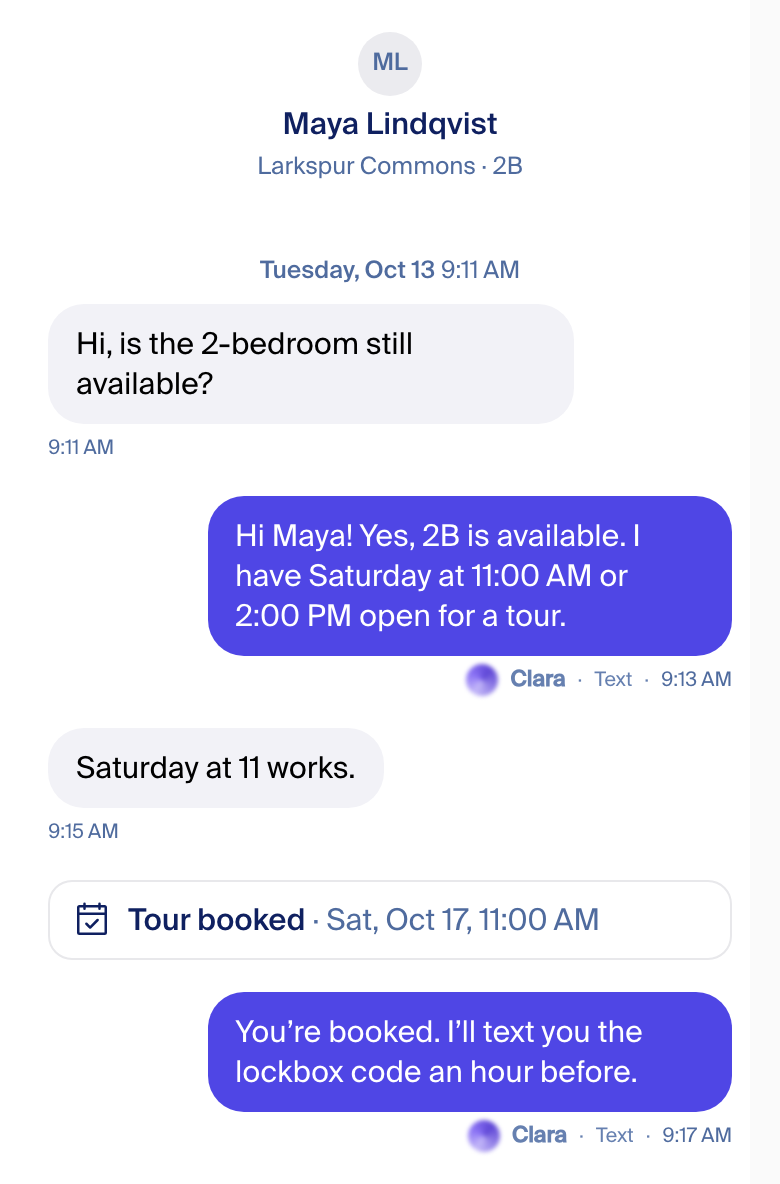
Orb 20 (pass 4 shot it at 24, today's app size)

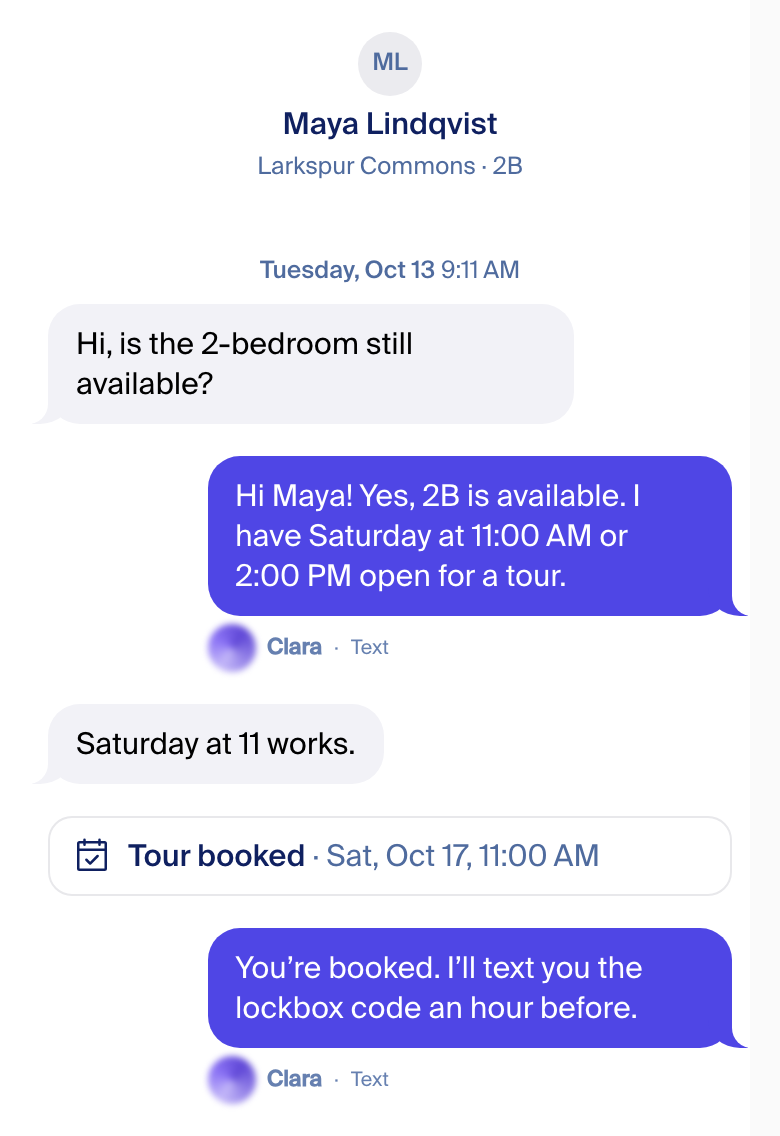
One-on-one in the decided design: phone, light.
Pass 4, first version (2026-10-16 morning)
What changed from pass 3
- Our side is "me", like a group chat: Clara and teammates on the right, the renter on the left. Today the app has Clara on the left.
- No names on top of bubbles. Who said it stays small under the bubble, as today. Clara keeps the orb; a teammate gets an initial.
- Every action is the landing page's white card with an icon. One shape for all; only "needs someone now" turns amber.
- The call card is today's card and today's audio player, put on the thread's grid. A missed call now shows; today it shows nothing.
- Labels like "TEXT AFTER EMAIL" and the green "Delivered" tag are gone. The small "Email" / "Text" word stays.
Fede picks
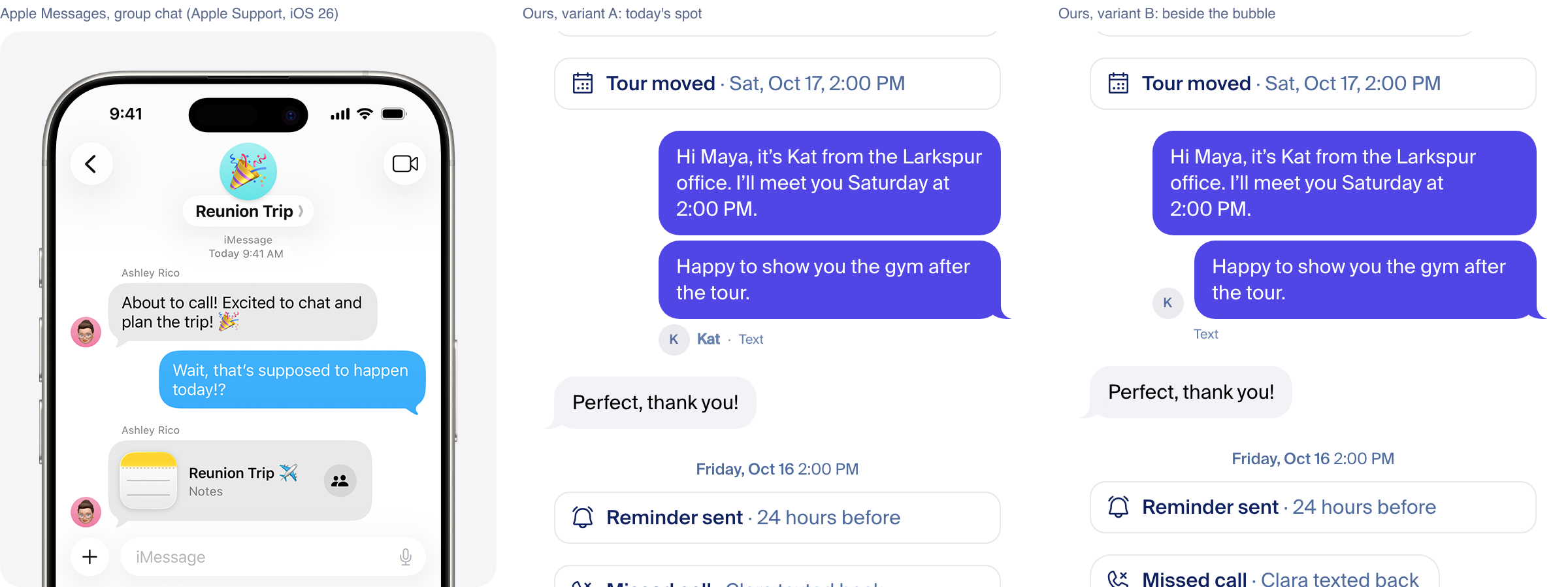
- Who said it, and the call card: A, today's spot (recommended) · B, beside the bubble · C, names only
- Actions: one card for every event, amber when someone must act (recommended) · two weights · a look per category
- Green "Delivered" tag and "what Clara did": drop the tag; open "what Clara did" from the details that tapping Clara's orb already opens (recommended) · drop both
Try it: a scrollable copy runs on localhost (see "Play with it"). The other pass-3 directions are at the bottom, for reference.
Three variants of Messages, same thread
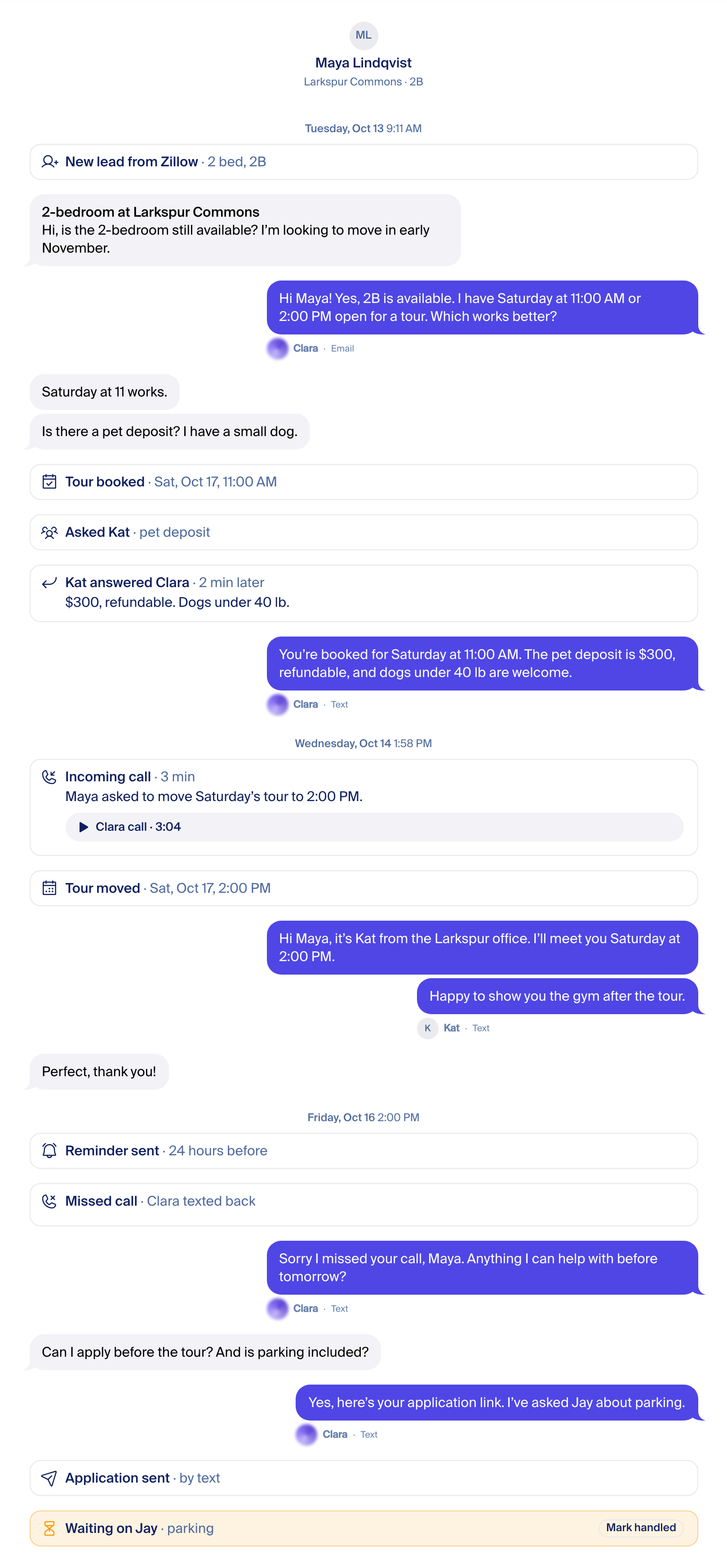
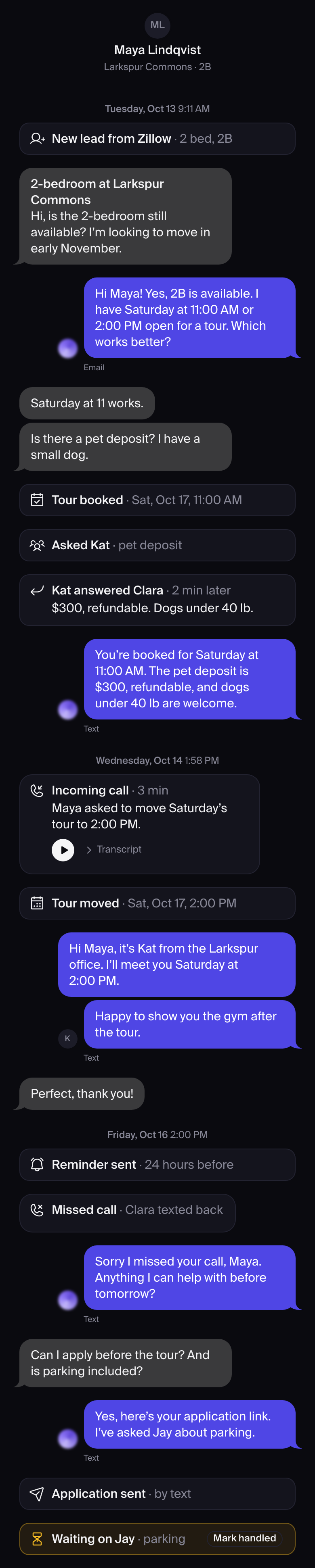
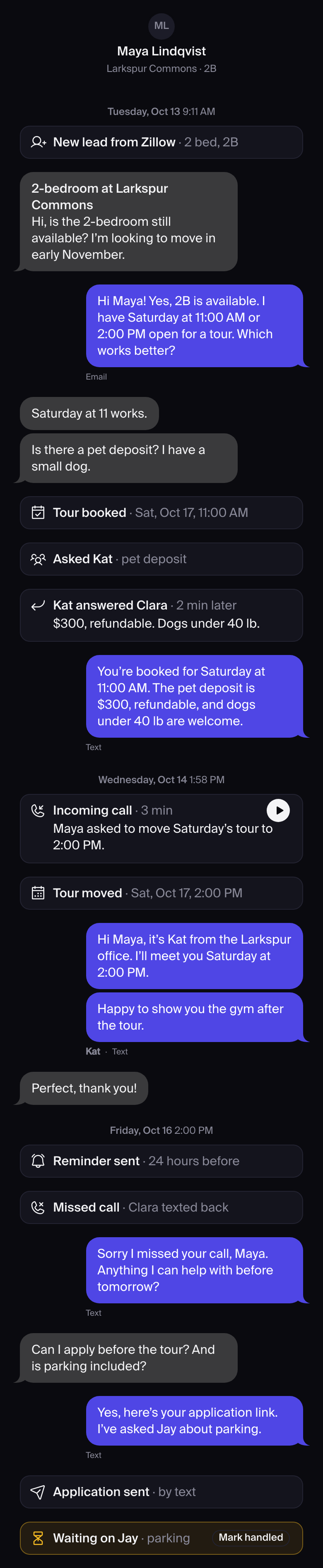
A group thread: Maya (renter), Clara, Kat and Jay. Each variant changes only two things: where "who said it" sits, and how a call looks. Phone, light, drawn from the app's own components.

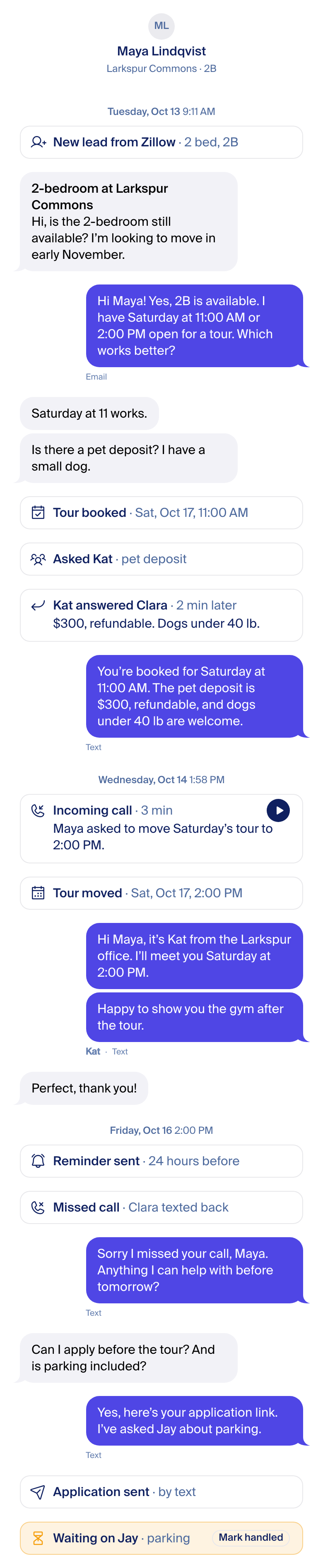
Desktop and dark

Every file at 1x and 2x: p4-variant-{A,B,C}-{390-light,390-dark,1440-light}-{1x,2x}.png in this page's asset folder. B and C desktop: B, C.
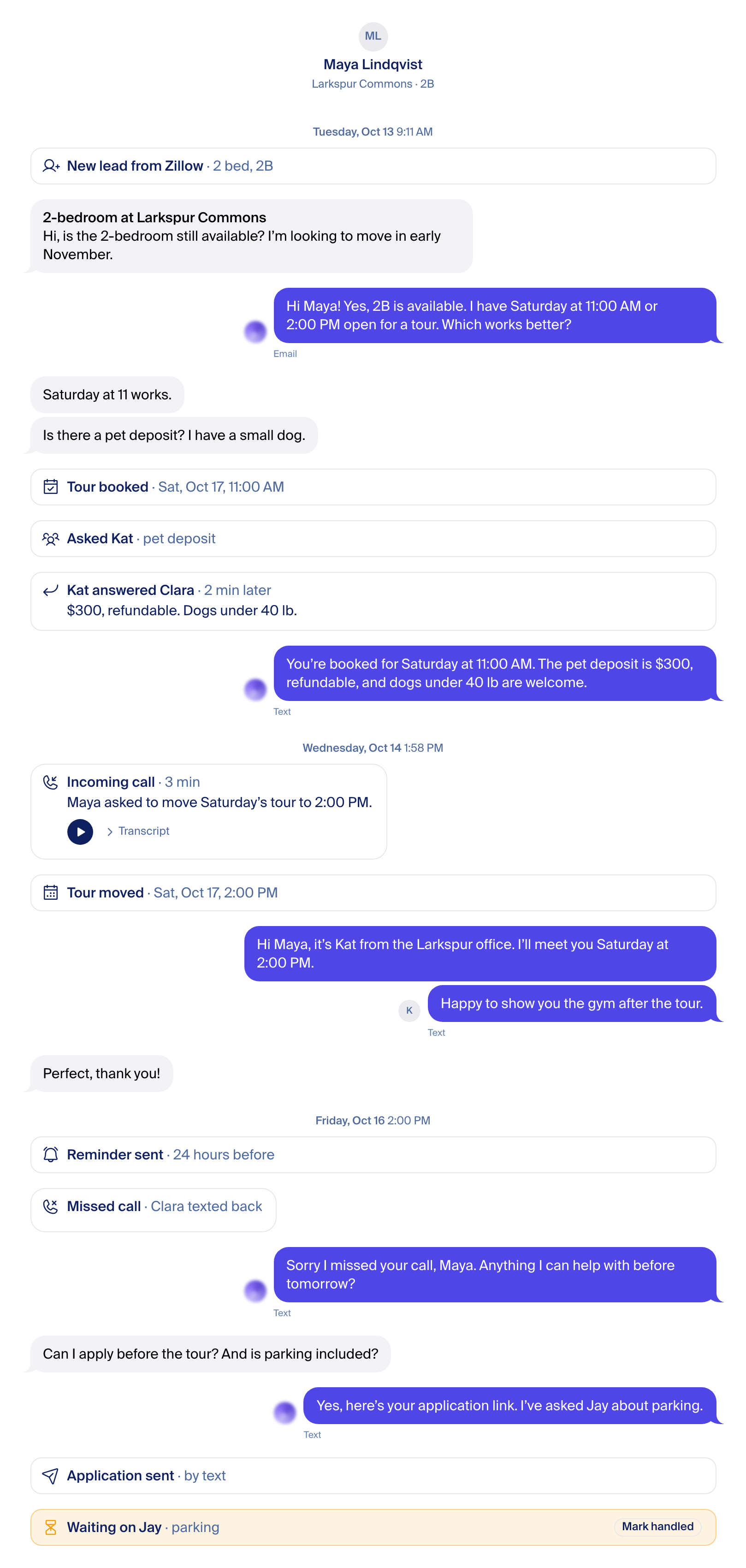
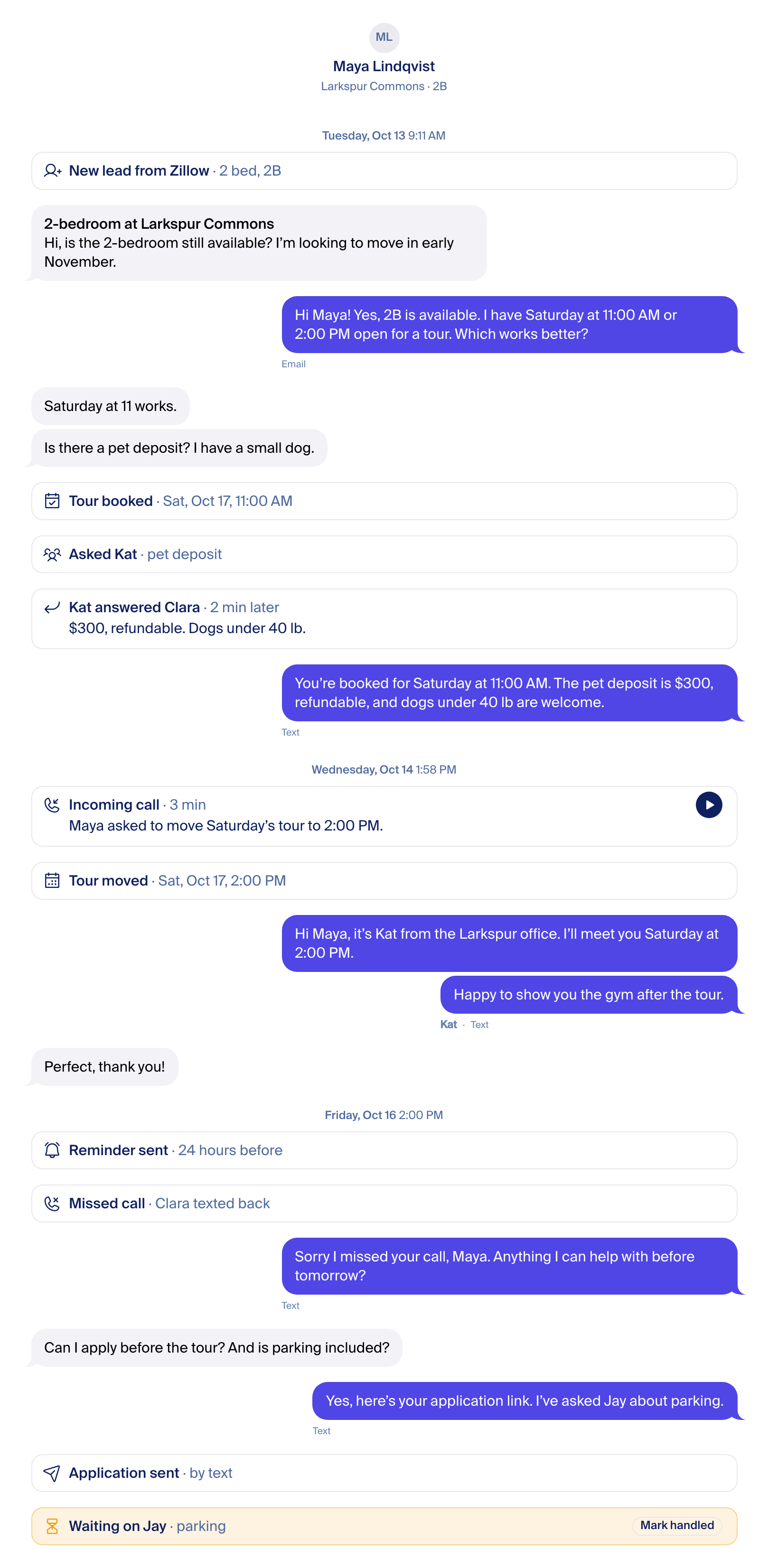
One-on-one is the same system
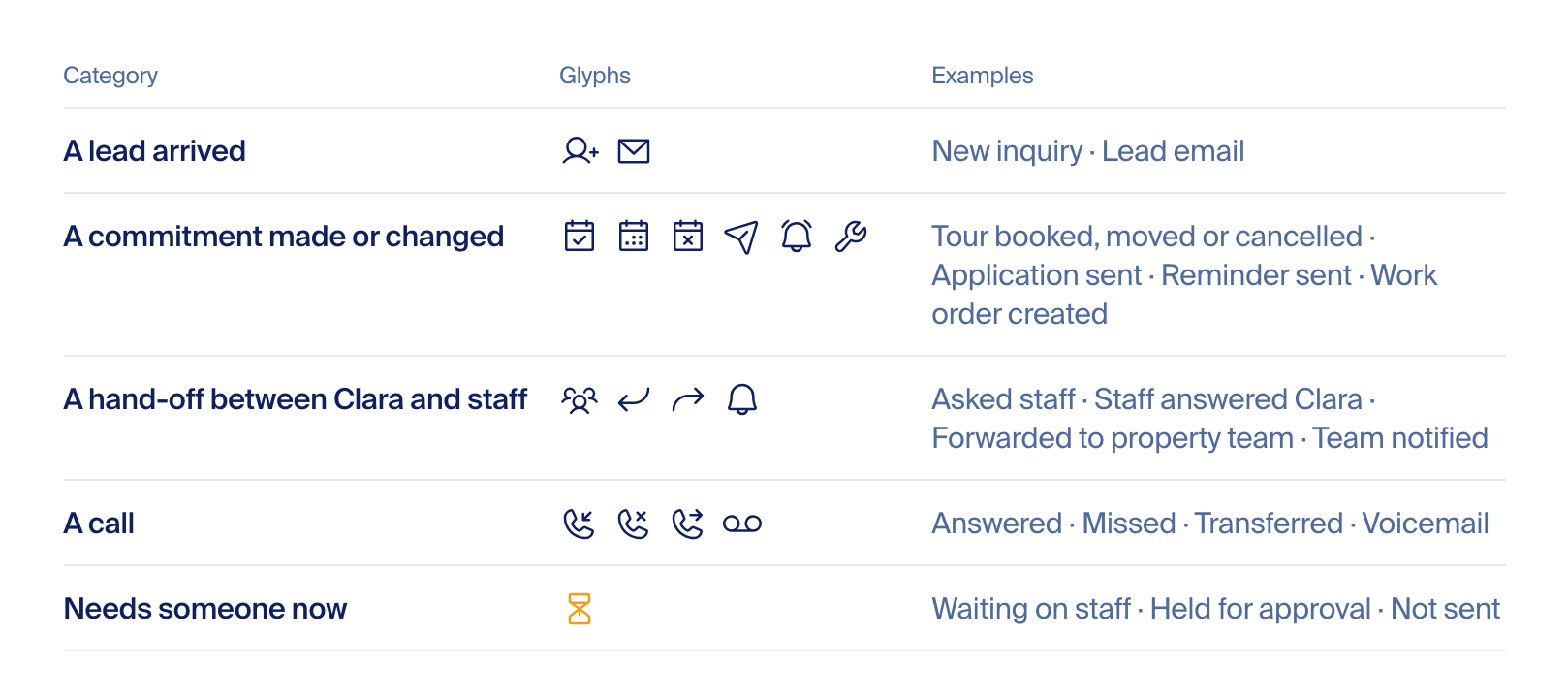
Actions: what happens in a thread
Today: 34 kinds of event row, drawn 12 different ways (counted in the thread code). Five categories cover all of them.
The base: the card from propflowai.co
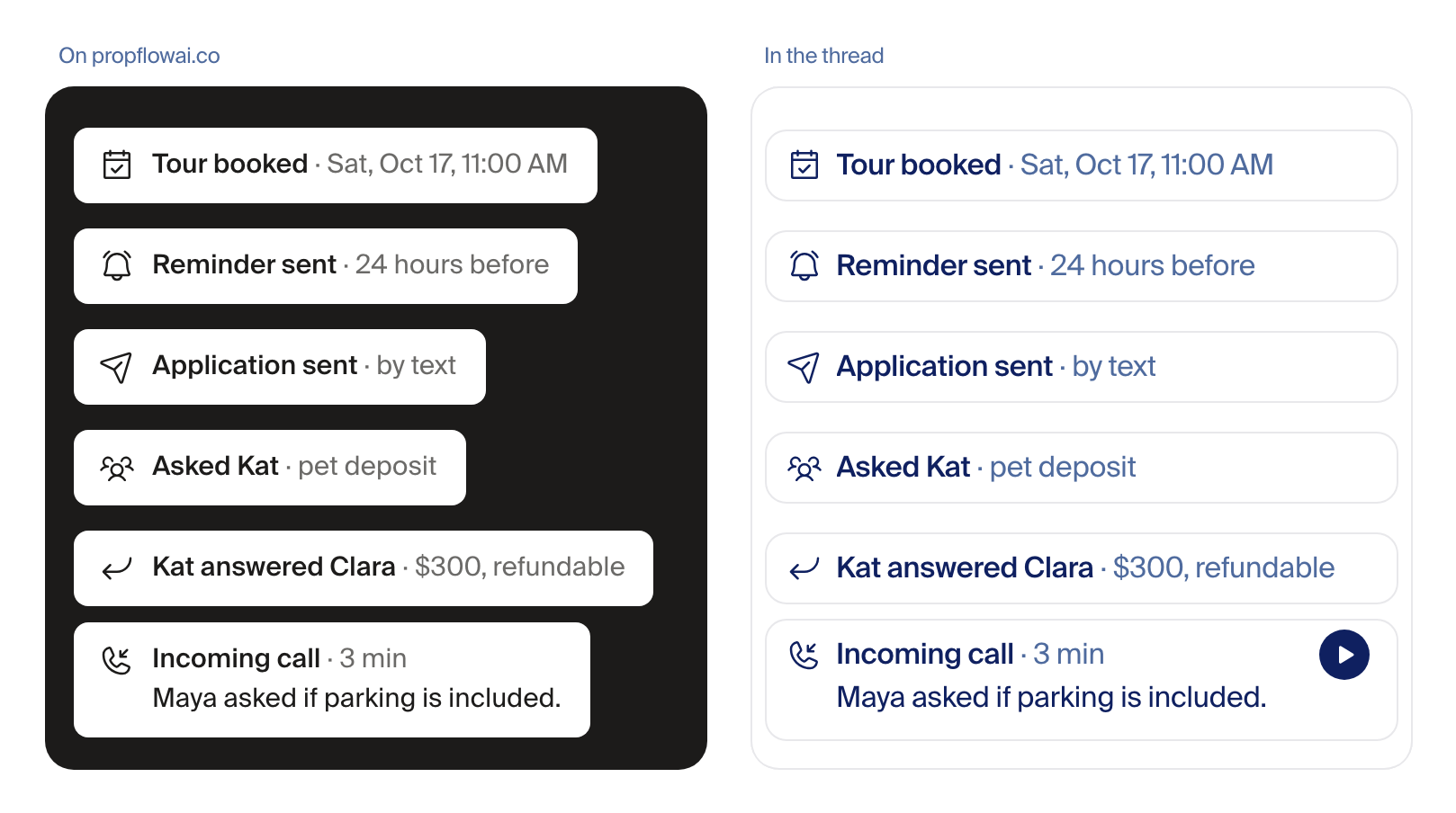
HeroThread.tsx). Right: the same six at thread scale: tour booked, reminder sent, application sent, escalated to staff, staff replied, call summary. Same icons (Phosphor), same "label · detail".Same or different? Three answers
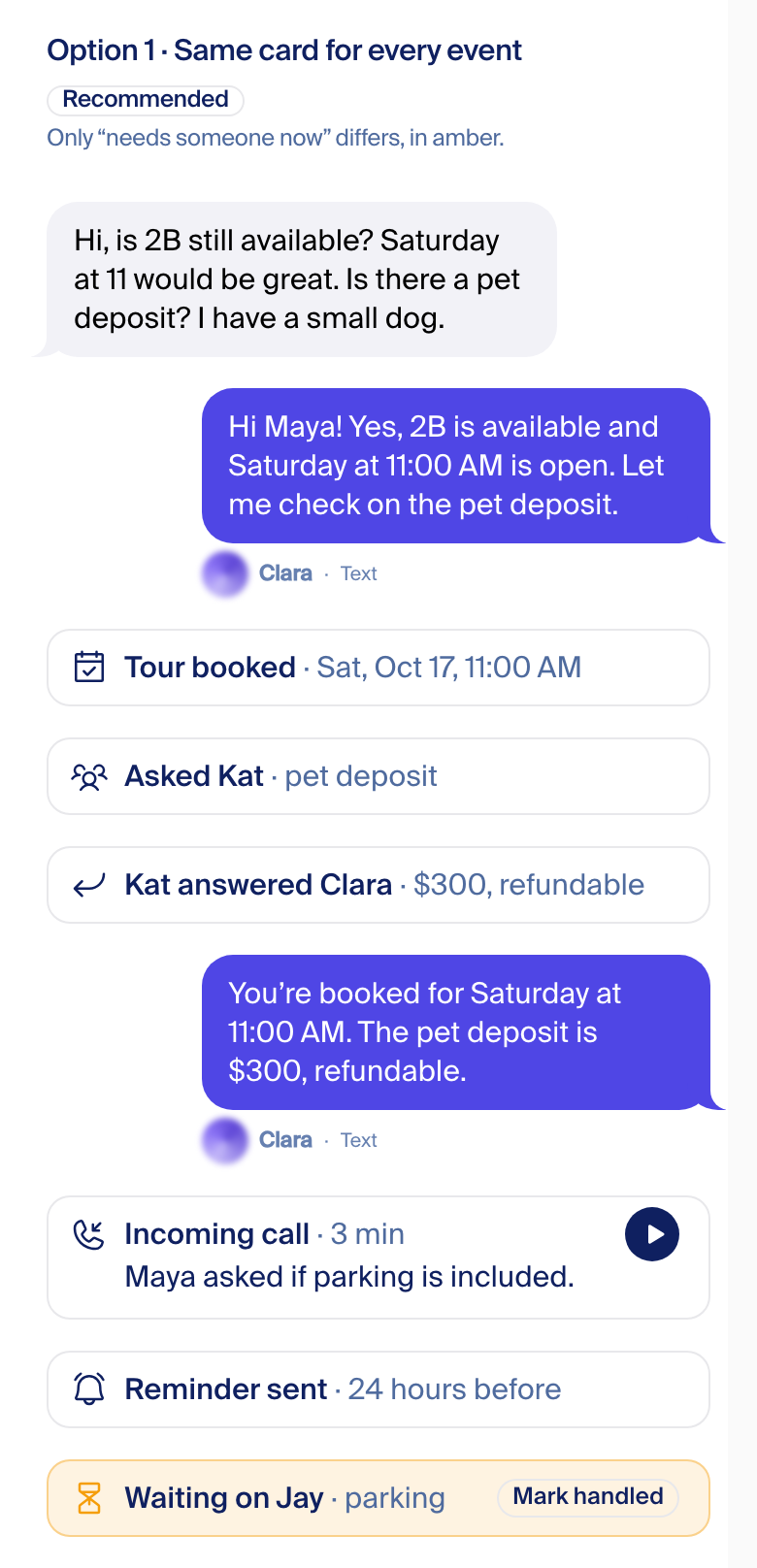
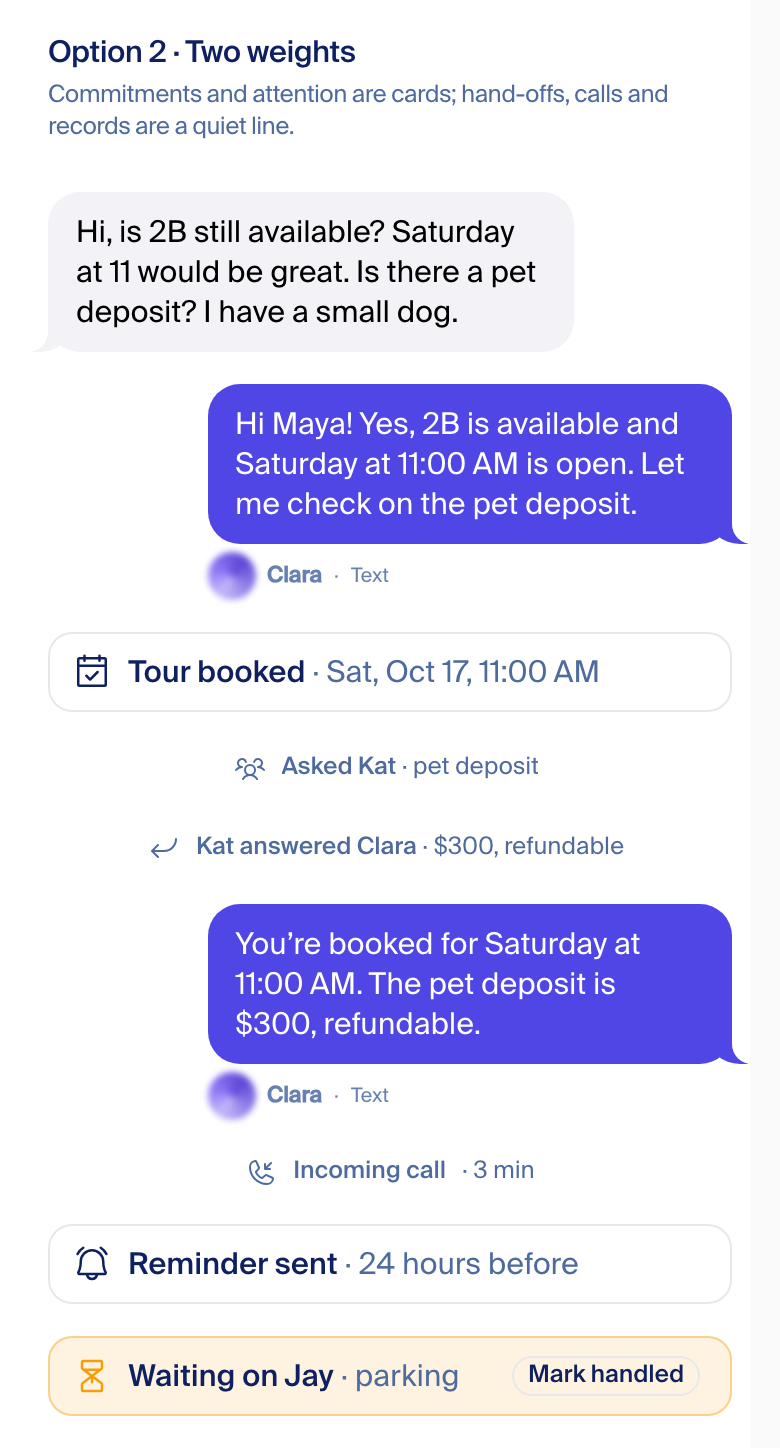
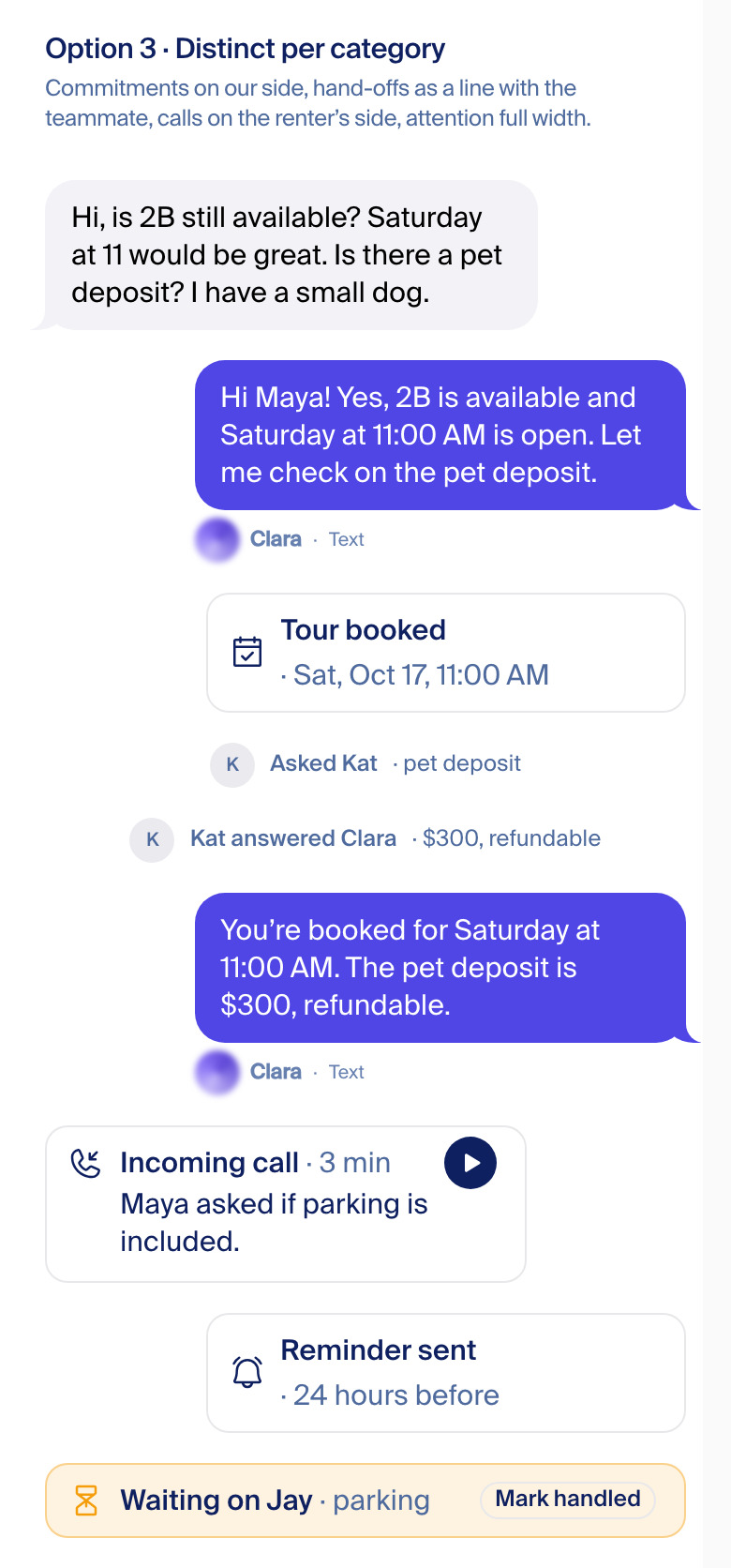
Recommendation: one card for all. The question a reader asks is "what happened, and do I need to do anything?". The icon answers the first; amber answers the second. Five looks would make people learn a legend.
Labels and the green tag: what goes
Counted in the thread code. 93 message kinds; 76 of them print a label chip inside the bubble.
| Today | Shows on | Pass 4 |
|---|---|---|
| Green "Delivered" dot (word on hover), opens "what Clara did" | Only Clara's live replies, the ones with a trace. Templated, scheduled and voice sends never get it. That is why some texts are green and others aren't. | Gone from the thread |
| Label chip in capitals: "CLARA REPLY", "FOLLOW-UP SENT", "TEXT AFTER EMAIL", "CHECKING BACK IN", and 72 more | Every templated or scheduled send | Gone. If it mattered, it is an action card |
| "Email" / "Text" / "Call", 10px under the bubble | Every message we send | Kept, unchanged |
| "Sent 9:14 AM" under emails | Emails with a send time | Gone; the day line carries the time |
Play with it
A scrollable copy with every control: variant A / B / C, light / dark, phone / desktop, group or one-on-one, on a 44-message thread with every event. It runs from a scratch copy of the app on Fede's Mac, never on a server. Link state is in the address, for example /thread-lab/play?v=B&theme=dark&w=phone&t=group.
How it was checked
Every mockup is the app's own CSS tokens, font (Suisse Intl), icons (Phosphor), the landing Orb and the real call player, rendered in a headless browser at 390 and 1440 wide, light and dark, 1x and 2x. An 8px grid was laid over each shot and every edge measured in the browser, not by eye.
The rule checked: left edges, gutters and card edges on the 8px grid; card heights on 8px; text rows on a 4px baseline (the body is 15/20, which no 8px grid can hold). On a 390 phone the column is 358 wide (16px gutters), so right edges sit on the gutter rather than the grid; every one is reported.
Result, final shots: 2,304 edge checks, 4 flagged; 488 inner checks (icon inset, label, quote and player on one text column, name line under its bubble), 0 off. The 4 flags are all one row: a quiet 20px text line in the "two weights" tile, which sits on the 4px text baseline by design.
| Mockup | Grid check found | Fixed |
|---|---|---|
| All three variants | Header 84px tall put every day line 4px off | Header 88px |
| All three variants | Card text sat 10px in, off the baseline | 8px padding, 24px row: cards 40px |
| All three, call and "Kat answered" cards | The quote and the player started 28px left of the label (a reset ate the indent) | Quote, player and label share one column |
| A and C, desktop | Kat's name line hung under her wider first bubble (x 296 vs 463) | The line sits under the last bubble |
| B | "Email" / "Text" floated 32px from the run, not under the bubble | Under the bubble; orb bottom-aligned to it |
| B, missed call | "Clara texted b…" cut off | Call lines wrap, never cut |
| All | "2:00" and "PM" broke onto two lines | Times never break |
| Actions | 8px gap plus a dot between label and detail; the site uses one space | One space, like the site |
| Marketing vs thread | Rows 58px tall; the site's phone card is 30px | 56px rows; a 32px slot per site card |
| A look per category | "Sat, Oct 17, 11…" cut off | Wraps |
The grid overlays

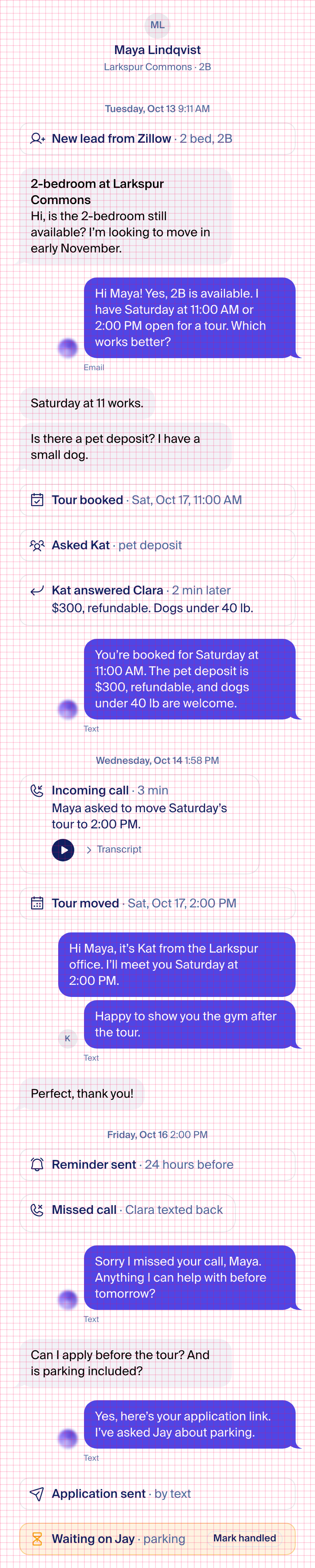
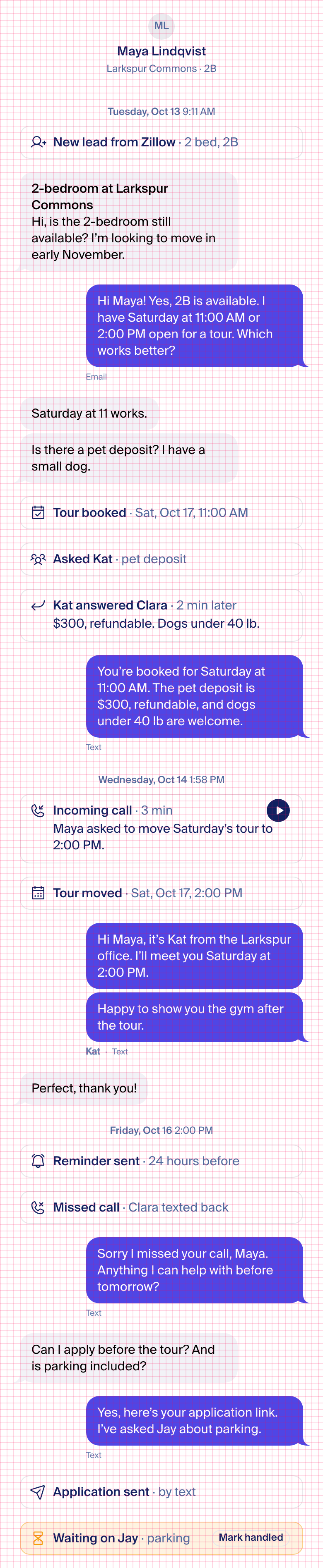
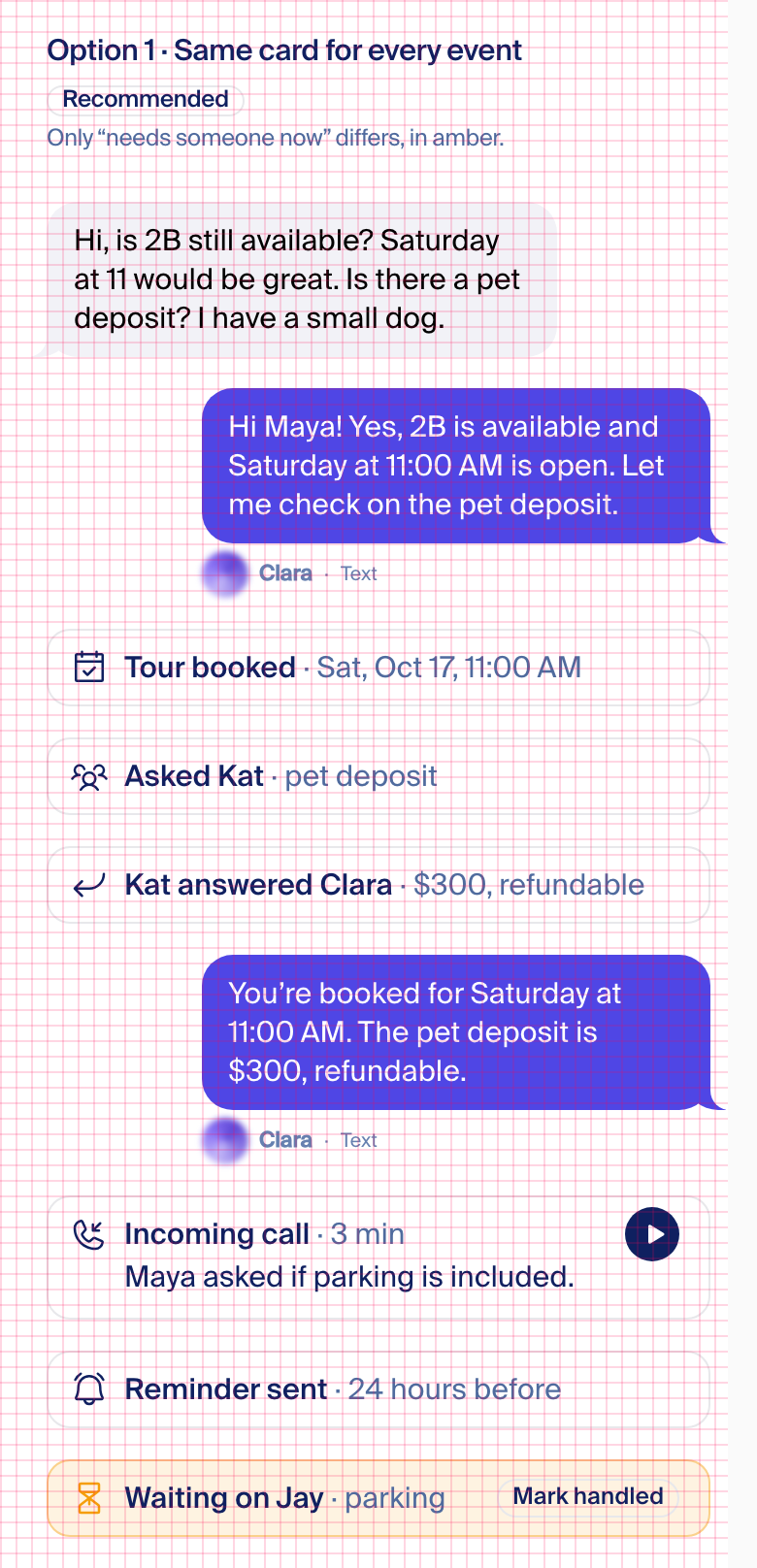
Also: one-on-one, marketing vs thread.
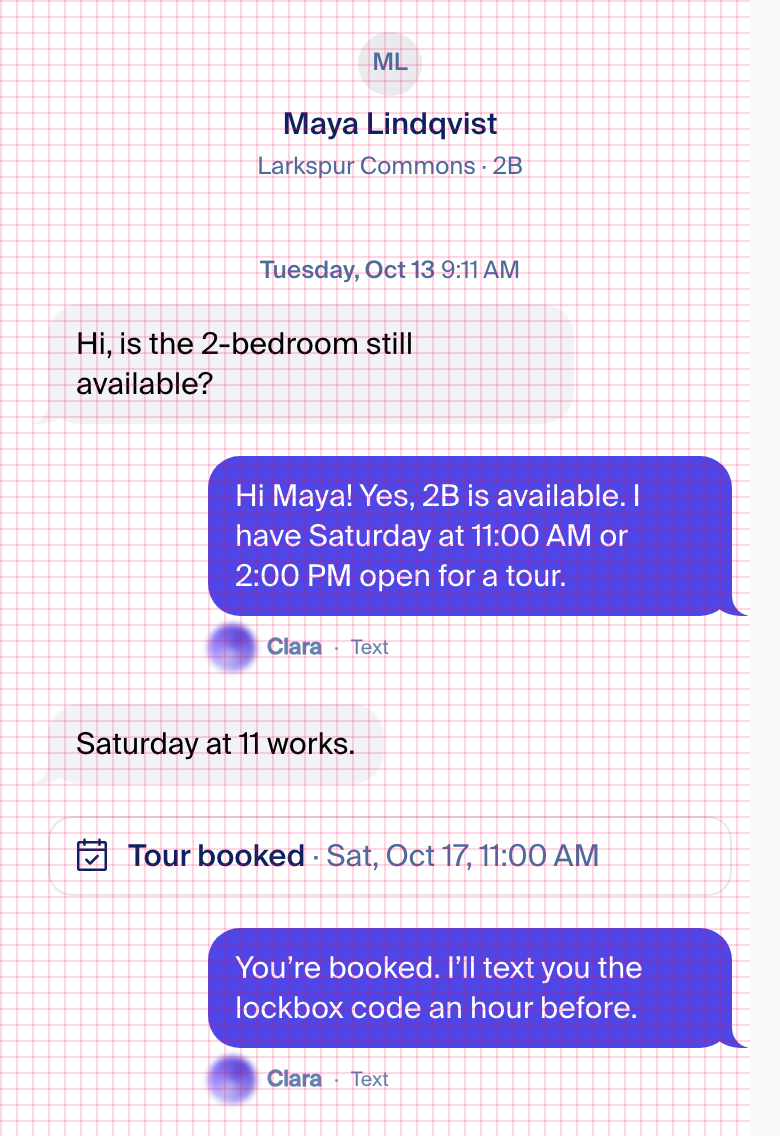
Against real iMessage
Pass 3 directions
Reference: other directions considered (pass 3)
Pass 3, 2026-10-15 night. Fede picked the Messages direction on 2026-10-16; the rest stays here for reference.
Before
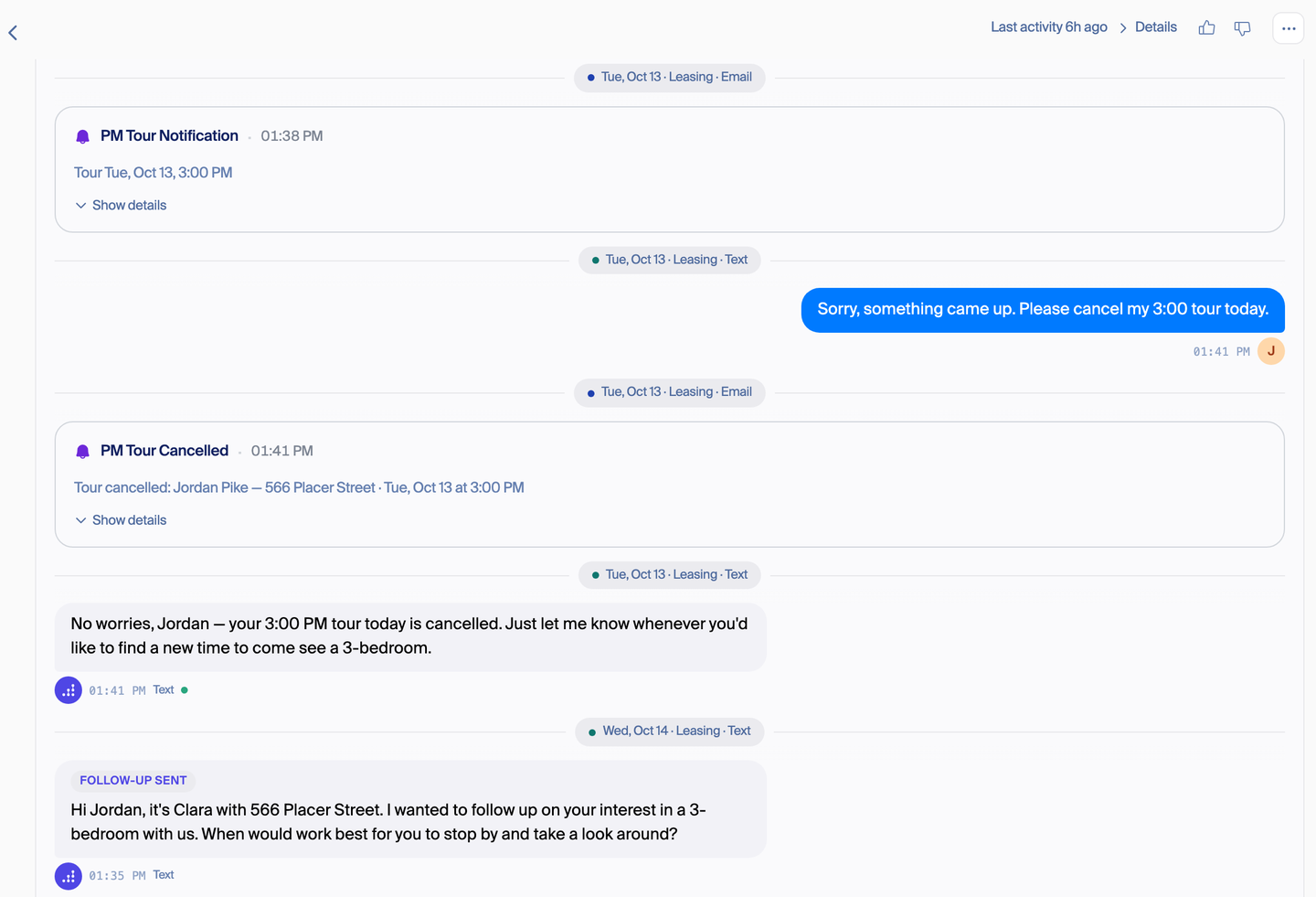
Four designs, same conversation
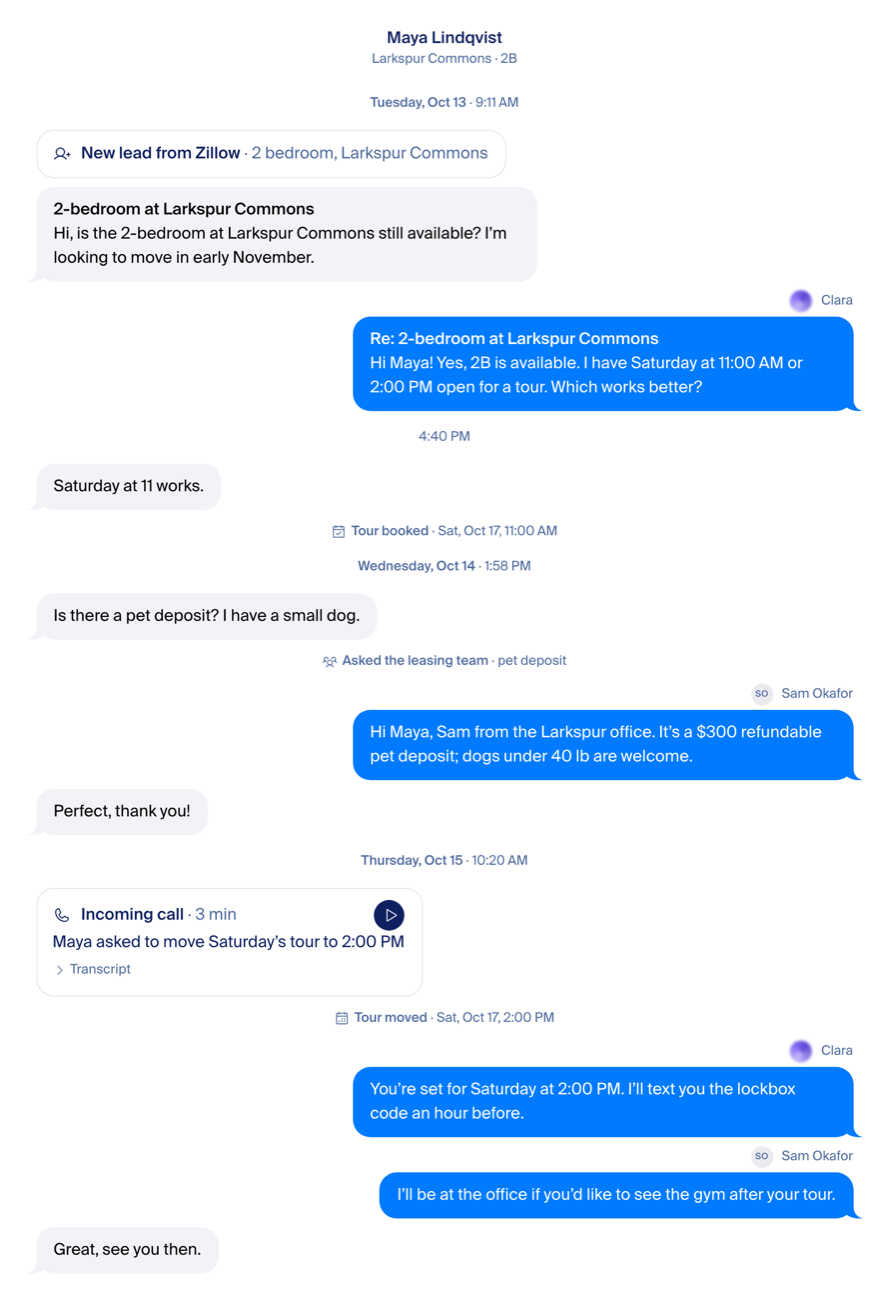
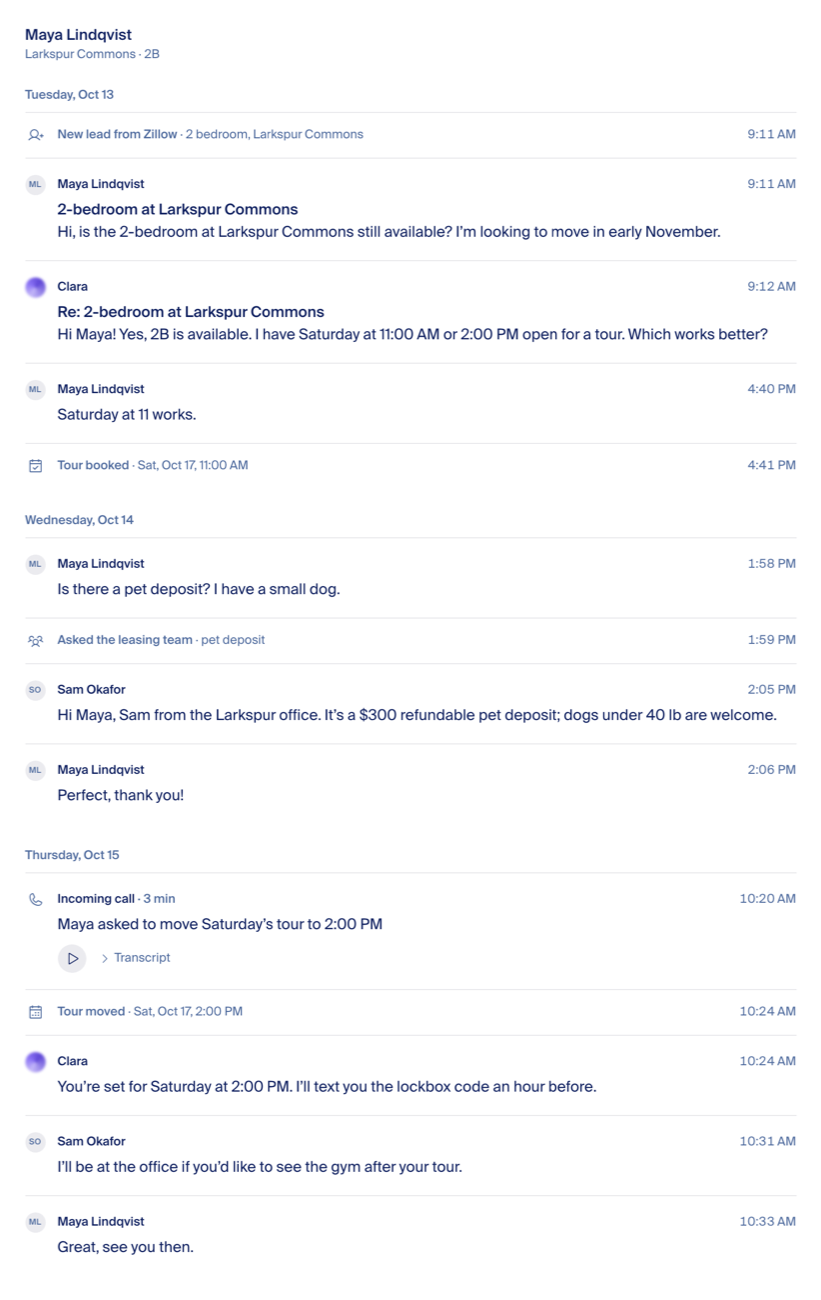
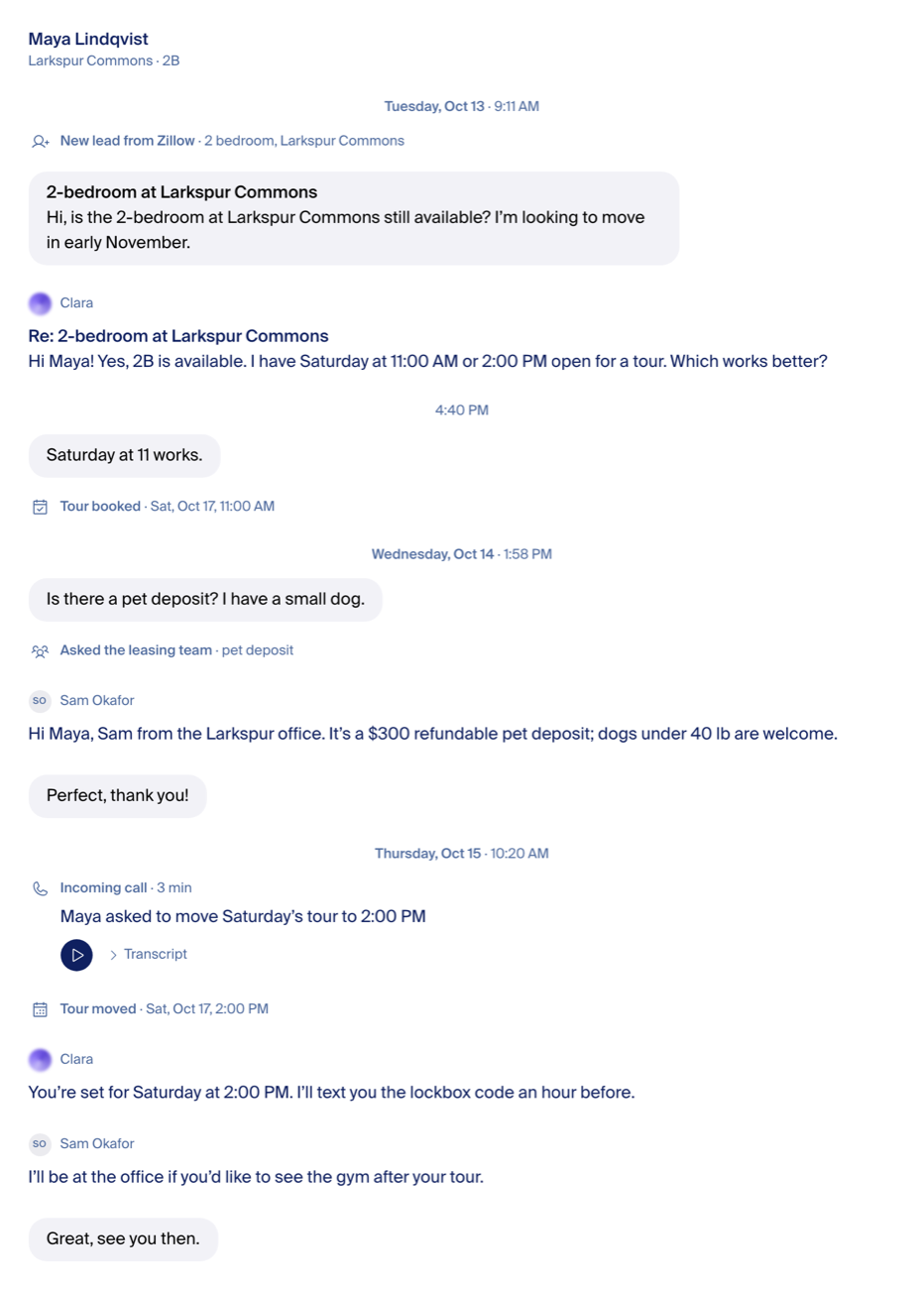
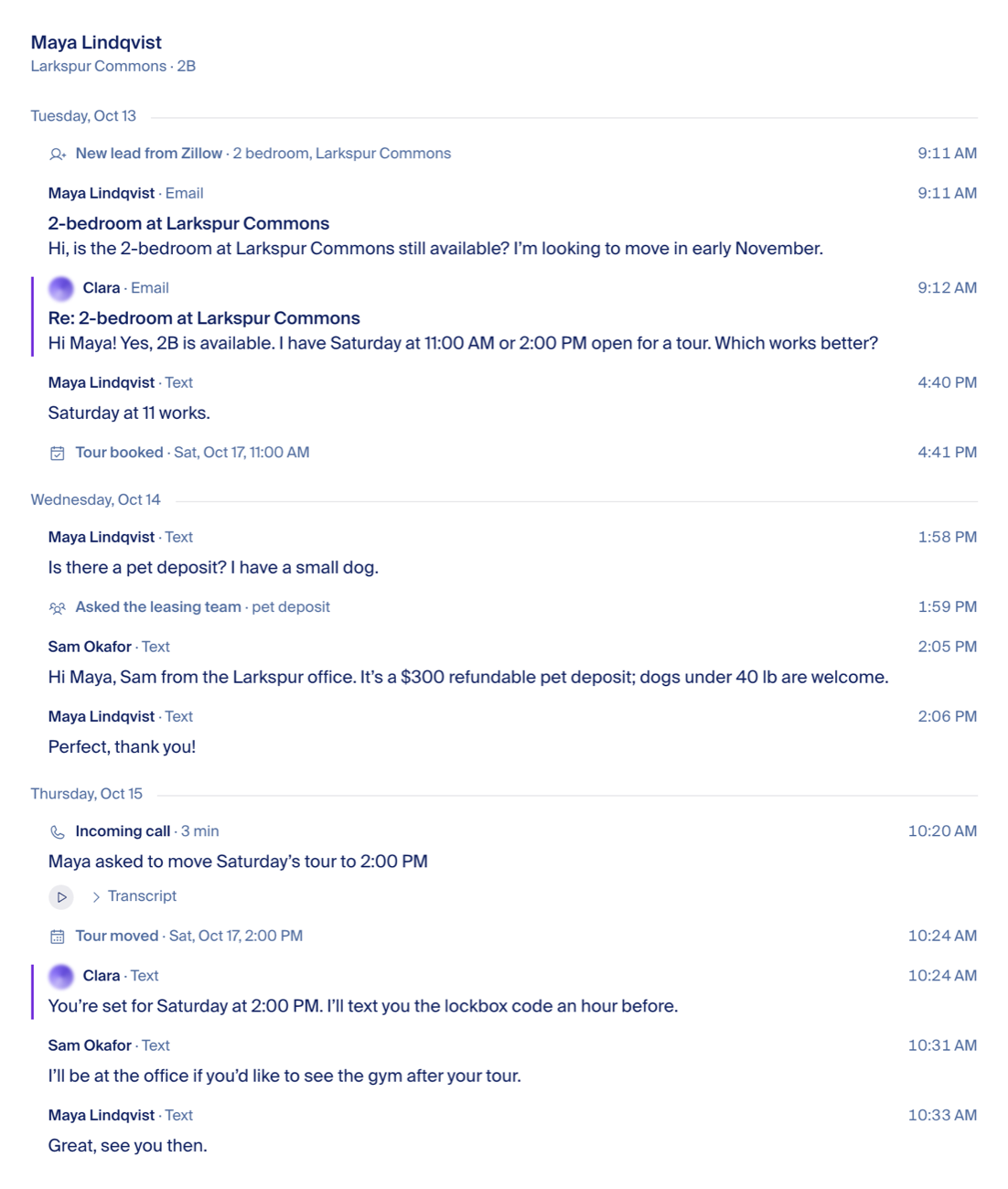
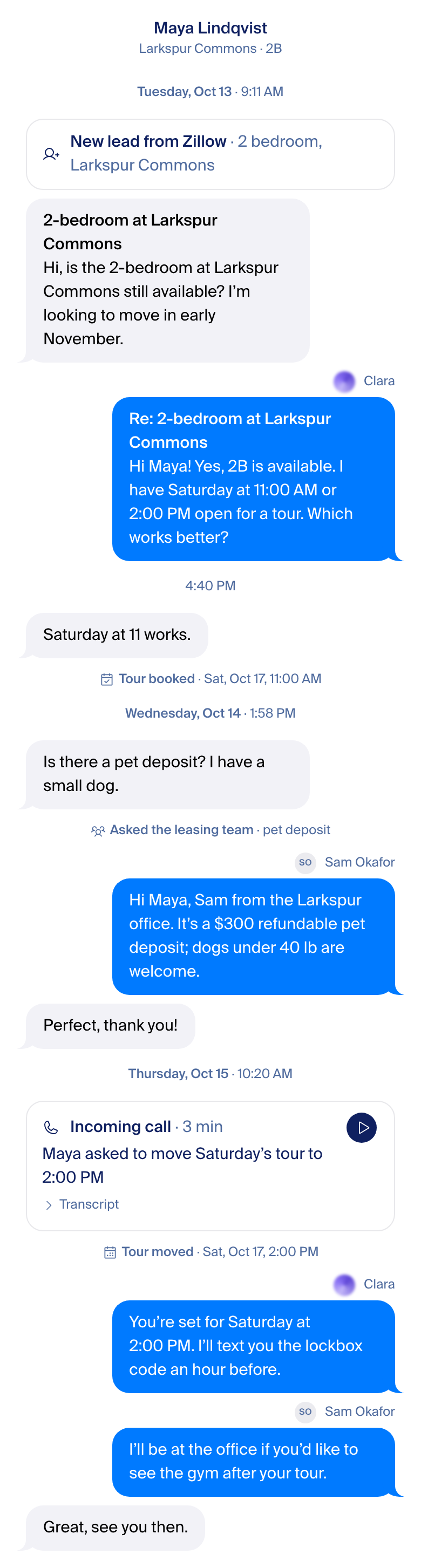
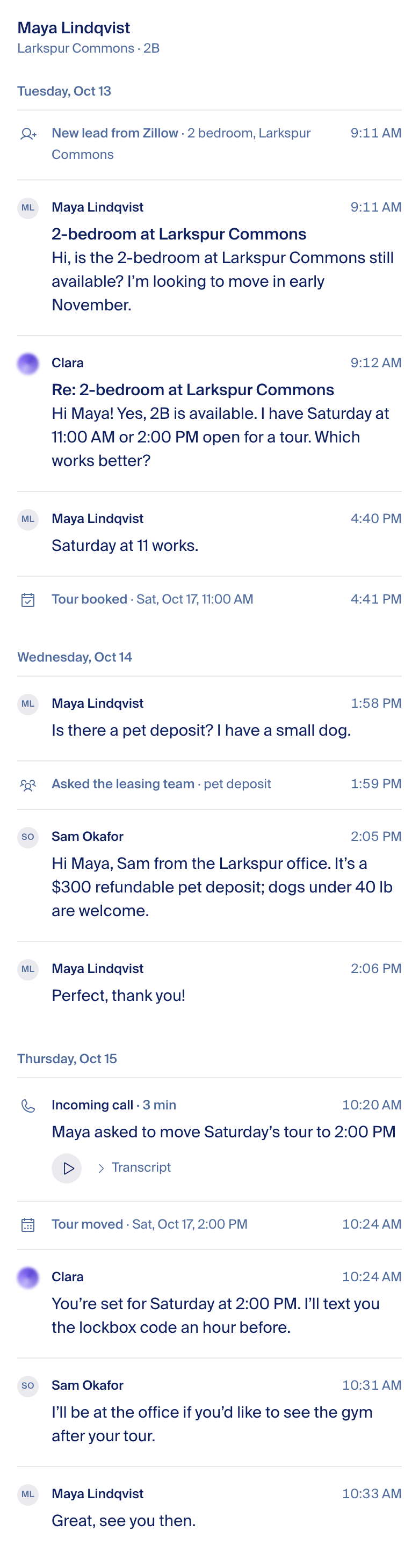
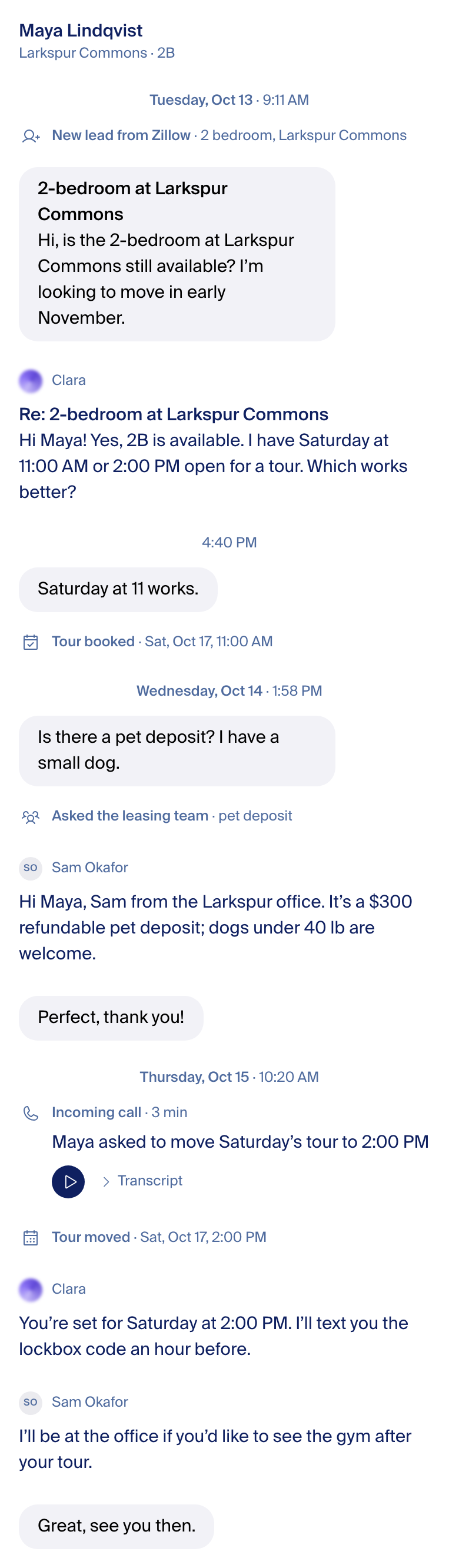
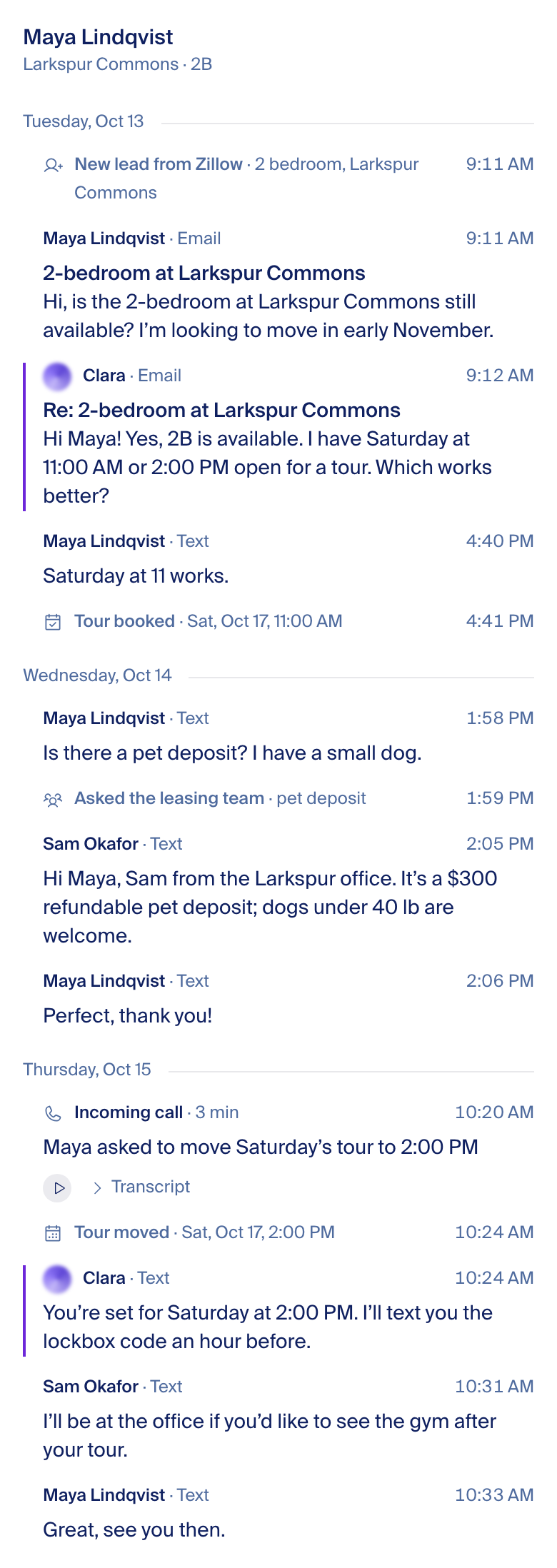
Recommendation: Messages. It is iMessage drawn with our tokens and Clara's orb, so nothing on it needs explaining. The other three are real alternatives, rendered the same way, if the bubbles feel too consumer.
Fede picks
- Design: Messages (recommended) · Linear · Sierra · Superhuman
- Our side's fill: blue (recommended) · ink · violet
- "Tour booked" moments: a centered line (recommended) · a small card
- Clara's face: the orb (recommended) · the mono mark
- Name row: when the sender changes (recommended) · on every message
Everything else on this page is decided and written as a rule below, each with the app it was borrowed from.
Every render: phone and desktop, light and dark
Drawn from the app's real components in a headless browser, 390 and 1440 wide, light and dark, on one synthetic thread (invented people, a 15-message leasing conversation over three days: website inquiry, a tour, a teammate's reply, a day of silence, a follow-up).
Messages
Linear
Sierra
Superhuman
The brand we drew from
Captured from the live site and from the app's current components on main, 2026-10-15. Clara is the landing page's orb; the wordmark is the Focus Lab "Propflow".


The strip shows the four marks this page draws from: the wordmark, the brand mark, the mono mark and the landing orb. Not in the strip, on purpose: ClaraAvatar.tsx and the chat chip, which the app still ships today, both draw the February mark (six dots and two bars in a filled shape), the one Fede called the old logo; on this page it appears only inside the captures of production as it is today (the before figure and the inventory), never in any design. Neither appears in any design here. Clara's face in the thread is the landing orb, at 20px, the same component the site uses. A follow-up PR points both old components at it.
One line of the design standards disagrees with the live brand: §7.1.8 forbids "blurry gradient balls". It was written in August, before Focus Lab's September work; the landing page has drawn Clara as the orb since. The rule gets one sentence changed: the orb is Clara's face, at 20–48px, never as decoration.
What we borrowed
Inspiration first, invention last. Each crop is from the company's own public page, cut to the part we borrow.
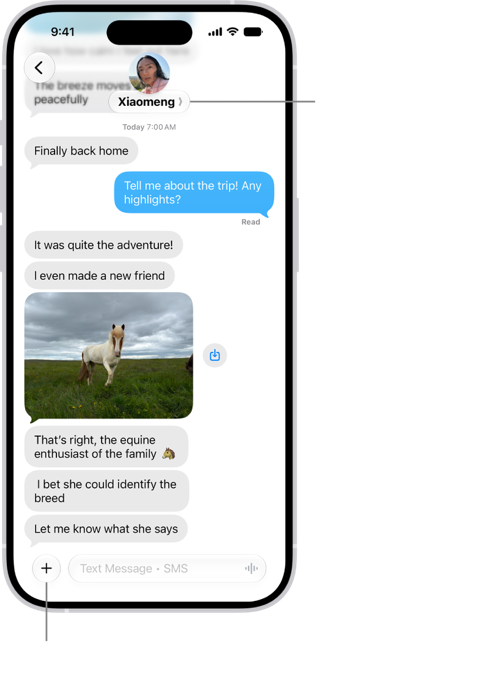
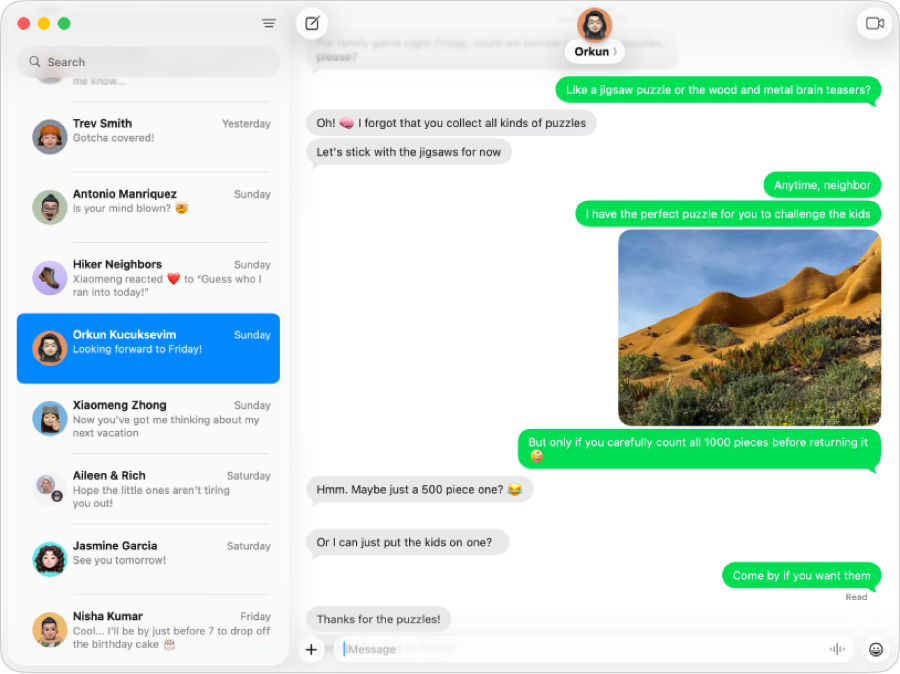
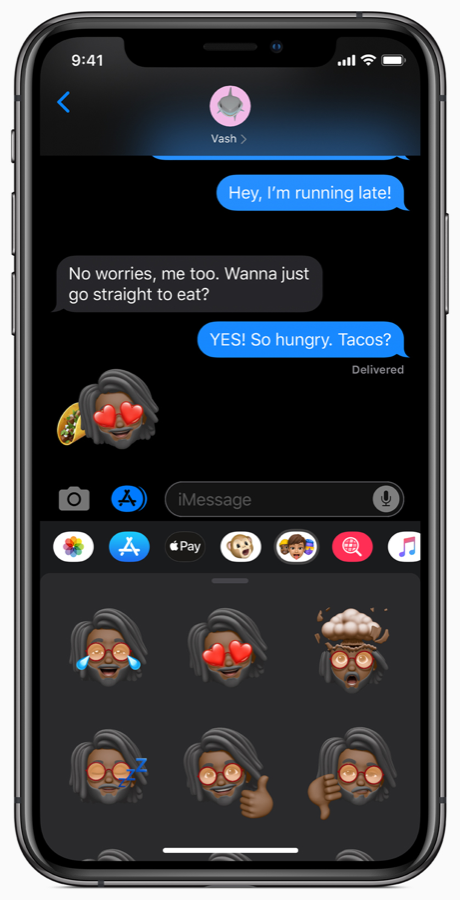
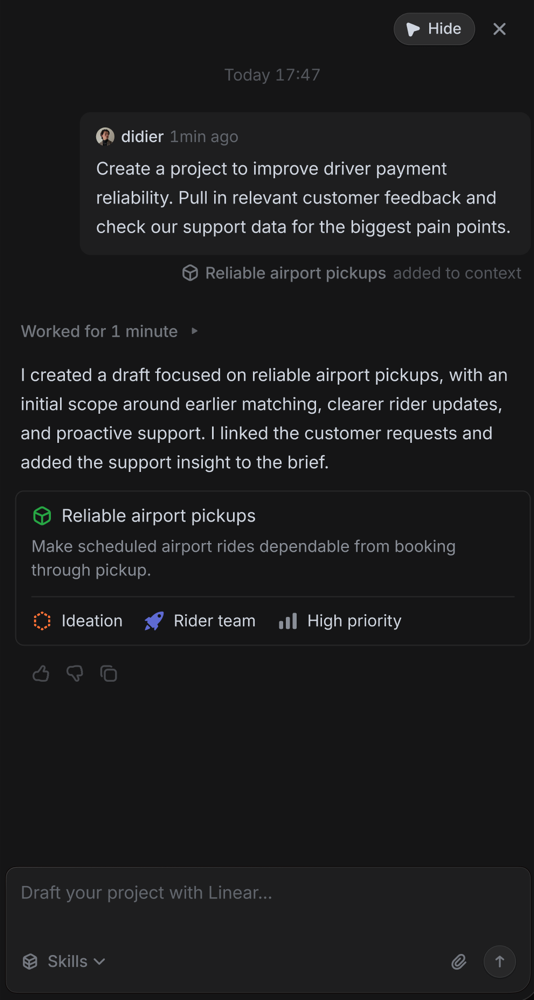
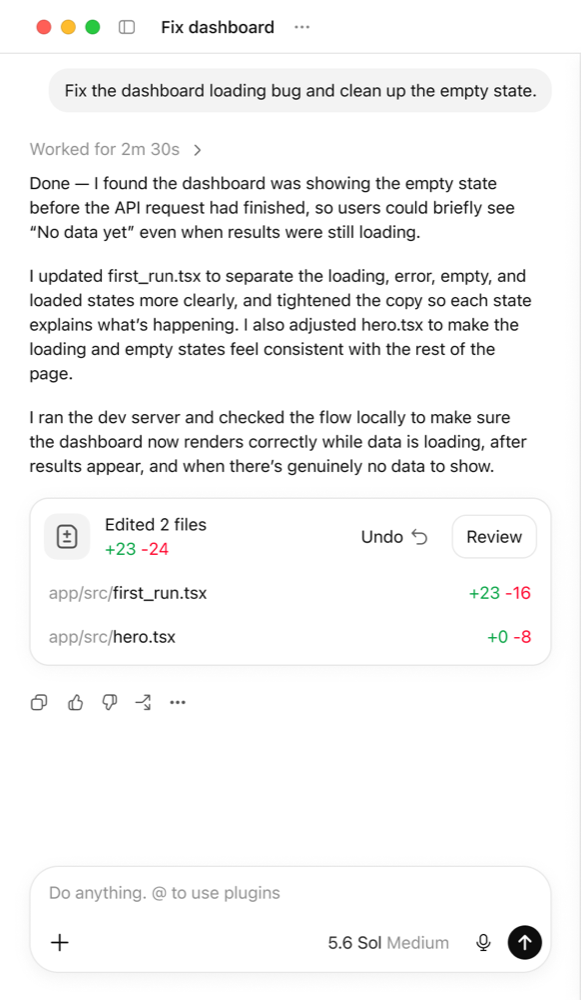
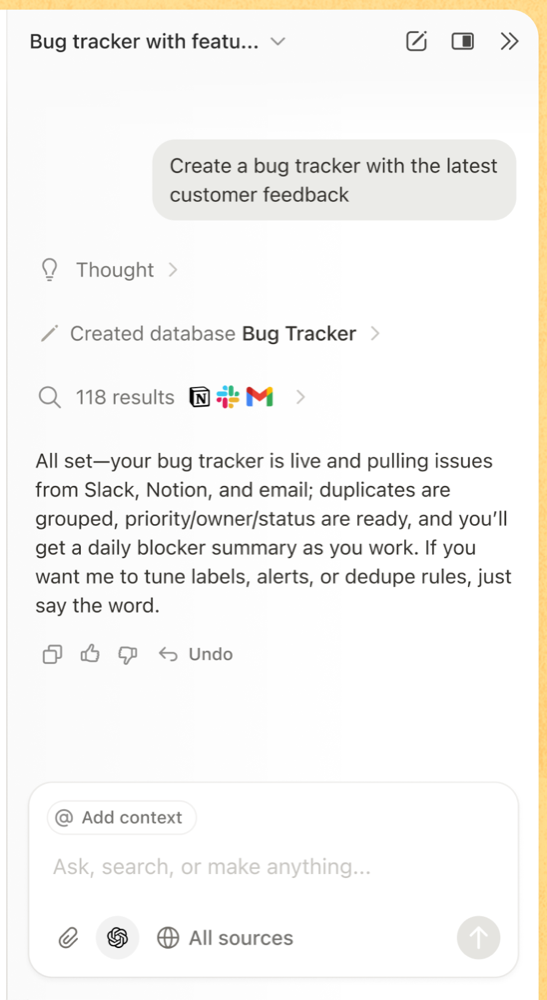
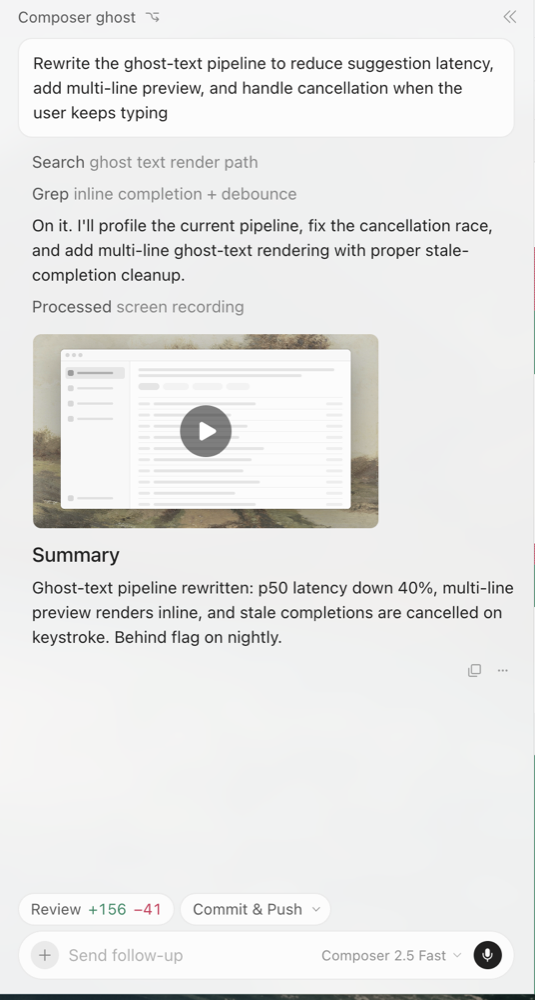
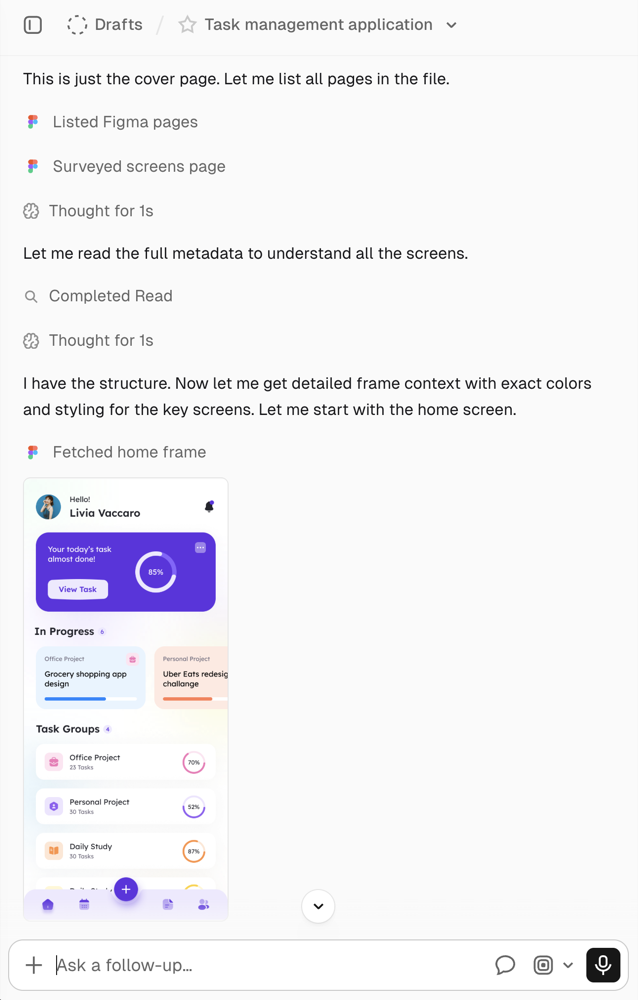
Apple Messages, measured
From Apple's own support images (sizes as ratios; the point values are the usual iOS numbers and are marked unverified).
| Property | Measured | iOS points (unverified) |
|---|---|---|
| Corner radius | The ends are fully round: radius equals half of a one-line bubble | 17–18 |
| Gap, same sender | About 1/9 of a one-line bubble | 3–4 |
| Gap after a sender change | The same; air appears only at time breaks | 4–8 |
| Bubble max width | 73% of the screen | 75% |
| Padding | About 0.3× the type size each side | 12 h / 7 v at 17pt |
| Received fill | #E9E9EB | systemGray5 |
| Sent fill | #43B4FA mid-bubble (a vertical gradient) | #0A84FF / #007AFF |
| Time | Centered, small, gray, only at gaps ("Yesterday 6:05 PM") | 11pt secondary |
| Delivery | "Delivered" / "Read" under the last sent bubble only | 11pt secondary |
| Sender name | None in a 1:1 thread; group threads name received bubbles only | — |
| Tail | iPhone sent bubbles have one; Mac bubbles are tail-less | — |
| Dark | From Apple's iOS 13 press image (2019): background #000000, received #26252A, sent #1687FF to #258DFF (a gradient). No current-era dark thread exists on Apple's pages. | #26252A / #0A84FF, unverified for iOS 26 |
Sources: support.apple.com/guide/iphone/send-and-reply-to-messages-iph82fb73ba3/ios · apple.com/newsroom/2019/06/apple-previews-ios-13 (dark) · cdsassets.apple.com/live/7WUAS350/images/ios/ios-26-iphone-17-pro-messages-conversation-text-formatting.png · support.apple.com/guide/messages/welcome/mac. Measured with connected-region boxes of the bubble color; method in the agents fold.
What others do
The agent-first companies Fede named, from their own public pages (help centers, marketing shots, video frames; none behind a login). Full notes with every image URL are in the research files listed under "For agents".
| Product | What they do in a thread | We take / we leave |
|---|---|---|
| Sierra | No bubbles in the customer-facing demo: each turn carries a small logo and the business name above plain text; the person's turn fades above it. Builder chat: the person in a light box, the agent as plain text. | Take: the name-above-plain-text turn (our Sierra design). Leave: no bubbles at all. |
| Intercom Fin | Fin's answer is a blue block with an "Answer" label and a black "AI" badge; a source link sits inside it; an SMS system note is a yellow block; the channel is a small footer icon. | Leave: boxing and badging the AI, colored system blocks. Take: the channel as a footer-sized detail, not a label. |
| Harvey | Person right in a gray box, Harvey as plain text; the agent, model, sources and outputs live in a side panel, never on the turns. | Take: provenance away from the messages (our details panel). |
| Granola | Person as a gray pill at the right; the AI as plain text; what it did as muted one-line steps with a small icon above the answer. | Take: the muted one-line step (our event line). |
| Attio | Ask Attio: person pill right, AI plain. Record timeline: an outside system is a named actor with its logo ("Linear changed 4 attributes"), relative time at the right. | Take: an outside system named once, as a fact, not as a style. Leave: logos on rows. |
| Clay | Person as a light-gray pill; the AI as plain text with headings; one muted status line ("Workspace memory updated"). | Take: one status line, no card. |
| Decagon | Illustrations only: a brand-colored bubble for the person, white for the bot, a lavender block for the analyst chat; email, chat and actions on separate surfaces. | Leave: brand color on both sides, separate surfaces per channel. |
| Superhuman | Dense monochrome rows, an AI summary card above the thread, drafted replies in a lighter box; marketing illustrations. | Take: density and monochrome (our Superhuman design). Leave: the summary card. |
| Business threads: green sent right, white received left, time and ticks inside the bubble, a voice call as a card in the same thread, action chips under a bubble, a centered disclosure line. | Take: the call as a card in the flow. Leave: time inside every bubble. | |
| Apple Messages | Measured in "What we borrowed". Apple's own pages show no dark-mode thread; the dark values on this page are the known system colors, unverified. | Take: everything measurable. |
What we are not: a property-management inbox that repeats avatar, name and time on every message, gives each system event its own colored banner, and labels where a row came from on the row. That is the Before.
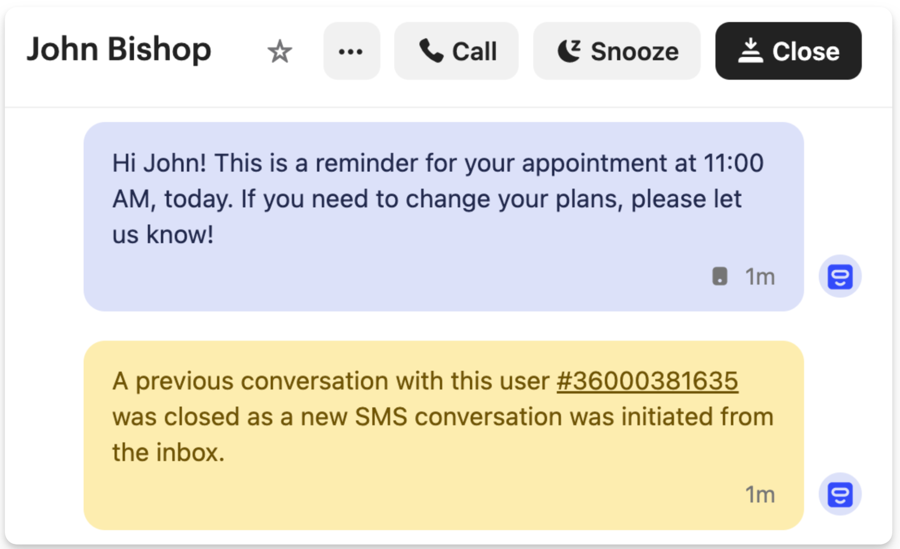
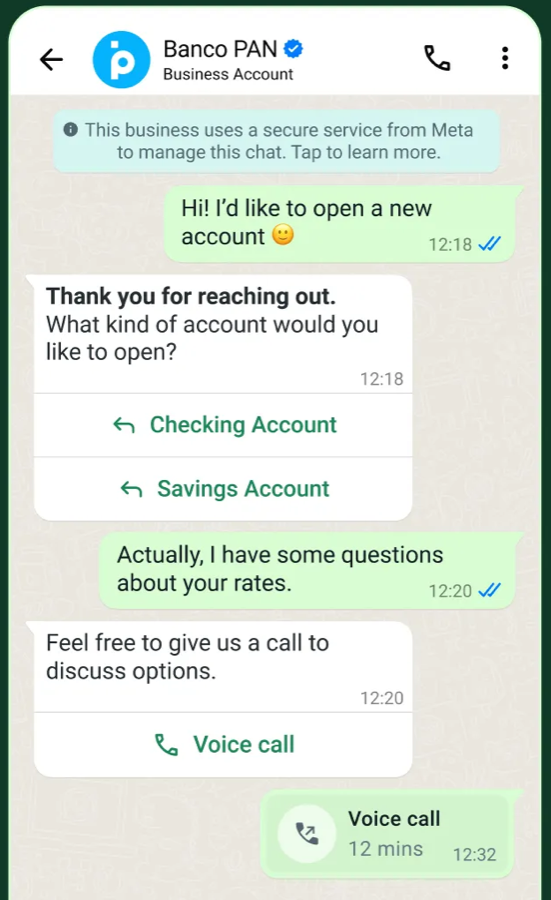
The rules, each with its source
These hold for every design above. They are decided; the page asks nothing about them.
| # | Rule | Value | Borrowed from |
|---|---|---|---|
| 1 | One bubble for everyone who writes | Prospect, Clara, teammate, a row copied from AppFolio: the same shape, the same type, the same gaps. | Apple Messages; Fede |
| 2 | Sides | What came in sits on the left. What we sent (Clara and teammates alike) sits on the right. | Apple Messages sent/received |
| 3 | Received fill | --color-bubble-incoming #F2F2F7 light / #3A3A3C dark, text --color-bubble-incoming-text (#000000 light, #F4F4F6 dark). | Apple systemGray5; app token |
| 4 | Our side's fill | Blue #007AFF light / #0A84FF dark, white text (the one open choice below). | Apple Messages; app token since 2026-08-21 |
| 5 | Bubble geometry | Radius 16, padding 10×16, a tail on the last bubble of a run only, max width 75% at 390 and 456px (about 60%) at 1440. No border. | Apple (ends fully round, 73% width); landing padding |
| 6 | Rhythm | 4px between bubbles from the same sender (within five minutes), 8px after a sender change, 16px around a time line, 12px around an event line. Nothing between bubbles but whitespace. | Apple (measured 1/9 of a bubble; air only at time breaks) |
| 7 | Names | The customer is never named in the thread (the header names them). Our side shows a 12px muted name row only when the sender changes, 4px above the bubble: Clara with her orb, a teammate with a 20px initials disc (8px initials at 500 on the gray well). | Apple group threads; Raycast (identity once, in the header) |
| 8 | Clara's face | The landing page orb at 20px. Never the February mark, never a face, never a sparkle. | propflowai.co hero thread |
| 9 | Time | One centered 12px muted line at gaps: at a new day "Tuesday, Oct 13 · 9:11 AM" (the day at 500), after more than an hour of same-day silence the time alone ("4:40 PM"). The product says Today and Yesterday like iMessage. No time on bubbles. | Apple; Linear ("Today 17:47") |
| 10 | Events | One 12px muted line: a 16px Phosphor glyph, the verb at 500, the object at 400. "Tour booked · Sat, Oct 17, 11:00 AM", "Asked the leasing team · pet deposit". Centered in Messages and Sierra, left in the row designs. It never looks like the time line (which has no glyph and sets the day at 500). | Notion AI rows; v0 glyph+phrase; Cursor two-tone; Perplexity "Researched 32s" |
| 11 | Cards | Only for something with content: the lead (source and home), a call (a 28px play button, a one-line gist, "Transcript" folded), an attachment. Radius 16, card fill, a 1px --color-border hairline, no shadow, no tint, full width at 390. | Perplexity files card; ChatGPT edits card; Cursor collapsed tool row |
| 12 | Email in a bubble | The subject in 500 weight above the body; the body as a text. Nothing else marks an email. | Ours; no reference draws email as chat |
| 13 | No channel word | A text has none, an email has its subject, a call is a card. The channel is in details. | Apple (no metadata on bubbles) |
| 14 | Rows copied from a property system | Drawn by the same code as a row sent through our line; the renderer never reads where a row came from. "Sent through AppFolio" and "Open in AppFolio" appear only in the details panel, which opens under the bubble (sent by, channel, sent, sent through, delivery, open in). Yardi is the same panel with another name, from the adapter. | Fede 2026-10-14; Raycast (the system named once, away from the messages) |
| 15 | Delivery | Nothing when it worked. A failure prints one red line under the bubble, every channel, every source. | Apple ("Delivered" under the last bubble only; "Not Delivered" in red) |
| 16 | Type | Suisse Intl, 14.7/22 body at 400 with -0.005em tracking, 12px meta (names, times, events), 500 for the one emphasised word. No bold, no mono. Numbers never break from their unit ("2:00 PM"). | Landing .r1-bubble values |
| 17 | Color | App tokens only. Violet lives on Clara's orb and nowhere else. No badges, pills, uppercase labels, borders or icons on a message; no green dots. | Design standards §18; Fede ("a few clean elements") |
| 18 | Icons | Phosphor, regular, 16px, muted. | Design standards §7 |
| 19 | Header | Name at 14.7/500 over "property · unit" in 12px muted, centered. No "last activity", no flag, no preview switch. | Apple Messages on Mac; Raycast subtitle |
| 20 | Actions | Thumbs and copy as ghost icons on hover, one place, never printed. | ChatGPT, Notion AI, Raycast |
| 21 | Dark | The same page with the tokens flipped: bg #0A0A0F, received #3A3A3C, text #F4F4F6, sent #0A84FF (iOS dark blue; no app token yet), cards on #14141D. | App tokens; Apple dark values measured from a 2019 press image; current ones unverified |
What each of the other three designs changes: Linear drops rules 2, 5, 6 and 9 for flat rows with a name and time on every row and a hairline between them. Sierra keeps the customer's bubble and renders our side as a name row plus plain text, no bubble. Superhuman drops the bubbles entirely, prints the channel word on every row, and marks Clara's rows with a violet bar.
The few choices, each rendered
Our side's fill
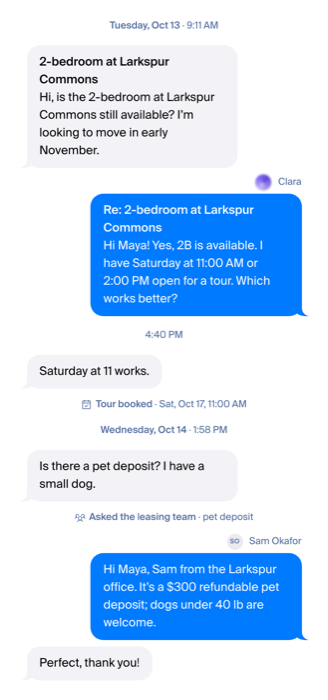
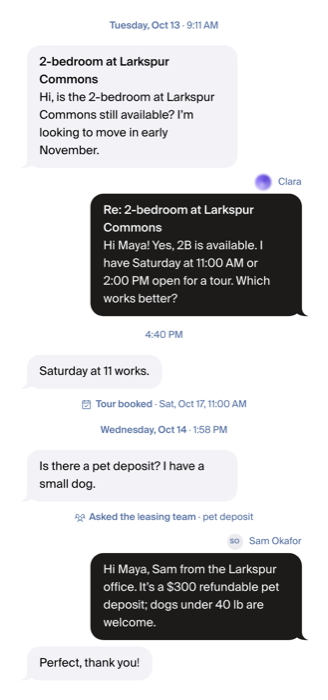
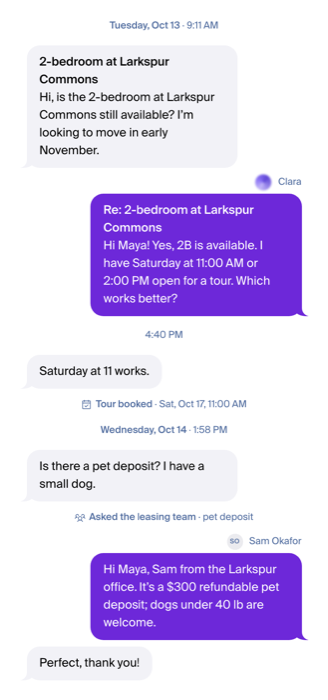
"Tour booked" moments
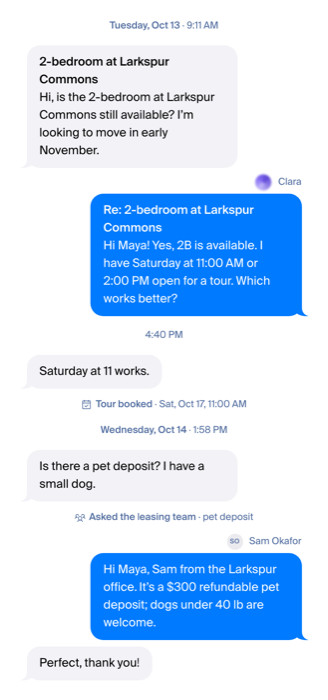
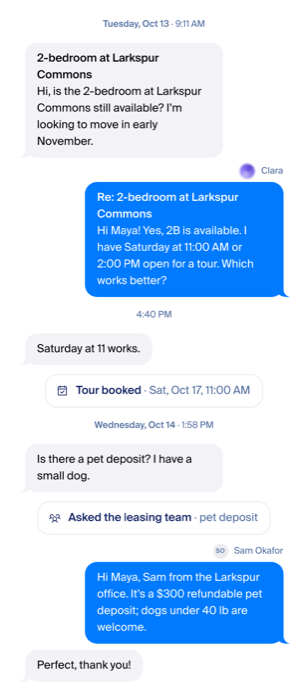
Clara's face
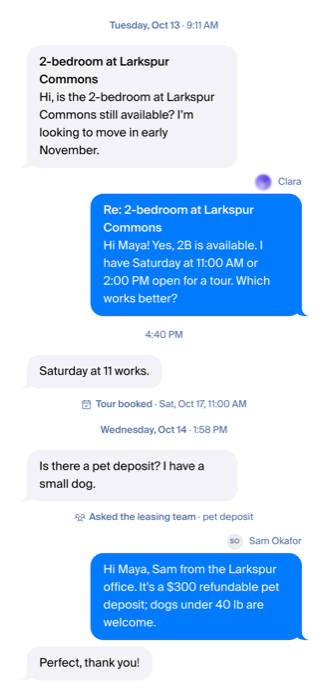
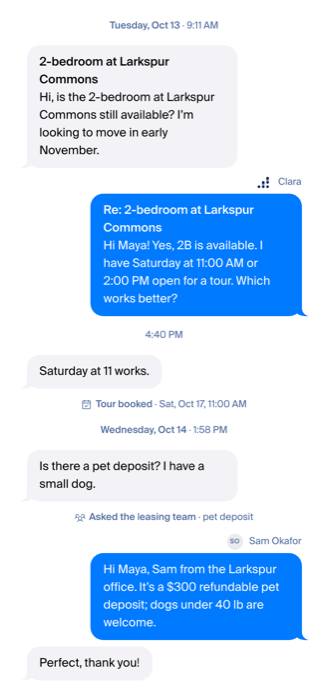
Name row
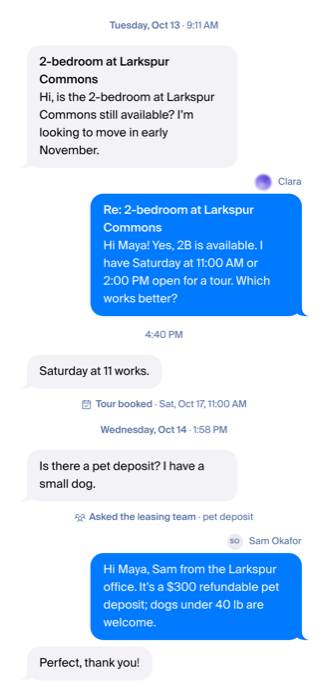
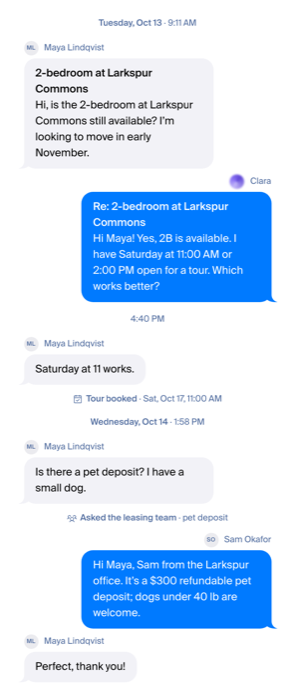
Proof: a row copied from AppFolio, and the details panel
Sam answered twice by text: once through our line, once typed in AppFolio and copied over. The two rows are the same bubble; the only place the system is named is the details panel.
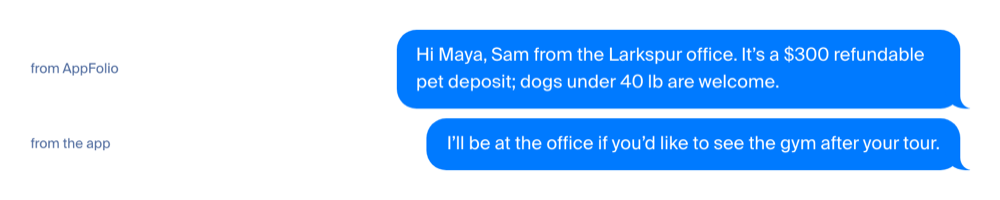
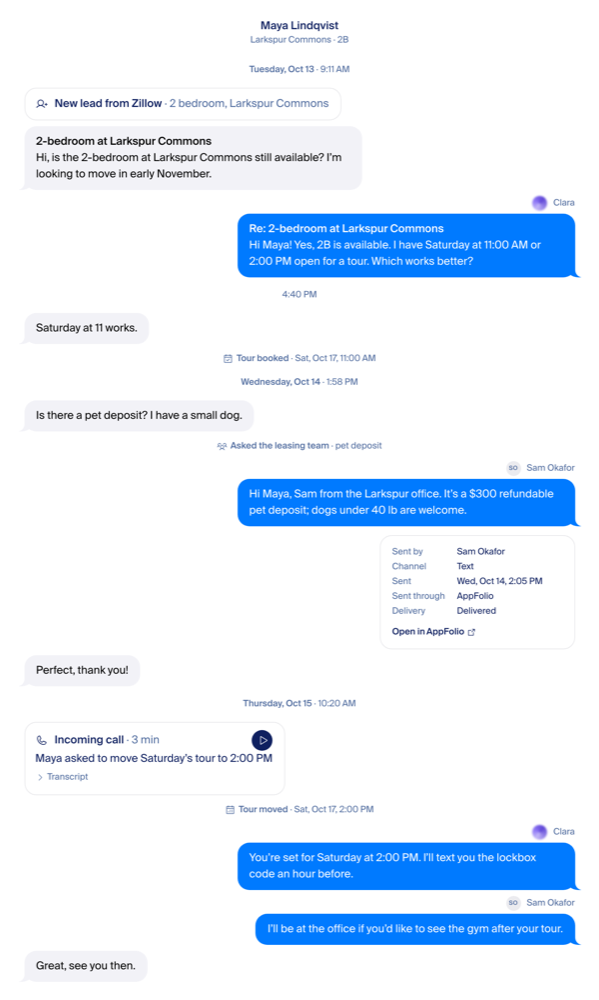
The same panel serves a Yardi row tomorrow: "Sent through Yardi", "Open in Yardi". The provider name is the only thing that changes, and it comes from the adapter, never from thread code.
What goes from the page around the thread
- The "gave a specific time" flag in the header. Grading stays on the review page.
- "Last activity 6 hours ago." The last message's time already says it.
- The "View preview" / "View chat" switch and the three-dots "View preview" item, once each email has "Open original" in its details.
- The "Clara insights" bulb on pages where it opens nothing.
- "Onboarding & Go Live" in the sidebar. It moves into Settings.